I am trying to create tkinter GUI for guess a number game.I am not able to...
I am trying to create tkinter GUI for guess a number game.I am not able to complete it .Could someone guide me to complete.I am so confused about using tkinter in while loop .
Below code is not working correctly .Could someone please help
with this ?
def get_binary_digits(dividend):
binary_digits = []
while dividend != 0:
quot = dividend // 2
remainder = dividend % 2
binary_digits.append(remainder)
dividend = quot # The quotient becomes the new dividend.
binary_digits.reverse()
return binary_digits
cards = [[] for i in range(6)]
# Fill the 'cards' list by applying the game logic in
python.
first_six_powers_of_two = [2 ** i for i in range(6)]
for num in range(1, 64):
bin_digs = get_binary_digits(num)
for i in range(len(bin_digs)):
power_of_two = 2 ** ((len(bin_digs) - 1) - i)
if bin_digs[i] * power_of_two in first_six_powers_of_two:
cards[(len(bin_digs) - 1) - i].append(num)
# Run the game here.
# Give a message 'Think of a number between 1 and 63. Type
'start' when you are ready and hit the 'Enter' key.' to the
player
player_input = input("Think of a number between 1 and 63. Type
'start' when you are ready and hit the 'Enter' key.\n")
# Keep printing the message until the player enters only
'start'.
while player_input != 'start':
player_input = input("Think of a number between 1 and 63. Type
'start' when you are ready and hit the 'Enter' key.\n")
# Create the 'num' variable and set its initial value equal to
0.
num = 0
# Create a list named valid_entries.
valid_entries = ['yes', 'no']
# Create a loop to display the numbers of each card and to take
the input whether the number exists in the card displayed.
for i in range(len(cards)):
print("\nDoes your number exist on Card", i + 1,"?\nCard", i + 1,
"==>", cards[i])
quest = input("Enter either yes or no:\n")
while quest not in valid_entries:
print("Does your number exist on Card", i + 1,"?\nCard", i + 1,
"==>", cards[i])
quest = input("Enter either yes or no:\n")
# If the number exists in the card displayed, then add the first
number to the 'num' variable. Use list indexing, to get the first
number.
if quest == 'yes':
num = num + cards[i][0]
# Print the value of the 'num' variable.
print("\nYou thought of the number", num)
Homework Answers
The above code is not a gui based guessing game. Since you asked for a tkinter GUI based guessing game, here is I am providing you complete code.
If you have any query please feel free to ask:
Code:
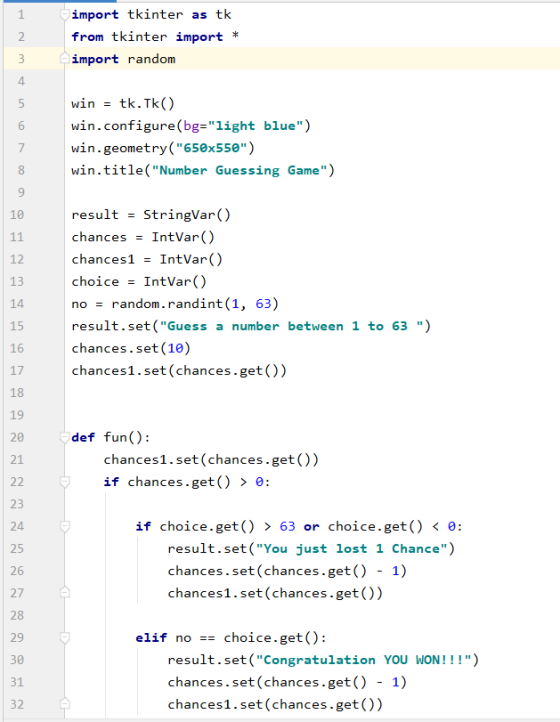
import tkinter as tk
from tkinter import *
import random

win = tk.Tk()
win.configure(bg="light blue")
win.geometry("650x550")
win.title("Number Guessing Game")

result = StringVar()
chances = IntVar()
chances1 = IntVar()
choice = IntVar()
no = random.randint(1, 63)
result.set("Guess a number between 1 to 63 ")
chances.set(10)
chances1.set(chances.get())


def fun():
    chances1.set(chances.get())
    if chances.get() > 0:

        if choice.get() > 63 or choice.get() < 0:
            result.set("You just lost 1 Chance")
            chances.set(chances.get() - 1)
            chances1.set(chances.get())

        elif no == choice.get():
            result.set("Congratulation YOU WON!!!")
            chances.set(chances.get() - 1)
            chances1.set(chances.get())

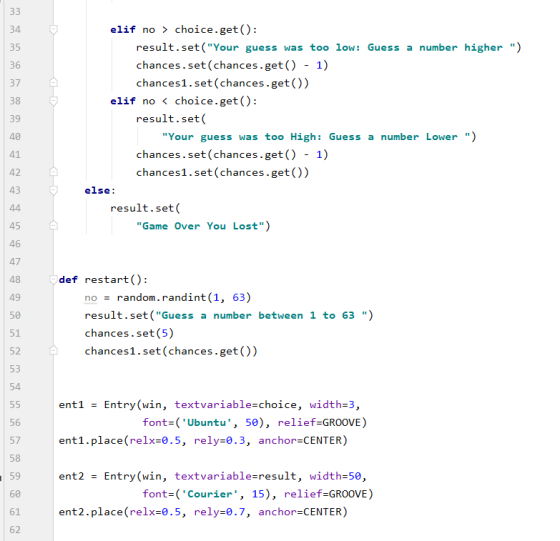
        elif no > choice.get():
            result.set("Your guess was too low: Guess a number higher ")
            chances.set(chances.get() - 1)
            chances1.set(chances.get())
        elif no < choice.get():
            result.set(
                "Your guess was too High: Guess a number Lower ")
            chances.set(chances.get() - 1)
            chances1.set(chances.get())
    else:
        result.set(
            "Game Over You Lost")


def restart():
    no = random.randint(1, 63)
    result.set("Guess a number between 1 to 63 ")
    chances.set(5)
    chances1.set(chances.get())


ent1 = Entry(win, textvariable=choice, width=3,
             font=('Ubuntu', 50), relief=GROOVE)
ent1.place(relx=0.5, rely=0.3, anchor=CENTER)

ent2 = Entry(win, textvariable=result, width=50,
             font=('Courier', 15), relief=GROOVE)
ent2.place(relx=0.5, rely=0.7, anchor=CENTER)

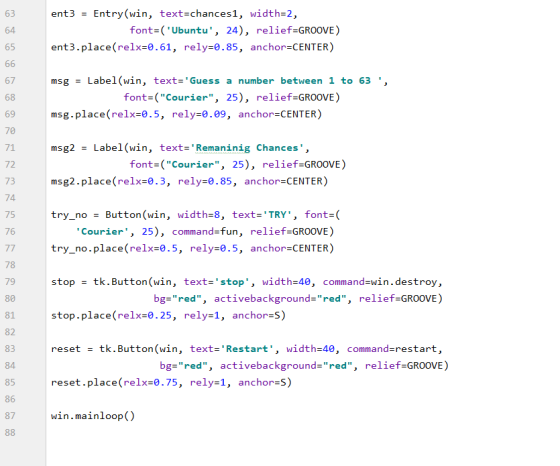
ent3 = Entry(win, text=chances1, width=2,
             font=('Ubuntu', 24), relief=GROOVE)
ent3.place(relx=0.61, rely=0.85, anchor=CENTER)

msg = Label(win, text='Guess a number between 1 to 63 ',
            font=("Courier", 25), relief=GROOVE)
msg.place(relx=0.5, rely=0.09, anchor=CENTER)

msg2 = Label(win, text='Remaninig Chances',
             font=("Courier", 25), relief=GROOVE)
msg2.place(relx=0.3, rely=0.85, anchor=CENTER)

try_no = Button(win, width=8, text='TRY', font=(
    'Courier', 25), command=fun, relief=GROOVE)
try_no.place(relx=0.5, rely=0.5, anchor=CENTER)

stop = tk.Button(win, text='stop', width=40, command=win.destroy,
                 bg="red", activebackground="red", relief=GROOVE)
stop.place(relx=0.25, rely=1, anchor=S)

reset = tk.Button(win, text='Restart', width=40, command=restart,
                  bg="red", activebackground="red", relief=GROOVE)
reset.place(relx=0.75, rely=1, anchor=S)

win.mainloop()
---------------------------------------------------------------------------------------------------------------------------
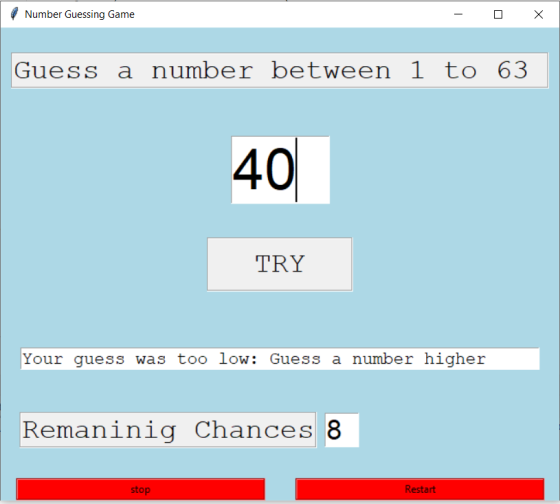
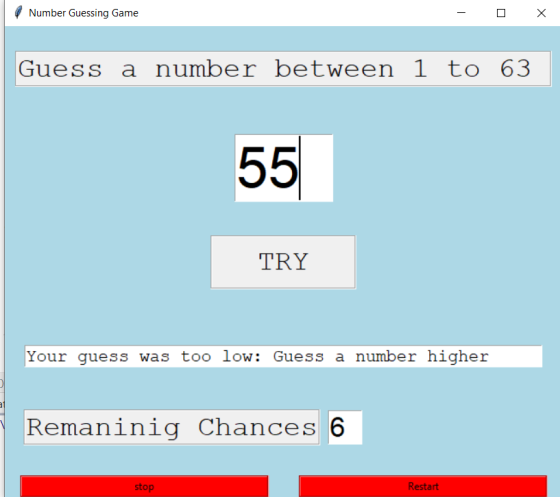
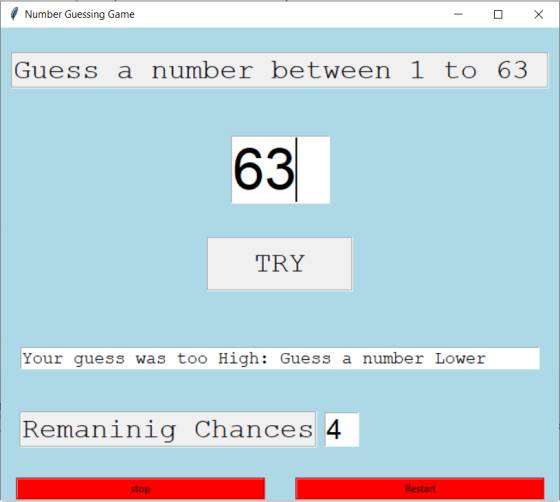
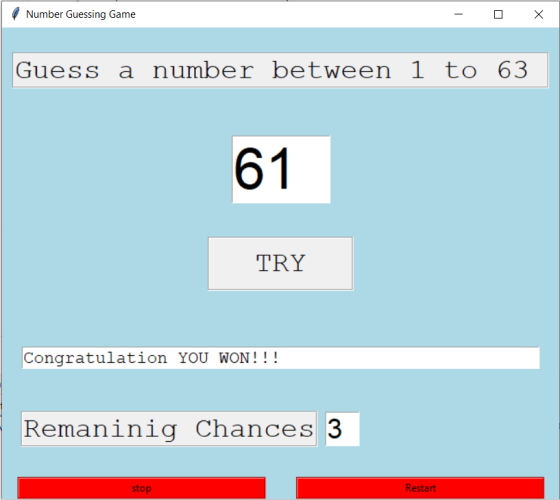
Screenshots:
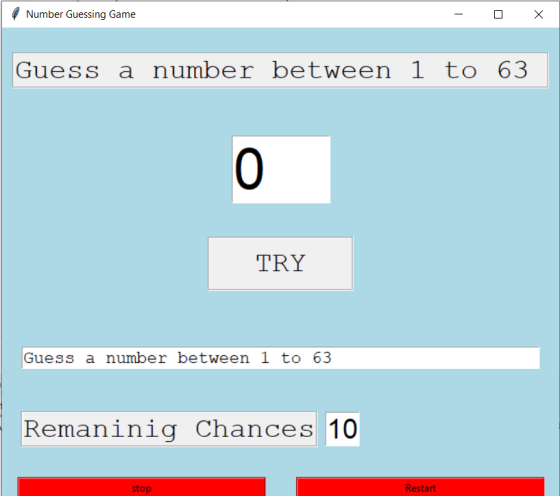
Output:
Add Answer to:
I am trying to create tkinter GUI for guess a number game.I am
not able to...
PLEASE HELP ASAP! in Python, I am supposed to create a program that compares insertion sorting...
PLEASE HELP ASAP! in Python, I am supposed to create a program that compares insertion sorting and selection sorting. My program only compares insertion and selection once. It is supposed to compare increasing, decreasing and an array of random values for each at 5 different lengths (without looping). Please help me. I have included my code below. import time import random def insertion_sort(arr): for i in range(1, len(arr)): key = arr[i] j = i - 1 while j >= 0...
I am using python3.6 and i am getting an error on line 42 num = int(fin.readline())...
I am using python3.6 and i am getting an error on line 42 num = int(fin.readline()) #reading first value valueError: invalid literal, for int() with base 10 Any help is appreciated, here is the code. reads from txt file a few integers in an array and sorts them. thank you! # Function to do insertion sort def insertionSort(arr): # Traverse through 1 to len(arr) for i in range(1, len(arr)): key = arr[i] # Move elements of...
Python Problem Hello i am trying to finish this code it does not save guesses or...
Python Problem Hello i am trying to finish this code it does not save guesses or count wrong guesses. When printing hman it needs to only show _ and letters together. For example if the word is amazing and guess=a it must print a_a_ _ _ _ not a_ _ _ _ and _a_ _ _ separately or with spaces. The guess has a maximum of 8 wrong guesses so for every wrong guess the game must count it if...
how would i write my code in Pseudocode? I am pretty much a beginner, therefore this...
how would i write my code in Pseudocode? I am pretty much a beginner, therefore this is my first major computer science assignment and im not really understanding the written way of code.. please help and explain. Thank you! this is my working code: # Guess The Number HW assignment import random guessesTaken = 0 names=[] tries=[] print("Welcome! ") question = input("Would you like to play the guessing game? [Y/N]") if question == "N": print("Sorry to see you go so...
Can someone fix this python program? I'm trying to do three things: Create a function that...
Can someone fix this python program? I'm trying to do three things: Create a function that takes in a string as a parameter. Then create a dictionary of characters to integers, where the integer represents how many times the number of times the character appears in the word. Create a function that takes two lists as parameters and returns the elements they have in common of the two lists. Ask the user to create a list of numbers and keep...
PIUBlem 2. The Video Game Question. When I am not grading the ridiculous amounts of game. Let's t...
 PIUBlem 2. The Video Game Question. When I am not grading the ridiculous amounts of game. Let's talk statistics of digital card games. exams I have this semester, I play a digital card a) According to a website that tracks statistics, the deck I currently am playing has a 63% win-rate. It 1 plan to play 10 games tonight before I start grading, what is the probability that I win 8 or more of them? b) Rather than play a...
Create a method based program to find if a number is prime and then print all...
Create a method based program to find if a number is prime and then print all the prime numbers from 1 through 500 Method Name: isPrime(int num) and returns a boolean Use for loop to capture all the prime numbers (1 through 500) Create a file to add the list of prime numbers Working Files: public class IsPrimeMethod { public static void main(String[] args) { String input; // To hold keyboard input String message; // Message...
My module page is correct but I don't believe I am using the main() function properly....
My module page is correct but I don't believe I am using the main() function properly. One of my .py files is supposed to contain my definitions, which is the module file. My second .py file is supposed to properly call a main function that does what my program asks it to: First name, last name, age, and respond based off of input. For some reason I am struggling with using the main() function so that my program works. Any...
Create a program named Lab14B. You will create a nested loop in this program by putting...
Create a program named Lab14B. You will create a nested loop in this program by putting Lab14A’s for loop inside a while loop. In the new while loop, you will read integers from the file, Lab14B.txt, and determine if the number is prime (using the copied loop from Lab14A). Stop the while loop when you reach the end of file. Copy your code from Lab14A into your new program Add a while not eof loop around that code, and also...
Please help! I am trying to make a convolution but i am receiving a syntax error....
Please help! I am trying to make a convolution but i am receiving a syntax error. If anyone can help with how to do the convolution it would be much appreciated! This first part is the main program. import numpy as np from numpy import * import pylab as pl import wave import struct from my_conv import myconv #import scipy.signal as signal ##-------------------------------------------------------------------- ## read the input wave file "speech.wav" f = wave.open("speech.wav", "rb") params = f.getparams() nchannels, sampwidth, framerate,...
 PIUBlem 2. The Video Game Question. When I am not grading the ridiculous amounts of game. Let's talk statistics of digital card games. exams I have this semester, I play a digital card a) According to a website that tracks statistics, the deck I currently am playing has a 63% win-rate. It 1 plan to play 10 games tonight before I start grading, what is the probability that I win 8 or more of them? b) Rather than play a...
Most questions answered within 3 hours.
-
Where is the error in this code sequence?
String s1 = "Hello";
String s2 = "ello";...
asked 10 months ago -
Financial data for Joel de Paris, Inc., for last year
follow:
Joel de Paris, Inc.
Balance...
asked 10 months ago -
Consider this reaction:
Al2(SO4)3 (aq)+ BaCl3
(aq) Al2Cl6 (aq)- +
3BaSO4(s) . What is the...
asked 10 months ago -
Suppose that Savneet is considering increasing her
recent random sample from 20 car rentals to 40...
asked 10 months ago -
Trucks arrive at an unloading terminal at an average rate of 120
per hour.
Trucks arrive...
asked 10 months ago -
Why are methanol and ethanol completely soluble in water while
octanol is not very little soluble....
asked 10 months ago -
A facilities manager at a university reads in a research report
that the mean amount of...
asked 10 months ago -
When the CuSO4 is rehydrated by adding water to the anhydrous
compound, is this an endothermic...
asked 10 months ago -
A ray of sunlight is passing from diamond into crown glass; the
angle of incidence is...
asked 10 months ago -
A block of mass 0.249 kg is placed on top of a light, vertical
spring of...
asked 10 months ago -
how do the kidneys compensate in the presences of acidosis
a) trigger hyperventilate
b) reserve acid...
asked 10 months ago -
Question 501 pts
The rental rate of capital to the firm increases. Which of the
following...
asked 10 months ago