

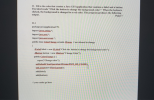
![// make it visible. public static void main(String[] args) { // Create and show the GUI in the GUI thread SwingUtilities publ](http://img.homeworklib.com/questions/863277d0-7ade-11eb-9cc9-33bd889e6729.png?x-oss-process=image/resize,w_560)
Homework Answers
Solution => Please do comment in case of any query.
1. Set a flow layout to a frame
JFrame frame = new JFrame(""); frame.setLayout(new FlowLayout());2. Add the textfield to the frame.
//JTextField textfield = new JTextField( );
frame.add(textfield);
3 and 4
Implement Action Listener
ActionListener listener = new ActionListener() { public void actionPerformed(ActionEvent evt) { //code.... } };5
Make it visible
frame.setVisible(true);
6.
SwingUtilities.invokeLater(new Runnable() { @Override public void run() { createAndShowGUI(); } });Thanks.
Add Answer to:
fill in the blanks with java code
The following code implements a Java timer that looks...
JavaFX! Just need to fill several lanes of code please!!! CSE205 OOP and Data Structure Quiz #15 Last Name (print) First Name (print) Write a JavaFX GUI application program that simulates a timer. T...
 JavaFX! Just need to fill several lanes of code please!!!
CSE205 OOP and Data Structure Quiz #15 Last Name (print) First Name (print) Write a JavaFX GUI application program that simulates a timer. The timer should show "count: the beginning and increase the number by 1 in every one second, and so on. o" at .3 A Timer - × A Timer Count: 0 Count: 1 (B) After 1 second, the GUI Window (A) Initial GUI Window According to the...
JavaFX! Just need to fill several lanes of code please!!!
CSE205 OOP and Data Structure Quiz #15 Last Name (print) First Name (print) Write a JavaFX GUI application program that simulates a timer. The timer should show "count: the beginning and increase the number by 1 in every one second, and so on. o" at .3 A Timer - × A Timer Count: 0 Count: 1 (B) After 1 second, the GUI Window (A) Initial GUI Window According to the...
Need help writing Java code for this question. CircleFrame class is provided below. what happen after...
Need help writing Java code for this question. CircleFrame class is provided below. what happen after u add the code and follow the requirement? It would be nice to be able to directly tell the model to go into wait mode in the same way that the model's notify method is called. (i.e. notify is called directly on the model, whereas wait is called indirectly through the suspended attribute.) Try altering the the actionPerformed method of the SliderListener innner class...
Add a timer to the lightbulb ON/OFF program such that the bulb stays on for 10...
 Add a timer to the lightbulb ON/OFF program such that the bulb
stays on for 10 seconds after the ON button is pushed and then goes
off. Put a new label on the lightbulb panel that counts
the number of seconds the bulb is on and displays the number of
seconds as it counts up from 0 to 10. THIS IS A JAVA PROGRAM. The
image above is what it should look like.
// Demonstrates mnemonics and tool tips.
//********************************************************************...
Add a timer to the lightbulb ON/OFF program such that the bulb
stays on for 10 seconds after the ON button is pushed and then goes
off. Put a new label on the lightbulb panel that counts
the number of seconds the bulb is on and displays the number of
seconds as it counts up from 0 to 10. THIS IS A JAVA PROGRAM. The
image above is what it should look like.
// Demonstrates mnemonics and tool tips.
//********************************************************************...
tart from the following code, and add Action Listener to make it functional to do the...
 tart from the following code, and add Action Listener to make it
functional to do the temperature conversion in the direction of the
arrow that is clicked.
. (Need about 10 lines)
Note:
import javax.swing.*;
import
java.awt.GridLayout;
import
java.awt.event.*;
import
java.text.DecimalFormat;
public class temperatureConverter extends JFrame {
public static void
main(String[] args) {
JFrame frame = new temperatureConverter();
frame.setTitle("Temp");
frame.setSize(200, 100);
frame.setLocationRelativeTo(null);
frame.setDefaultCloseOperation(JFrame.EXIT_ON_CLOSE);
frame.setVisible(true);
}
public
temperatureConverter() {
JLabel lblC = new...
tart from the following code, and add Action Listener to make it
functional to do the temperature conversion in the direction of the
arrow that is clicked.
. (Need about 10 lines)
Note:
import javax.swing.*;
import
java.awt.GridLayout;
import
java.awt.event.*;
import
java.text.DecimalFormat;
public class temperatureConverter extends JFrame {
public static void
main(String[] args) {
JFrame frame = new temperatureConverter();
frame.setTitle("Temp");
frame.setSize(200, 100);
frame.setLocationRelativeTo(null);
frame.setDefaultCloseOperation(JFrame.EXIT_ON_CLOSE);
frame.setVisible(true);
}
public
temperatureConverter() {
JLabel lblC = new...
Debug this java and post the corrected code. /* Creates a simple JPanel with a single...
Debug this java and post the corrected code. /* Creates a simple JPanel with a single "quit" JButton * that ends the program when clicked. * There are 3 errors, one won't prevent compile, you have to read comments. */ import javax.swing.*; import java.awt.*; import java.awt.event.*; public class QuitIt extends JFrame { public QuitIt() { startIt(); //Create everything and start the listener } public final void startIt() { //Create the JPanel JPanel myPanel =...
Hi! I'm working on building a GUI that makes cars race across the screen. So far...
Hi! I'm working on building a GUI that makes cars race across the screen. So far my code produces three cars, and they each show up without error, but do not move across the screen. Can someone point me in the right direction? Thank you! CarComponent.java package p5; import java.awt.*; import java.util.*; import javax.swing.*; @SuppressWarnings("serial") public class CarComponent extends JComponent { private ArrayList<Car> cars; public CarComponent() { cars = new ArrayList<Car>(); } public void add(Car car) { cars.add(car); } public...
22. Fill in the codes that creates a Java GUI application that contains a label and...
 22. Fill in the codes that creates a Java GUI application that contains a label and a button. The label reads "Click the button to change the background color." When the button is clicked, the background is changed to a red color. The program produces the following output. Point 7 22.1 package javaapplication 179; import javax.swing": import java.ant": import java.awt.exst. public class ColorChange extends JFrame / not allowed to change JLabel label - new JLabel("Click the button to change the...
Introduction to Java Programming Question: I’m doing a java game which user clicks on two different...
Introduction to Java Programming Question: I’m doing a java game which user clicks on two different blocks and see the number and remember their locations and match the same number. I’m basically looking for codes that could make my memory match game more difficult or more interesting.(a timer, difficulty level, color, etc.) GUI must be included in the code. Here is what I got so far: package Card; import javax.swing.JButton; public class Card extends JButton{ private int id; ...
1. Analyze the following code: public class Test implements Runnable { public static void main(String[] args) { Thread t = new Thread(this); t.start(); } public void run() { System....
1. Analyze the following code: public class Test implements Runnable { public static void main(String[] args) { Thread t = new Thread(this); t.start(); } public void run() { System.out.println("test"); } } 1. The code compiles but will not print anything since t does not invoke the run method. 2. The code will not compile since you cannot invoke "this" in a static method. 3. The program compiles, runs, and prints tests on the console. 2. What will the following example...
Introduction to Java Programming Question: I’m doing a java game which user clicks on two different blocks and see the number and remember their locations and match the same number. I’m basically look...
Introduction to Java Programming Question: I’m doing a java game which user clicks on two different blocks and see the number and remember their locations and match the same number. I’m basically looking for codes that could make my memory match game more difficult or more interesting.(a timer, difficulty level, color, etc.) GUI must be included in the code. Here is what I got so far: package Card; import javax.swing.JButton; public class Card extends JButton{ private int id; private boolean...
 JavaFX! Just need to fill several lanes of code please!!!
CSE205 OOP and Data Structure Quiz #15 Last Name (print) First Name (print) Write a JavaFX GUI application program that simulates a timer. The timer should show "count: the beginning and increase the number by 1 in every one second, and so on. o" at .3 A Timer - × A Timer Count: 0 Count: 1 (B) After 1 second, the GUI Window (A) Initial GUI Window According to the...
JavaFX! Just need to fill several lanes of code please!!!
CSE205 OOP and Data Structure Quiz #15 Last Name (print) First Name (print) Write a JavaFX GUI application program that simulates a timer. The timer should show "count: the beginning and increase the number by 1 in every one second, and so on. o" at .3 A Timer - × A Timer Count: 0 Count: 1 (B) After 1 second, the GUI Window (A) Initial GUI Window According to the...
 Add a timer to the lightbulb ON/OFF program such that the bulb
stays on for 10 seconds after the ON button is pushed and then goes
off. Put a new label on the lightbulb panel that counts
the number of seconds the bulb is on and displays the number of
seconds as it counts up from 0 to 10. THIS IS A JAVA PROGRAM. The
image above is what it should look like.
// Demonstrates mnemonics and tool tips.
//********************************************************************...
Add a timer to the lightbulb ON/OFF program such that the bulb
stays on for 10 seconds after the ON button is pushed and then goes
off. Put a new label on the lightbulb panel that counts
the number of seconds the bulb is on and displays the number of
seconds as it counts up from 0 to 10. THIS IS A JAVA PROGRAM. The
image above is what it should look like.
// Demonstrates mnemonics and tool tips.
//********************************************************************...
 tart from the following code, and add Action Listener to make it
functional to do the temperature conversion in the direction of the
arrow that is clicked.
. (Need about 10 lines)
Note:
import javax.swing.*;
import
java.awt.GridLayout;
import
java.awt.event.*;
import
java.text.DecimalFormat;
public class temperatureConverter extends JFrame {
public static void
main(String[] args) {
JFrame frame = new temperatureConverter();
frame.setTitle("Temp");
frame.setSize(200, 100);
frame.setLocationRelativeTo(null);
frame.setDefaultCloseOperation(JFrame.EXIT_ON_CLOSE);
frame.setVisible(true);
}
public
temperatureConverter() {
JLabel lblC = new...
tart from the following code, and add Action Listener to make it
functional to do the temperature conversion in the direction of the
arrow that is clicked.
. (Need about 10 lines)
Note:
import javax.swing.*;
import
java.awt.GridLayout;
import
java.awt.event.*;
import
java.text.DecimalFormat;
public class temperatureConverter extends JFrame {
public static void
main(String[] args) {
JFrame frame = new temperatureConverter();
frame.setTitle("Temp");
frame.setSize(200, 100);
frame.setLocationRelativeTo(null);
frame.setDefaultCloseOperation(JFrame.EXIT_ON_CLOSE);
frame.setVisible(true);
}
public
temperatureConverter() {
JLabel lblC = new...
 22. Fill in the codes that creates a Java GUI application that contains a label and a button. The label reads "Click the button to change the background color." When the button is clicked, the background is changed to a red color. The program produces the following output. Point 7 22.1 package javaapplication 179; import javax.swing": import java.ant": import java.awt.exst. public class ColorChange extends JFrame / not allowed to change JLabel label - new JLabel("Click the button to change the...
Most questions answered within 3 hours.
-
Where is the error in this code sequence?
String s1 = "Hello";
String s2 = "ello";...
asked 11 months ago -
Financial data for Joel de Paris, Inc., for last year
follow:
Joel de Paris, Inc.
Balance...
asked 11 months ago -
Consider this reaction:
Al2(SO4)3 (aq)+ BaCl3
(aq) Al2Cl6 (aq)- +
3BaSO4(s) . What is the...
asked 11 months ago -
Suppose that Savneet is considering increasing her
recent random sample from 20 car rentals to 40...
asked 11 months ago -
Trucks arrive at an unloading terminal at an average rate of 120
per hour.
Trucks arrive...
asked 11 months ago -
Why are methanol and ethanol completely soluble in water while
octanol is not very little soluble....
asked 11 months ago -
A facilities manager at a university reads in a research report
that the mean amount of...
asked 11 months ago -
When the CuSO4 is rehydrated by adding water to the anhydrous
compound, is this an endothermic...
asked 11 months ago -
A ray of sunlight is passing from diamond into crown glass; the
angle of incidence is...
asked 11 months ago -
A block of mass 0.249 kg is placed on top of a light, vertical
spring of...
asked 11 months ago -
how do the kidneys compensate in the presences of acidosis
a) trigger hyperventilate
b) reserve acid...
asked 11 months ago -
Question 501 pts
The rental rate of capital to the firm increases. Which of the
following...
asked 11 months ago