I have an HTML with information about 6 different markers on a map. I'm trying to...
I have an HTML with information about 6 different markers on a map. I'm trying to write a style rule in CSS that changes the map information's display property when the mouse pointer hovers over the map marker. The code I have so far starts with (a.battleMarkers:hover +) but everything that I enter afterwards doesn't have the proper affect. I will include the information from the HTML for marker1 below. Please help I am at a loss.
<div id="battleMap">
<img src="ss_map.png" id="mapImage" alt="battle map" />
<a id="marker1" class="battleMarkers" href="#marker1"><img
src="ss_marker.png" alt="" /></a>
<div class="mapInfo" id="info1">
Homework Answers
Qo..
ANS:
HTML+CSS+JS CODE:
<!DOCTYPE html>
<html>
<head>
<title>Add Mark and Show Popup on Gmap</title>
<script
src="https://ajax.googleapis.com/ajax/libs/jquery/3.4.0/jquery.min.js"></script>
<script
src="https://rawgit.com/HPNeo/gmaps/master/gmaps.js"></script>
<!--enable you api key in google map -->
<script
src="http://maps.google.com/maps/api/js?sensor=true&.js"></script>
<style>
html,body,.showmap {
display:
block;
width:
700px;
height:
450px;
margin: 10px
auto;
}
.showmap{
background:
#0ff;
}
</style>
<script>
var mymap = new GMaps({
div: '.showmap',
lat:
28.043333,
lng:
78.028333
});
mymap.addMarker({
lat:
28.043333,
lng:
78.028333,
MapInfoWindow:{
content: 'MapInfoWindow content'
},
mouseover:
function() { //show popup when user mouse over
this.MapInfoWindow.open(this.mymap, this);
},
mouseout:
function() { //hide popup when user mouse out
this.MapInfoWindow.close();
}
});
</script>
</head>
<body>
<!-- MAP will show here when you enable google map
API -->
<div class="showmap"></div>
</body>
</html>
OUTPUT IMAGE:
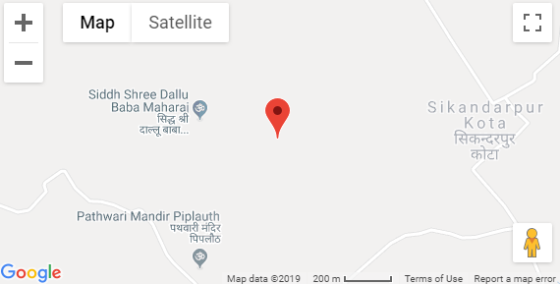
------------------------------------------------------------------------------------------------------------------------------------------------------------------
THANKS!!
Add Answer to:
I have an HTML with information about 6 different markers on a
map. I'm trying to...
HTML css When i refresh the page, the picture doesnt move at all for #i1 i...
HTML css When i refresh the page, the picture doesnt move at all for #i1 i have width and height but the pictuers doesn't move please fix it. <!DOCTYPE html> <html> <head> <meta charset="UTF-8"> <title>Title of the document</title> <style> body{ background-color:#FFA07A; } #h1{ color:white; text-decoration:none; padding:30px; } #h2{ color:white; text-decoration:none; padding:30px; } #navbar1{ background-color:grey; text-align:center; font-size:35px; height:100%px; border:1px solid black; position:absolute; text-decoration:none; margin-left:300px; } #h3{ color:white; text-decoration:none; padding:30px; } #b1{ background-color:grey; font-size:30px; } i1{ width:10px; height:20px; } </style> <body> <div...
Hi Expert I need to make a html checkout page link from product page <!DOCTYPE html>...
Hi Expert I need to make a html checkout page link from product page <!DOCTYPE html> <html lang="en"> <head> <link rel="stylesheet" href="bootstrap/css/bootstrap.css"> <link rel="stylesheet" href="style.css"> <script src="https://code.jquery.com/jquery-3.3.1.slim.min.js" integrity="sha384-q8i/X+965DzO0rT7abK41JStQIAqVgRVzpbzo5smXKp4YfRvH+8abtTE1Pi6jizo" crossorigin="anonymous"></script> <script src="https://cdnjs.cloudflare.com/ajax/libs/popper.js/1.14.7/umd/popper.min.js" integrity="sha384-UO2eT0CpHqdSJQ6hJty5KVphtPhzWj9WO1clHTMGa3JDZwrnQq4sF86dIHNDz0W1" crossorigin="anonymous"></script> <script src="./bootstrap/js/bootstrap.js"></script> <meta charset="UTF-8"> <title>Perry Gerry Mobile Cellular</title> </head> <body> <div class="d-flex flex-column flex-md-row align-items-center p-3 px-md-4 bg-white border-bottom shadow-sm"> <h5 class="my-0 mr-md-auto font-weight-normal">Perry Gerry Mobile Cellular</h5> <nav class="my-2 my-md-0 mr-md-3"> <a class="p-2 text-dark" href="index.html">Home</a> <a class="p-2 text-dark" href="about.html">About Us</a> <a class="p-2 text-dark" href="products.html">Products</a> <a class="p-2 text-dark"...
<!DOCTYPE HTML> <html lang="en"> <head> <meta charset="utf-8"> <title>Plaid Scarf Selector</title> <link rel="stylesheet" href="a3.css" />...
 <!DOCTYPE HTML>
<html lang="en">
<head>
<meta charset="utf-8">
<title>Plaid Scarf Selector</title>
<link rel="stylesheet" href="a3.css" />
<script src="a3.js"> </script>
</head>
<body>
<section>
<h1> Plaid Scarf Selector
</h1><br>
<p>Feels close to real
cashmere (but costs a lot less).
Think of this scarf as the next
best thing to wearing authentic cashmere.
Its microsueded fabric really is
that soft. In fact, at first touch some
mistake if for the real...
<!DOCTYPE HTML>
<html lang="en">
<head>
<meta charset="utf-8">
<title>Plaid Scarf Selector</title>
<link rel="stylesheet" href="a3.css" />
<script src="a3.js"> </script>
</head>
<body>
<section>
<h1> Plaid Scarf Selector
</h1><br>
<p>Feels close to real
cashmere (but costs a lot less).
Think of this scarf as the next
best thing to wearing authentic cashmere.
Its microsueded fabric really is
that soft. In fact, at first touch some
mistake if for the real...
I'm having trouble to link the .js file to the html so changes for the html...
I'm having trouble to link the .js file to the html so changes for the html to be made in the .js file <!DOCTYPE html> <html> <head> <meta charset="utf-8"> <meta name="viewport" content="width=device-width"> <title>:JavaScript, HTML and jQuery</title> <link rel="stylesheet" href="https://maxcdn.bootstrapcdn.com/bootstrap/3.3.7/css/bootstrap.min.css" integrity="sha384-BVYiiSIFeK1dGmJRAkycuHAHRg32OmUcww7on3RYdg4Va+PmSTsz/K68vbdEjh4u" crossorigin="anonymous"> <!-- this is so I don't have to give you a separate CSS file --> <style> .hidden {display: none;} .menu { width: 100px;} </style> </head> <body> <div class="container"> <h1>Assignment 2: JavaScript, HTML and jQuery</h1> <p>To complete this...
Hi, trying to arrange the fourth photo under media tab for a mock web page. I'm...
Hi, trying to arrange the fourth photo under media tab for a mock web page. I'm trying to figure out how to get the 'planned stadium' photo to be shifted to the right and parallel to the 'Ground View 2018' picture. Below is the attached code and thanks for your help: <!DOCTYPE html PUBLIC "-//W3C//DTD XHTML 1.0 Transitional//EN" "http://www.w3.org/TR/xhtml1/DTD/xhtml1-transitional.dtd"> <html xmlns="http://www.w3.org/1999/xhtml"> <head> <meta content="text/html; charset=utf-8" http-equiv="Content-Type" /> <meta name="author" content="Ian Kusnadi" /> <title>Tottenham Spurs Fan Page</title> </head> <style type="text/css"> a:link...
As part of this assignment we are using the base Gallery HTML and writing JavaScript code...
As part of this assignment we are using the base Gallery HTML and writing JavaScript code that will: 1) preload the images provided to us, 2) Create rollover functionality for each of the thumbnails in your image gallery 3) Use appropriate images found in the images folder. 4) Write developer comments to describe the variables being declared and explain the functions and logical blocks of JavaScript code pertaining to the gallery. I know it has to be an external JS...
I know there are a couple of answers to this question already but they don't match...
I know there are a couple of answers to this question already but they don't match the sample code we where given. Overview Images, both static and dynamic, appear on most Web sites. There are many different features and functionalities that we can add through the use of JavaScript, including preloading, rollovers, and cycling banner ads. In this assignment, you will work with JavaScript, images, events, and manipulating the DOM to create an interactive image gallery. Hint: Preloading your images...
I'm using 'leaflet.js' placing popup markers on a map. The following code is in a javascript...
 I'm using 'leaflet.js' placing popup markers on a map. The
following code is in a javascript file. An image appears when you
click on the popup.
However the image is quite large when you click, how can I place
css on this image so it can look
smaller when the popup is clicked.
var popUpPic =
"http://www.prodirectsoccer.com/us/productimages/thumbs/186846.jpg"
;
footballpitch.bindPopup("<img src='" + popUpPic + "'/>")
;
I'm using 'leaflet.js' placing popup markers on a map. The
following code is in a javascript file. An image appears when you
click on the popup.
However the image is quite large when you click, how can I place
css on this image so it can look
smaller when the popup is clicked.
var popUpPic =
"http://www.prodirectsoccer.com/us/productimages/thumbs/186846.jpg"
;
footballpitch.bindPopup("<img src='" + popUpPic + "'/>")
;
How do i make my html show 10 results per page, and how do i make...
How do i make my html show 10 results per page, and how do i make the books clickable to show results about them? <!DOCTYPE html> <html> <head> <title>Google Books Search</title> <script src="https://code.jquery.com/jquery-2.1.4.min.js"> </script> <script src="https://ajax.googleapis.com/ajax/libs/jquery/2.2.2/jquery.min.js"></script> <style> body{ background:lightblue } .wrap{ max-width:400px; margin:auto; margin-top:10px; } .pagination, pagination-last{ float:left; } a{ text-decoration:none; padding:15px 20px; border:1px solid black; border-right:none; background:#f2f2f2; font-size:18px; font-weight:bold; } .pagination-last a{ border-right:1px solid black; } a:hover { background:orange; color;white; } </style> <!-- <script src="js/main.js"></script> --> <script> function B_Search()...
Kindly assist in fixing the error i got when I pasted my codes to validate it....
Kindly assist in fixing the error i got when I pasted my codes to validate it. The error is in bold. Error: Table column 2 established by element th has no cells beginning in it. From line 53, column 25; to line 55, column 40 <tr> <th colspan="2"> <!DOCTYPE HTML> <html lang="en"><!-- language is English--> <head> <meta charset="utf-8"/> <title>DA Website</title> <link rel="stylesheet" type="text/css" href="styles.css" /> </head> <body> <div id="wrapper"> <!-- start html...
 <!DOCTYPE HTML>
<html lang="en">
<head>
<meta charset="utf-8">
<title>Plaid Scarf Selector</title>
<link rel="stylesheet" href="a3.css" />
<script src="a3.js"> </script>
</head>
<body>
<section>
<h1> Plaid Scarf Selector
</h1><br>
<p>Feels close to real
cashmere (but costs a lot less).
Think of this scarf as the next
best thing to wearing authentic cashmere.
Its microsueded fabric really is
that soft. In fact, at first touch some
mistake if for the real...
<!DOCTYPE HTML>
<html lang="en">
<head>
<meta charset="utf-8">
<title>Plaid Scarf Selector</title>
<link rel="stylesheet" href="a3.css" />
<script src="a3.js"> </script>
</head>
<body>
<section>
<h1> Plaid Scarf Selector
</h1><br>
<p>Feels close to real
cashmere (but costs a lot less).
Think of this scarf as the next
best thing to wearing authentic cashmere.
Its microsueded fabric really is
that soft. In fact, at first touch some
mistake if for the real...
Most questions answered within 3 hours.
-
Where is the error in this code sequence?
String s1 = "Hello";
String s2 = "ello";...
asked 10 months ago -
Financial data for Joel de Paris, Inc., for last year
follow:
Joel de Paris, Inc.
Balance...
asked 10 months ago -
Consider this reaction:
Al2(SO4)3 (aq)+ BaCl3
(aq) Al2Cl6 (aq)- +
3BaSO4(s) . What is the...
asked 10 months ago -
Suppose that Savneet is considering increasing her
recent random sample from 20 car rentals to 40...
asked 10 months ago -
Trucks arrive at an unloading terminal at an average rate of 120
per hour.
Trucks arrive...
asked 10 months ago -
Why are methanol and ethanol completely soluble in water while
octanol is not very little soluble....
asked 10 months ago -
A facilities manager at a university reads in a research report
that the mean amount of...
asked 10 months ago -
When the CuSO4 is rehydrated by adding water to the anhydrous
compound, is this an endothermic...
asked 10 months ago -
A ray of sunlight is passing from diamond into crown glass; the
angle of incidence is...
asked 10 months ago -
A block of mass 0.249 kg is placed on top of a light, vertical
spring of...
asked 10 months ago -
how do the kidneys compensate in the presences of acidosis
a) trigger hyperventilate
b) reserve acid...
asked 10 months ago -
Question 501 pts
The rental rate of capital to the firm increases. Which of the
following...
asked 10 months ago