Write the HTML to create a fragment identifier at the beginning of a web page designated...
Write the HTML to create a fragment identifier at the beginning of a web page designated by “top”.
Write the HTML to create a hyperlink to the named fragment designated by “top”.
Homework Answers
HTML code:
<html>
<body>
<div id="top"> <!--fragment identified using unique
id-->
<h2>Chapter 1</h2>
<p>This chapter contains ba bla bla</p>
</div>
<h2>Chapter 2</h2>
<p>This chapter contains ba bla bla</p>
<h2>Chapter 3</h2>
<p>This chapter contains ba bla bla</p>
<h2>Chapter 4</h2>
<p>This chapter contains ba bla bla</p>
<h2>Chapter 5</h2>
<p>This chapter contains ba bla bla</p>
<h2>Chapter 6</h2>
<p>This chapter contains ba bla bla</p>
<h2>Chapter 7</h2>
<p>This chapter contains ba bla bla</p>
<h2>Chapter 8</h2>
<p>This chapter contains ba bla bla</p>
<h2>Chapter 9</h2>
<p>This chapter contains ba bla bla</p>
<h2>Chapter 10</h2>
<p>This chapter contains ba bla bla</p>
<h2>Chapter 11</h2>
<p>This chapter contains ba bla bla</p>
<h2>Chapter 12</h2>
<p>This chapter contains ba bla bla</p>
<h2>Chapter 13</h2>
<p>This chapter contains ba bla bla</p>
<h2>Chapter 14</h2>
<p>This chapter contains ba bla bla</p>
<h2>Chapter 15</h2>
<p>This chapter contains ba bla bla</p>
<p><a href="#top">Jump to top of the
page</a></p>
</body>
</html>
Output:
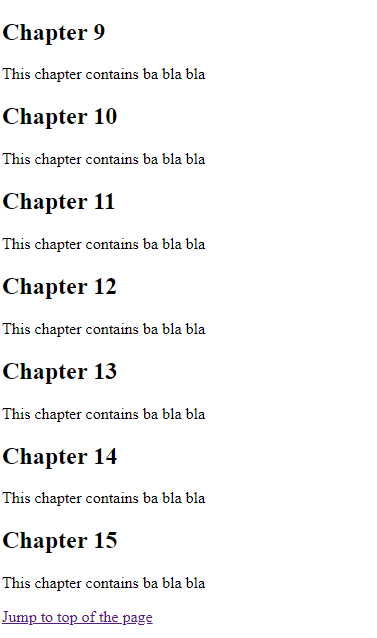
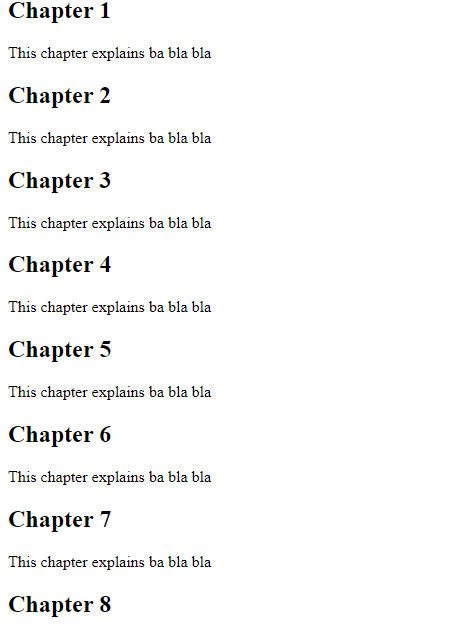
On clicking the link, it goes back to the top of the page
Add Answer to:
Write the HTML to create a fragment identifier at the beginning
of a web page designated...
1. Write the HTML code to create a fragment identifier at the beginning of a web...
1. Write the HTML code to create a fragment identifier at the beginning of a web page designated by the word “top”. 2. Write the HTML code to create a hyperlink to the named fragment designated by “top”. 3. Write the HTML code to assign the header element to the appropriate ARIA landmark role, as shown in the slides. 4. Write the HTML code to associate a web page with an external style sheet named myprint.css to configure a printout....
1. Write the HTML code to create a fragment identifier at the beginning of a web...
1. Write the HTML code to create a fragment identifier at the beginning of a web page designated by the word “top”.
Create a web page: That includes an unordered list describing 2 – 3 courses you are...
Create a web page: That includes an unordered list describing 2 – 3 courses you are taking this semester The text My Current Courses should be contained within <h2> tags The page should include a hyperlink to the home page Write the HTML code so one your listed courses is configured by using a class named favorite The web page should use the external style sheet named ass3.css Save the page as current.html
HTML Web Page project: Need help to create a web page exactly as the example below...
 HTML Web Page project:
Need help to create a web page exactly as the example below
using HTML. I need the source code.
Page 1 of CA272 Midterm Welcome to your name's CA272 Midterm Text In this class, I learned how to... 1. create an X)HTML web page, where I can 2. change the size of my font, 3. change the color of my fonts, 4. change my font style, 5. and change the background color of my web page....
HTML Web Page project:
Need help to create a web page exactly as the example below
using HTML. I need the source code.
Page 1 of CA272 Midterm Welcome to your name's CA272 Midterm Text In this class, I learned how to... 1. create an X)HTML web page, where I can 2. change the size of my font, 3. change the color of my fonts, 4. change my font style, 5. and change the background color of my web page....
4. Write the HTML code to associate a web page with an external style sheet named...
4. Write the HTML code to associate a web page with an external style sheet named myprint.css to configure a printout.
Create two web pages as follows: Page 1: An html page with a form that will...
Create two web pages as follows: Page 1: An html page with a form that will allow the user to enter their name and gender <m/f> Page 2: A Php document that will process the data from the html form to display a welcome message of either ‘Welcome Mr. <submitted name>’ or ‘Welcome Ms. <submitted name>’ The <submitted name> is what the user submitted in the HTML form.
JUDY'S HTML TUTORIAL MENU CREATING YOUR FIRST WEB PAGE The best way to make a web...
JUDY'S HTML TUTORIAL MENU CREATING YOUR FIRST WEB PAGE The best way to make a web page is to just dive right in. Open Notepad. To open notepad in Windows, click the windows icon in the lower left corner of the screen and then type "notepad." Notepad is a text editor. Other text editors you may consider are TextPad, Sublime Text, or NotePad++. Do not use Word or WordPad; they are word processors. If you are using an Apple computer...
1) With the partial code below, create a web page that looks like the one below...
 1) With the partial code below, create a web page that looks
like the one below and complete the given code. Make sure work that
the correct image corresponding with the correct hyperlink is
displayed in the right frame whilst all the hyperlinks are listed
in the left frame.
<html>
<head>
<script>
function setImage(index)
{
if (index == 1)
{
RightFrame.document.RightImage.src = "lions.jpg";
}
if (index == 2)
{
RightFrame.document.RightImage.src = "tigers.jpg";
...
1) With the partial code below, create a web page that looks
like the one below and complete the given code. Make sure work that
the correct image corresponding with the correct hyperlink is
displayed in the right frame whilst all the hyperlinks are listed
in the left frame.
<html>
<head>
<script>
function setImage(index)
{
if (index == 1)
{
RightFrame.document.RightImage.src = "lions.jpg";
}
if (index == 2)
{
RightFrame.document.RightImage.src = "tigers.jpg";
...
9. Create a web page about your favorite musical group. Include the name of the group,...
9. Create a web page about your favorite musical group. Include the name of the group, the individuals in the group, a hyperlink to the group’s website, your favorite three (or fewer if the group is new) CD releases, and a brief review of each CD. • Use an unordered list to organize the names of the individuals. • Use a description list for the names of the CDs and your reviews. Should be complete in HTML code. please complete...
Write an HTML file that creates the following table on a web page. Important notes: 1....
Write an HTML file that creates the following table on a web page. Important notes: 1. You should have to copy and paste the “HTML script” as your answer to this question. DON’T take a screenshot for your HTML script. It must be an editable script. 2. Take a screen shot for your output web page and paste it as a part of your answer. . SEU COURSES COURSE CLASS -ROOM INSTRUCTOR IT 404 CLASS ROOM 1 DR ALI CLASS...
 HTML Web Page project:
Need help to create a web page exactly as the example below
using HTML. I need the source code.
Page 1 of CA272 Midterm Welcome to your name's CA272 Midterm Text In this class, I learned how to... 1. create an X)HTML web page, where I can 2. change the size of my font, 3. change the color of my fonts, 4. change my font style, 5. and change the background color of my web page....
HTML Web Page project:
Need help to create a web page exactly as the example below
using HTML. I need the source code.
Page 1 of CA272 Midterm Welcome to your name's CA272 Midterm Text In this class, I learned how to... 1. create an X)HTML web page, where I can 2. change the size of my font, 3. change the color of my fonts, 4. change my font style, 5. and change the background color of my web page....
 1) With the partial code below, create a web page that looks
like the one below and complete the given code. Make sure work that
the correct image corresponding with the correct hyperlink is
displayed in the right frame whilst all the hyperlinks are listed
in the left frame.
<html>
<head>
<script>
function setImage(index)
{
if (index == 1)
{
RightFrame.document.RightImage.src = "lions.jpg";
}
if (index == 2)
{
RightFrame.document.RightImage.src = "tigers.jpg";
...
1) With the partial code below, create a web page that looks
like the one below and complete the given code. Make sure work that
the correct image corresponding with the correct hyperlink is
displayed in the right frame whilst all the hyperlinks are listed
in the left frame.
<html>
<head>
<script>
function setImage(index)
{
if (index == 1)
{
RightFrame.document.RightImage.src = "lions.jpg";
}
if (index == 2)
{
RightFrame.document.RightImage.src = "tigers.jpg";
...
Most questions answered within 3 hours.
-
Where is the error in this code sequence?
String s1 = "Hello";
String s2 = "ello";...
asked 11 months ago -
Financial data for Joel de Paris, Inc., for last year
follow:
Joel de Paris, Inc.
Balance...
asked 11 months ago -
Consider this reaction:
Al2(SO4)3 (aq)+ BaCl3
(aq) Al2Cl6 (aq)- +
3BaSO4(s) . What is the...
asked 11 months ago -
Suppose that Savneet is considering increasing her
recent random sample from 20 car rentals to 40...
asked 11 months ago -
Trucks arrive at an unloading terminal at an average rate of 120
per hour.
Trucks arrive...
asked 11 months ago -
Why are methanol and ethanol completely soluble in water while
octanol is not very little soluble....
asked 11 months ago -
A facilities manager at a university reads in a research report
that the mean amount of...
asked 11 months ago -
When the CuSO4 is rehydrated by adding water to the anhydrous
compound, is this an endothermic...
asked 11 months ago -
A ray of sunlight is passing from diamond into crown glass; the
angle of incidence is...
asked 11 months ago -
A block of mass 0.249 kg is placed on top of a light, vertical
spring of...
asked 11 months ago -
how do the kidneys compensate in the presences of acidosis
a) trigger hyperventilate
b) reserve acid...
asked 11 months ago -
Question 501 pts
The rental rate of capital to the firm increases. Which of the
following...
asked 11 months ago