This application is for you, the shopper in mind. Putting together an itemized shopping list that...
This application is for you, the shopper in mind. Putting together an itemized shopping list that contains the items you need, the items you want, and the anticipated cost, this program will generate a total price. This way you can decide if your shopping budget fits the bill. Example list: Price List Binder paper: 2.29 Mop: 7.50 Scouring pads: 5 Your application program will create and write a new list to an output file in which the need and wish items are indistinguishable (i.e. input file labels have been removed). Your program will format this file so that items are left-aligned and the prices are right-aligned. The last line has the total of the prices. The Program Spec Obtain the input and output filenames from the user. Use the supplied test file, lab3.txt, for your submission run. Name your output filename yournameLab3out.txt. This program will read a file whose lines contain items and prices, in the format: Item name 1: price 1 Item name 2: price 2 … Note that each item name is terminated with a colon. The program will write a file in which the items are left-aligned and the prices are right-aligned. The last line has the total of the prices. Floating point numbers will be formatted to two decimal places. Your program will prompt the user for the name of the text file that contains your itemized shopping list. This itemized list will contain the item, followed by a colon, followed by a price. Example: Binder paper: 2.29 Hint: Make sure that there is a colon (:) in the lines that get copied into the outfile list. Note: The test file does contain lines without a colon – your program needs to recognize this and skip these lines (i.e. the new file should not contain these lines). To get you started, an itemized list, lab3.txt, is attached for you to use for your lab assignment. Use this text file for your lab submission test verification run. Your program will prompt the user for the input (i.e. lab3.txt) and output (i.e. yournameLab3out.txt) filenames. Deliverables (2 files expected): yournameLab3.py Your source code solution and a copy of the program run (i.e. the console output). Be sure to comment out your run (i.e. console output display) so that your .py file will still run in the grader test bed. yournameLab3out.txt Your output file (i.e. this is the file generated by your program run).
lab3.txt
Price List - Definitely Need
Apples: .57
Binder paper: 2.29
Cheese: 1.59
Mop: 7.50
Scouring pads: 5
Shampoo: 2.54
Wish List
Conditioner: 2.79
Ice Cream: 5.89
Homework Answers
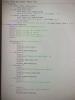
Python Program:
""" Python Program that reads need and wish items and outputs a new file with total price """
# Reading file name
fileName = input("Enter input file name: ")
# Opening output file
ofp = open("lab3out.txt", "w");
# Reading data from file
with open("lab3.txt", "r") as fp:
totalPrice=0
# Reading line by line
for line in fp:
# Checking for semicolon
if ':' in line:
# Fetching item and price
cols = line.split(':')
# Writing to file
ofp.write("%-20s : %5.2f\n"%(cols[0], float(cols[1])))
# Accumulating total price
totalPrice += float(cols[1])
# Writing Total Price
ofp.write("\nTotal Price: %15.2f\n"%(totalPrice))
# Closing files
ofp.close()
____________________________________________________________
Sample Run:


Add Answer to:
This application is for you, the shopper in mind. Putting
together an itemized shopping list that...
working on a Python program, making a shopping list giving the user several options:to view the...
 working on a Python program, making a shopping list giving the user
several options:to view the list, to add an item or to delete and
an option to exit the program. It's not working at all. please
help.
File Edit Format Run Options Window Help class shopping: det init (self, final list): self.final_list=1 det add_item(self, item): self.final list.append(item] print("The added temi " + str(item) + ".") det delete item(self, item): gelf.final list.remove(item) print (the deleted item is "+ste (item) +".")...
working on a Python program, making a shopping list giving the user
several options:to view the list, to add an item or to delete and
an option to exit the program. It's not working at all. please
help.
File Edit Format Run Options Window Help class shopping: det init (self, final list): self.final_list=1 det add_item(self, item): self.final list.append(item] print("The added temi " + str(item) + ".") det delete item(self, item): gelf.final list.remove(item) print (the deleted item is "+ste (item) +".")...
11.12 LAB*: Program: Online shopping cart (continued) This program extends the earlier "Online shopping cart" pr...
11.12 LAB*: Program: Online shopping cart (continued)This program extends the earlier "Online shopping cart" program. (Consider first saving your earlier program).(1) Extend the ItemToPurchase class to contain a new attribute. (2 pts)item_description (string) - Set to "none" in default constructorImplement the following method for the ItemToPurchase class.print_item_description() - Prints item_description attribute for an ItemToPurchase object. Has an ItemToPurchase parameter.Ex. of print_item_description() output:Bottled Water: Deer Park, 12 oz.(2) Build the ShoppingCart class with the following data attributes and related methods. Note: Some can be method stubs...
Shopping Spree: Acme Super Store is having a contest to give away shopping sprees to lucky...
Shopping Spree: Acme Super Store is having a contest to give away shopping sprees to lucky families. If a family wins a shopping spree each person in the family can take any items in the store that he or she can carry out, however each person can only take one of each type of item. For example, one family member can take one television, one watch and one toaster, while another family member can take one television, one camera and...
7.11 LAB: Online shopping cart - Part 2 This program extends the earlier "Online shopping cart" program. (Consid...
7.11 LAB: Online shopping cart - Part 2 This program extends the earlier "Online shopping cart" program. (Consider first saving your earlier program). (1) Extend the ItemToPurchase namedtuple to contain a new attribute. (2 pts) item_description (string) - Set to "none" in the construct_item() function Implement the following function with an ItemToPurchase as a parameter. print_item_description() - Prints item_name and item_description attribute for an ItemToPurchase namedtuple. Has an ItemToPurchase parameter. Ex. of print_item_description() output: Bottled Water: Deer Park, 12 oz....
This program will reinforce our knowledge on basic ‘C’ program control, arrays, and editing and compiling...
This program will reinforce our knowledge on basic ‘C’ program control, arrays, and editing and compiling ‘C’ programs. The objective of this assignment is to create a program that tallies a shopping list of items and displays each selected item, item cost, and total cost of all the selected items plus tax. The program will setup a simple sporting goods store with a few items and prices. The user will submit a shopping list in a textfile and submit it...
You are off to shopping and need a program that allows you to enter the names...
You are off to shopping and need a program that allows you to enter the names of items, their price and quantities. Here is what a sample run should look like (with the keyboard input shown in italics) ... Enter item information ("exit" to exit) item 1: chips price: 3.5 quantity: 2 Enter item information ("exit" to exit) item 2: red wine price : 15.0 quantity : 1 Enter item information ("exit" to exit) item 3 : steaks price :...
Shopping Cart You are to write a program that reads the name of the item, the quantity of each it...
 C++ language
Shopping Cart You are to write a program that reads the name of the item, the quantity of each item, and the cost per item from a file. The program will then print out the item and how much is owed for each item. After everything is read in, it will print out the total cost of the cart. Your program should have the following functions main - This function asks the user to enter a filename and...
C++ language
Shopping Cart You are to write a program that reads the name of the item, the quantity of each item, and the cost per item from a file. The program will then print out the item and how much is owed for each item. After everything is read in, it will print out the total cost of the cart. Your program should have the following functions main - This function asks the user to enter a filename and...
c++ Create a Grocery list dynamically allocated object. also store pointer in to a standard vector...
c++ Create a Grocery list dynamically allocated object. also store pointer in to a standard vector OUTPUT - Welcome to Kroger. Place grocery items into your shopping basket by entering each product's information. enclose string entries in quotes, separate fields with comas CTL-Z (Windows) or CTL-D (Linux) to quit Enter UPC, Product Brand, Product Name, and Price Item added to shopping basket: "00072250018548", "Nature's Own", "Nature's Own Butter Buns Hotdog - 8 Ct", 10.79 Enter UPC, Product Brand, Product Name,...
IN PYTHON You are building a program for a Point of Sale (POS) machine for a...
IN PYTHON You are building a program for a Point of Sale (POS) machine for a fruit store. The inventory and price list are stored in a file (i.e. items.txt) with an example as follows: banana 3 1.25 apple 6 1.75 orange 32 0.5 pear 55 2.5 For illustration, the first line implies that "There are 3 bananas in the inventory and the price of a banana is $1.25" You have to write four functions: 1. The first function readstockprice...
Zybooks 11.12 LAB*: Program: Online shopping cart (continued) Python 3 is the code needed and this...
Zybooks 11.12 LAB*: Program: Online shopping cart (continued) Python 3 is the code needed and this is in Zybooks Existing Code # Type code for classes here class ItemToPurchase: def __init__(self, item_name="none", item_price=0, item_quantity=0): self.item_name = item_name self.item_price = item_price self.item_quantity = item_quantity # def __mul__(self): # print_item_cost = (self.item_quantity * self.item_price) # return '{} {} @ ${} = ${}' .format(self_item_name, self.item_quantity, self.item_price, print_item_cost) def print_item_cost(self): self.print_cost = (self.item_quantity * self.item_price) print(('{} {} @ ${} = ${}') .format(self.item_name, self.item_quantity, self.item_price,...
 working on a Python program, making a shopping list giving the user
several options:to view the list, to add an item or to delete and
an option to exit the program. It's not working at all. please
help.
File Edit Format Run Options Window Help class shopping: det init (self, final list): self.final_list=1 det add_item(self, item): self.final list.append(item] print("The added temi " + str(item) + ".") det delete item(self, item): gelf.final list.remove(item) print (the deleted item is "+ste (item) +".")...
working on a Python program, making a shopping list giving the user
several options:to view the list, to add an item or to delete and
an option to exit the program. It's not working at all. please
help.
File Edit Format Run Options Window Help class shopping: det init (self, final list): self.final_list=1 det add_item(self, item): self.final list.append(item] print("The added temi " + str(item) + ".") det delete item(self, item): gelf.final list.remove(item) print (the deleted item is "+ste (item) +".")...
 C++ language
Shopping Cart You are to write a program that reads the name of the item, the quantity of each item, and the cost per item from a file. The program will then print out the item and how much is owed for each item. After everything is read in, it will print out the total cost of the cart. Your program should have the following functions main - This function asks the user to enter a filename and...
C++ language
Shopping Cart You are to write a program that reads the name of the item, the quantity of each item, and the cost per item from a file. The program will then print out the item and how much is owed for each item. After everything is read in, it will print out the total cost of the cart. Your program should have the following functions main - This function asks the user to enter a filename and...
Most questions answered within 3 hours.
-
Where is the error in this code sequence?
String s1 = "Hello";
String s2 = "ello";...
asked 10 months ago -
Financial data for Joel de Paris, Inc., for last year
follow:
Joel de Paris, Inc.
Balance...
asked 10 months ago -
Consider this reaction:
Al2(SO4)3 (aq)+ BaCl3
(aq) Al2Cl6 (aq)- +
3BaSO4(s) . What is the...
asked 10 months ago -
Suppose that Savneet is considering increasing her
recent random sample from 20 car rentals to 40...
asked 10 months ago -
Trucks arrive at an unloading terminal at an average rate of 120
per hour.
Trucks arrive...
asked 10 months ago -
Why are methanol and ethanol completely soluble in water while
octanol is not very little soluble....
asked 10 months ago -
A facilities manager at a university reads in a research report
that the mean amount of...
asked 10 months ago -
When the CuSO4 is rehydrated by adding water to the anhydrous
compound, is this an endothermic...
asked 10 months ago -
A ray of sunlight is passing from diamond into crown glass; the
angle of incidence is...
asked 10 months ago -
A block of mass 0.249 kg is placed on top of a light, vertical
spring of...
asked 10 months ago -
how do the kidneys compensate in the presences of acidosis
a) trigger hyperventilate
b) reserve acid...
asked 10 months ago -
Question 501 pts
The rental rate of capital to the firm increases. Which of the
following...
asked 10 months ago