Description: Save a text document to disk based on a name and content provided by the...
Description: Save a text document to disk based on a name and content provided by the user.
Purpose: This application provides experience with user input and interaction in the Console, writing files to disk, working with exceptions, and writing programs in C#/.NET.
Requirements:
Project Name:
Document
Target Platform: Console
Programming Language: C#
Documentation:
- Types and variables (Links to an external site.) (Microsoft)
- Console.ReadLine Method () (Links to an external site.) (Microsoft)
- Strings (C# Programming Guide) (Links to an external site.) (Microsoft)
- How to read from and write to a text file by using Visual C# (Links to an external site.) (Microsoft)
- StreamWriter Class (Links to an external site.) (Microsoft)
- Exceptions and Exception Handling (C# Programming Guide) (Links to an external site.) (Microsoft)
This program is to display the name of the app “Document” followed by a blank line, prompt the user for the name and content for a document, save the document to the current directory, and display a message if it was successful or unsuccessful based on a specification provided. The filename of the document is the name provided by the user with “.txt” appended to it.
When the program runs:
- Display “Document” followed by a blank line.
- Prompt the user for the name of the document.
- Prompt the user for the content that is to be in the document.
- Append .txt to the name and use it as the file name.
- Save the content to a file in the current directory.
- If an exception occurs, output the exception message and exit.
- If an exception does not occur, output “[filename] was successfully saved. The document contains [count] characters.” and exit. [filename] and [count] are placeholders for the filename of the document and the number of characters it contains.
Note that the requirements say the file is to be saved in the current directory. This means you can use just the file name as the path for the file. If you do that, the file will be saved in the current directory for the application. When I created the project and called it Document, a directory called Document was created that contains Document.sln and another directory called Document. The Document directory inside of the project is the current directory when the application runs and is where you will find the files that are saved.
Optional Requirements:
The following requirements are not required, but you should try to implement them if you can.
If the name provided by the user already ends in “.txt”, do not append “.txt” to the name to create the filename. If it already has “.txt” on the end, use it as-is.
Close the stream that is opened in the finally block of a try-catch-finally. Caution: test the variable holding the reference to the stream to make sure it is not null before calling the Close method on it. Calling a method on a null reference will crash the application.
After the document is saved or fails to save, prompt the user if they want to save another document. If they do, prompt them again for input. If not, exit the program.
Homework Answers
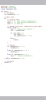
Here is the program:
using System;
using System.IO;
namespace DocumentApplication {
class Document {
static void Main(string[] args) {
try{
Console.WriteLine("Document");
Console.WriteLine("Enter Document Title:");
string name=Console.ReadLine();
Console.WriteLine("Enter Document Content:");
string content=Console.ReadLine();
string filename=name+".txt";
string path= Environment.CurrentDirectory+"/"+filename;
if(!File.Exists(path))
{
File.WriteAllText(path, content);
}
Console.WriteLine(filename+" was successfully saved. The document contains "+content.Length+" characters");
}
catch(Exception e)
{
Console.WriteLine(e);
}
}
}
}
If you have any queries,please let me know in the comments secction,would be very happy to help.
Add Answer to:
Description: Save a text document to disk based on
a name and content provided by the...
Description: Merge two or more text files provided by the user into a new text file...
Description: Merge two or more text files provided by the user into a new text file where the names of the text files to join and the output text file are provided to the program using command line arguments. Purpose: This application provides experience working with command line arguments, writing files to disk, reading files from disk, working with exceptions, and writing programs in C#/.NET. Requirements: Project Name: DocumentMerger2 Target Platform: Console Programming Language: C# In a previous challenge, Document...
Description: Create a program called numstat.py that reads a series of integer numbers from a file...
Description: Create a program called numstat.py that reads a series of integer numbers from a file and determines and displays the name of file, sum of numbers, count of numbers, average of numbers, maximum value, minimum value, and range of values. Purpose: The purpose of this challenge is to provide experience working with numerical data in a file and generating summary information. Requirements: Create a program called numstat.py that reads a series of integer numbers from a file and determines...
2. Write a function file_copy() that takes two string parameters: in file and out_file and copies...
 2. Write a function file_copy() that takes two string parameters: in file and out_file and copies the contents of in_file into out file. Assume that in_file exists before file_copy is called. For example, the following would be correct input and output. 1 >>> file_copy( created equal.txt', 'copy.txt) 2 >>> open fopen ( copy.txt') 3 >>> equal-f = open( 'created-equal . txt') 4 >>equal_f.read () 5 'We hold these truths to be self-evident, Inthat all men are created equalIn' 3. Write:...
PYTHON Build a regular expressions based on informal specifications to match specified patterns. Use a compiled...
PYTHON Build a regular expressions based on informal specifications to match specified patterns. Use a compiled regular expression in a Python program where appropriate. Use Python's text processing str methods to generate a string format converter. create a date format converter. Your program will convert a date in the format “mm/dd/yyyy” to the format “month day, year”. Specify the required input format: mm/dd/yyyy Use a regular expression to validate the user input date format. If the format is incorrect raise...
Using python 1. Write: A program that implements a logbook, recording the visitors to a place...
 Using python
1. Write: A program that implements a logbook, recording the visitors to a place of interest and their visit's purpose. This log book could later be read by another program. Implement a function called log that takes one parameter, filename, the name of a file. You may assume the file is in the current working directory of the program. log should prompt the user for their name arid the nature of their visit. log should then append a...
Using python
1. Write: A program that implements a logbook, recording the visitors to a place of interest and their visit's purpose. This log book could later be read by another program. Implement a function called log that takes one parameter, filename, the name of a file. You may assume the file is in the current working directory of the program. log should prompt the user for their name arid the nature of their visit. log should then append a...
(In Linux) 1. Create a file to write to from your script and save it as...
(In Linux) 1. Create a file to write to from your script and save it as “.txt”. 2. Write the following information to the file that you created in Step 1: Today's date Your full name Your student ID The name of your course What directory you are in File permissions of the file that you created that allow everyone to read, write, and execute The long list of files in your current directory, providing all items and their process...
Using python 3.7.3 Challenge: Rock, Paper, Scissors GamePDF Description: Create a menu-driven rock, paper, scissors game...
Using python 3.7.3 Challenge: Rock, Paper, Scissors GamePDF Description: Create a menu-driven rock, paper, scissors game in Python 3 that a user plays against the computer with the ability to save and load a game and its associated play statistics. Purpose: The purpose of this challenge is to assess the developer’s ability to create an interactive application with data persistence in Python 3. Requirements: Create a Rock, Paper, Scissors game in Python named rps.py according to the requirements specified in...
Loading and Saving a Survey For this lab activity, you are going to practice creating a...
 Loading and Saving a Survey
For this lab activity, you are going to practice creating a program
that reads and writes data to a file. Download the lab24.zip file
to get started.
The main.cpp file is completely written for you; there's
nothing you need to change in there. The
main function provides the menu loop for
the user to pick either loading or saving the survey responses.
Additionally, the funcs.h header file is also done for
you. The tasks to...
Loading and Saving a Survey
For this lab activity, you are going to practice creating a program
that reads and writes data to a file. Download the lab24.zip file
to get started.
The main.cpp file is completely written for you; there's
nothing you need to change in there. The
main function provides the menu loop for
the user to pick either loading or saving the survey responses.
Additionally, the funcs.h header file is also done for
you. The tasks to...
Assignment 11 – Exceptions, Text Input/Output - Random Numbers Revised 9/2019 Chapter 12 discusses Exception Handling...
Assignment 11 – Exceptions, Text Input/Output - Random Numbers Revised 9/2019 Chapter 12 discusses Exception Handling and Input/Output. Using try/catch/finally statement to handle exceptions, or declare/throw an exception as needed, create the following program: Create an array of 25 random numbers between 0 & 250 formatted to a field width of 10 & 4 decimal places (%10.4f). Use the formula Math.random() * 250. Display the array of random numbers on the console and also write to a file. Prompt the...
Programming Problem 1 - File Name: pass.cpp (5 pts.) Description: You were hired by...
 Programming Problem 1 - File Name: pass.cpp (5 pts.)
Description:
You were hired by the KFU cybersecurity team to create a program
that checks if the passwords chosen by users are strong or not. A
password is considered strong if the following conditions are
satisfied:
• Its length is at least 8 characters
• It contains at least one uppercase letter.
Input Format:
The program will prompt the user to enter their chosen
password.
Example Input
Enter your...
Programming Problem 1 - File Name: pass.cpp (5 pts.)
Description:
You were hired by the KFU cybersecurity team to create a program
that checks if the passwords chosen by users are strong or not. A
password is considered strong if the following conditions are
satisfied:
• Its length is at least 8 characters
• It contains at least one uppercase letter.
Input Format:
The program will prompt the user to enter their chosen
password.
Example Input
Enter your...
 2. Write a function file_copy() that takes two string parameters: in file and out_file and copies the contents of in_file into out file. Assume that in_file exists before file_copy is called. For example, the following would be correct input and output. 1 >>> file_copy( created equal.txt', 'copy.txt) 2 >>> open fopen ( copy.txt') 3 >>> equal-f = open( 'created-equal . txt') 4 >>equal_f.read () 5 'We hold these truths to be self-evident, Inthat all men are created equalIn' 3. Write:...
 Using python
1. Write: A program that implements a logbook, recording the visitors to a place of interest and their visit's purpose. This log book could later be read by another program. Implement a function called log that takes one parameter, filename, the name of a file. You may assume the file is in the current working directory of the program. log should prompt the user for their name arid the nature of their visit. log should then append a...
Using python
1. Write: A program that implements a logbook, recording the visitors to a place of interest and their visit's purpose. This log book could later be read by another program. Implement a function called log that takes one parameter, filename, the name of a file. You may assume the file is in the current working directory of the program. log should prompt the user for their name arid the nature of their visit. log should then append a...
 Loading and Saving a Survey
For this lab activity, you are going to practice creating a program
that reads and writes data to a file. Download the lab24.zip file
to get started.
The main.cpp file is completely written for you; there's
nothing you need to change in there. The
main function provides the menu loop for
the user to pick either loading or saving the survey responses.
Additionally, the funcs.h header file is also done for
you. The tasks to...
Loading and Saving a Survey
For this lab activity, you are going to practice creating a program
that reads and writes data to a file. Download the lab24.zip file
to get started.
The main.cpp file is completely written for you; there's
nothing you need to change in there. The
main function provides the menu loop for
the user to pick either loading or saving the survey responses.
Additionally, the funcs.h header file is also done for
you. The tasks to...
 Programming Problem 1 - File Name: pass.cpp (5 pts.)
Description:
You were hired by the KFU cybersecurity team to create a program
that checks if the passwords chosen by users are strong or not. A
password is considered strong if the following conditions are
satisfied:
• Its length is at least 8 characters
• It contains at least one uppercase letter.
Input Format:
The program will prompt the user to enter their chosen
password.
Example Input
Enter your...
Programming Problem 1 - File Name: pass.cpp (5 pts.)
Description:
You were hired by the KFU cybersecurity team to create a program
that checks if the passwords chosen by users are strong or not. A
password is considered strong if the following conditions are
satisfied:
• Its length is at least 8 characters
• It contains at least one uppercase letter.
Input Format:
The program will prompt the user to enter their chosen
password.
Example Input
Enter your...
Most questions answered within 3 hours.
-
Where is the error in this code sequence?
String s1 = "Hello";
String s2 = "ello";...
asked 11 months ago -
Financial data for Joel de Paris, Inc., for last year
follow:
Joel de Paris, Inc.
Balance...
asked 11 months ago -
Consider this reaction:
Al2(SO4)3 (aq)+ BaCl3
(aq) Al2Cl6 (aq)- +
3BaSO4(s) . What is the...
asked 11 months ago -
Suppose that Savneet is considering increasing her
recent random sample from 20 car rentals to 40...
asked 11 months ago -
Trucks arrive at an unloading terminal at an average rate of 120
per hour.
Trucks arrive...
asked 11 months ago -
Why are methanol and ethanol completely soluble in water while
octanol is not very little soluble....
asked 11 months ago -
A facilities manager at a university reads in a research report
that the mean amount of...
asked 11 months ago -
When the CuSO4 is rehydrated by adding water to the anhydrous
compound, is this an endothermic...
asked 11 months ago -
A ray of sunlight is passing from diamond into crown glass; the
angle of incidence is...
asked 11 months ago -
A block of mass 0.249 kg is placed on top of a light, vertical
spring of...
asked 11 months ago -
how do the kidneys compensate in the presences of acidosis
a) trigger hyperventilate
b) reserve acid...
asked 11 months ago -
Question 501 pts
The rental rate of capital to the firm increases. Which of the
following...
asked 11 months ago