Exercise 4-4 Create an object and use it with the Number Guessing Game In this exercise,...
Exercise 4-4 Create an object and use it with the Number Guessing Game
In this exercise, you’ll convert a number guessing game so it uses some object-oriented features. The class we create will have 3 private instancevariables, 2 constructors, 3 getmethodswhich return a value, and 1 methodthat acts as a sub procedure. The logic for creating a random number and tracking the # of guesses is moved to this new class.
Review the project
- Start NetBeans and open the project named ch04_ex4_GuessingGame.
- Run the project and make sure it works correctly. Also, make sure you understand the code in the main method.
Create a class that stores the random # and guess count data for the game
- In the murach.games package, create a new class named NumberGame.
- In this class, create one instancevariable for storing the upper limit of the number, a second instancevariable for storing the target number, and a third for the number of guessesthe user has made.
- Add a constructorto the class that has a single parameterfor input into the constructor method. This parameter is an integer variable for passing the value of the upper limitinto the constructor. Write a line of code to assign the parameter to the upper limit instance variable. Next generate the number that the user should try to guess and set the targetinstance variable. Cut and paste the relevant lines of code from the main method into the constructor to create this random target number. Finally, initialize the instance variablefor the number of guesses to 1. There will be 4 lines of code in this constructor.
- Add getmethodsfor all three instance variables. Don’t create setmethodsfor the instance variables because the instance variables are meant to be read only.
- Add a methodnamed incrementGuessCount that adds 1 to the instance variablefor the number of guesses. This method will do the same thing as the line of code in the main method that increase the count by 1, and it has a void data type.
Use the Number Game class in the Main class
- In the Main class modify the code so it createsand usesa new Number Gameobject. The main class will call the constructorafter the user enters the upper limit to create the new object. Use this object’s methodsto increase the count, getthe upper limit value and getthe number of guesses value. For example, use the getUpperLimit method to display the upper limit to the user. Then, comment out any unnecessary code in the main method that is now being done by the object.
- Run the project again and makes sure it still works correctly.
Add a second constructor and use it
- In the NumberGameclass, add a second “default” constructor to the class that has no parameters. The code for this default constructorwill call the other constructor in this class and pass it a value of 50 for the upper limit as an argument. (Hint: See page 124 -127 for an example of a no parameter constructor.)
- In the Main class, comment out the code that calls the single argument constructor, and then add a line of code that uses the zero-argument constructor. Then, comment out the statements that get the upper limit from the user. These statements are no longer necessary since the constructor automatically sets the upper limit to 50.
- Run the project again and makes sure it works correctly. It should set an upper limit of 50 by default.
- Include sample outputfor the code that asks the user for the upper limit (step 9) and for the code that uses the default constructor (step 12) in a Word document.
This is the file that it comes with:
package murach.games;
import java.util.Random;
import java.util.Scanner;
public class Main {
public static void main(String args[]) {
System.out.println("Welcome to the Number Guessing Game");
System.out.println();
Scanner sc = new Scanner(System.in);
// Get upper limit
System.out.print("Enter the upper limit for the number: ");
int upperLimit = Integer.parseInt(sc.nextLine());
System.out.println("OK, I'm thinking of a number between 0 and "
+
upperLimit);
System.out.println();
// Generate a random number between 0 and the upperLimit
variable
Random random = new Random();
int number = random.nextInt(upperLimit + 1);
int count = 1;
System.out.print("Enter your guess: ");
int guess = Integer.parseInt(sc.nextLine());
while (guess != number) {
if (guess < number) {
System.out.println("Your guess is too low.\n");
}
else if (guess > number)
{
System.out.println("Your guess is too high.\n");
}
count = count + 1;
System.out.print("Enter your guess: ");
guess = Integer.parseInt(sc.nextLine());
}
System.out.println("Correct!\n");
System.out.println("You guessed the correct number in " + count
+
" guesses.\n");
System.out.println("Bye!");
}
}
Homework Answers
Note: Could you plz go through this code and let me
know if u need any changes in this.Thank You
=================================
// NumberGame.java
import java.util.Random;
public class NumberGame {
//Declaring instance variables
private int upperLimit;
private int number;
private int guessCount;
//Parameterized constructor
public NumberGame(int upperLimit) {
this.upperLimit = upperLimit;
Random random = new Random();
number = random.nextInt(upperLimit
- 1) + 1;
guessCount = 1;
}
//Zero argumented constructor
public NumberGame() {
this.upperLimit = 50;
Random random = new Random();
number = random.nextInt(upperLimit
- 1) + 1;
guessCount = 1;
}
// getters and setters
public int getNumber() {
return number;
}
public int getGuessCount() {
return guessCount;
}
public int getUpperLimit() {
return upperLimit;
}
public void incrementGuessCount() {
guessCount = guessCount + 1;
}
}
==============================
// Test.java
import java.util.Scanner;
public class Test {
public static void main(String args[]) {
System.out.println("Welcome to the Number Guessing Game");
System.out.println();
Scanner sc = new Scanner(System.in);
System.out.print("Enter upper limit for guess: ");
int upperLimit = Integer.parseInt(sc.nextLine());
NumberGame game = new NumberGame(upperLimit);
System.out.println();
System.out.print("Enter your guess: ");
int guess = sc.nextInt();
while (guess != game.getNumber()) {
if (guess < game.getNumber()) {
System.out.println("Your guess is too low.\n");
} else if (guess > game.getNumber()) {
System.out.println("Your guess is too high.\n");
}
game.incrementGuessCount();
System.out.print("Enter your guess: ");
guess = sc.nextInt();
}
System.out.println("Correct!\n");
System.out.println("You guessed the correct number in " +
game.getGuessCount() + "
guesses.\n");
System.out.println("Bye!");
}
}
======================================
Output:
Welcome to the Number Guessing Game
Enter upper limit for guess: 100
Enter your guess: 50
Your guess is too low.
Enter your guess: 70
Your guess is too low.
Enter your guess: 90
Your guess is too low.
Enter your guess: 95
Correct!
You guessed the correct number in 4 guesses.
Bye!
================================
// Test2.java
import java.util.Scanner;
public class Test2 {
public static void main(String[] args)
{
Scanner sc = new
Scanner(System.in);
NumberGame game = new
NumberGame();
System.out.println();
System.out.print("Enter your guess: ");
int guess = sc.nextInt();
while (guess != game.getNumber()) {
if (guess < game.getNumber()) {
System.out.println("Your guess is too low.\n");
} else if (guess > game.getNumber()) {
System.out.println("Your guess is too high.\n");
}
game.incrementGuessCount();
System.out.print("Enter your guess: ");
guess = sc.nextInt();
}
System.out.println("Correct!\n");
System.out.println("You guessed the correct number in " +
game.getGuessCount()
+ " guesses.\n");
System.out.println("Bye!");
}
}
==========================
Output:
Enter your guess: 20
Your guess is too low.
Enter your guess: 60
Your guess is too high.
Enter your guess: 35
Your guess is too low.
Enter your guess: 40
Correct!
You guessed the correct number in 4 guesses.
Bye!
==========================Thank You
Add Answer to:
Exercise 4-4 Create an
object and use it with the Number Guessing Game
In this exercise,...
(Java with Netbeans) Programming. Please show modified programming code for already given Main class, and programming...
 (Java with Netbeans) Programming. Please show modified
programming code for already given Main class, and programming for
code for the new GameChanger class.
// the code for Main class for step number 6 has already
been given, please show modified progrraming for Main class and
GameCHanger class, thank you.
package .games;
import java.util.Random;
import java.util.Scanner;
public class Main {
public static void main(String args[]) {
System.out.println("Welcome to the Number Guessing Game");
System.out.println();
Scanner sc = new Scanner(System.in);
// Get upper...
(Java with Netbeans) Programming. Please show modified
programming code for already given Main class, and programming for
code for the new GameChanger class.
// the code for Main class for step number 6 has already
been given, please show modified progrraming for Main class and
GameCHanger class, thank you.
package .games;
import java.util.Random;
import java.util.Scanner;
public class Main {
public static void main(String args[]) {
System.out.println("Welcome to the Number Guessing Game");
System.out.println();
Scanner sc = new Scanner(System.in);
// Get upper...
Java Guessing Game Class The class will generate a random number of 1 to 15, and...
Java Guessing Game Class The class will generate a random number of 1 to 15, and then check to see if the user guessed the number correctly. If the number is incorrect, the user should have the chance to guess again, until they guess the right number or they guess 10 times. The class method should keep track of the number of guesses the user has had, and return this value. The class should have one constructors, a default and...
Project 7-3 Guessing Game import java.util.Scanner; public class GuessNumberApp { public static void main(String[] args)...
Project 7-3 Guessing Game import java.util.Scanner; public class GuessNumberApp { public static void main(String[] args) { displayWelcomeMessage(); // create the Scanner object Scanner sc = new Scanner(System.in); String choice = "y"; while (choice.equalsIgnoreCase("y")) { // generate the random number and invite user to guess it int number = getRandomNumber(); displayPleaseGuessMessage(); // continue until the user guesses the number int guessNumber = 0; int counter = 1; while (guessNumber != number) { // get a valid int from user guessNumber...
Write a Java application program that plays a number guessing game with the user. In the...
Write a Java application program that plays a number guessing game with the user. In the starter code that you are given to help you begin the project, you will find the following lines of code: Random generator = args.length == 0 ? new Random() : new Random(Integer.parseInt(args[0])); int secret = generator.nextInt(100); You must keep these lines of code in your program. If you delete these lines, or if you change thse lines in any way, then your program...
python code for guessing game users enter the number the computer will guess 8:38 PM 100...
 python code for guessing game users enter the number the computer
will guess
8:38 PM 100 nstructure.com 1. Number guessing game : (5 points) 1) Requirements: Your program will ask the user to enter a number between 1 and 1000. Then it will try to guess the correct number with the guaranteed minimal average number of guesses. Which search algorithm should you use? 2) Expected Output: Enter a number between 1 and 1000? 784 Computer guesses: 500 Type 'l' if...
python code for guessing game users enter the number the computer
will guess
8:38 PM 100 nstructure.com 1. Number guessing game : (5 points) 1) Requirements: Your program will ask the user to enter a number between 1 and 1000. Then it will try to guess the correct number with the guaranteed minimal average number of guesses. Which search algorithm should you use? 2) Expected Output: Enter a number between 1 and 1000? 784 Computer guesses: 500 Type 'l' if...
This exercise guides you through the process of converting an Area and Perimeter application from a...
This exercise guides you through the process of converting an Area and Perimeter application from a procedural application to an object-oriented application. Create and use an object 1. Open the project named ch04_ex2_Area and Perimeter that’s stored in the ex_starts folder. Then, review the code for the Main class. 2. Create a class named Rectangle and store it in the murach.rectangle package. 3. In the Rectangle class, add instance variables for length and width. The, code the get and set...
Python Program Python: Number Guessing Game Write a Python function called "Guess.py" to create a number...
 Python Program
Python: Number Guessing Game Write a Python function called "Guess.py" to create a number guessing game: 1. Function has one input for the number to Guess and one output of the number of attempts needed to guess the value (assume input number will always be between 1 and 1000). 2. If no number was given when the function was called, use random.randint(a,b) to generate a random number between a=1 and b=1000. You will also need to add an...
Python Program
Python: Number Guessing Game Write a Python function called "Guess.py" to create a number guessing game: 1. Function has one input for the number to Guess and one output of the number of attempts needed to guess the value (assume input number will always be between 1 and 1000). 2. If no number was given when the function was called, use random.randint(a,b) to generate a random number between a=1 and b=1000. You will also need to add an...
I need help on creating a while loop for my Java assignment. I am tasked to...
I need help on creating a while loop for my Java assignment. I am tasked to create a guessing game with numbers 1-10. I am stuck on creating a code where in I have to ask the user if they want to play again. This is the code I have: package journal3c; import java.util.Scanner; import java.util.Random; public class Journal3C { public static void main(String[] args) { Scanner in = new Scanner(System.in); Random rnd = new Random(); System.out.println("Guess a number between...
Write a program that allows a user to play a guessing game. Pick a random number...
Write a program that allows a user to play a guessing game. Pick a random number in between 1 and 100, and then prompt the user for a guess. For their first guess, if it’s not correct, respond to the user that their guess was “hot.” For all subsequent guesses, respond that the user was “hot”if their new guess is strictly closer to the secret number than their old guess and respond with“cold”, otherwise. Continue getting guesses from the user...
help me do flowchart please Project Design: Project Scop To create a "guess the number" game...
 help me do flowchart please
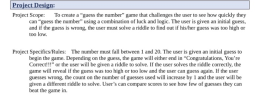
Project Design: Project Scop To create a "guess the number" game that challenges the user to see how quickly they can "guess the number" using a combination of luck and logic. The user is given an initial guess, and if the guess is wrong, the user must solve a riddle to find out if his/her guess was too high or too low. Project Specifics/Rules: The number must fall between 1 and 20. The user is...
help me do flowchart please
Project Design: Project Scop To create a "guess the number" game that challenges the user to see how quickly they can "guess the number" using a combination of luck and logic. The user is given an initial guess, and if the guess is wrong, the user must solve a riddle to find out if his/her guess was too high or too low. Project Specifics/Rules: The number must fall between 1 and 20. The user is...
 (Java with Netbeans) Programming. Please show modified
programming code for already given Main class, and programming for
code for the new GameChanger class.
// the code for Main class for step number 6 has already
been given, please show modified progrraming for Main class and
GameCHanger class, thank you.
package .games;
import java.util.Random;
import java.util.Scanner;
public class Main {
public static void main(String args[]) {
System.out.println("Welcome to the Number Guessing Game");
System.out.println();
Scanner sc = new Scanner(System.in);
// Get upper...
(Java with Netbeans) Programming. Please show modified
programming code for already given Main class, and programming for
code for the new GameChanger class.
// the code for Main class for step number 6 has already
been given, please show modified progrraming for Main class and
GameCHanger class, thank you.
package .games;
import java.util.Random;
import java.util.Scanner;
public class Main {
public static void main(String args[]) {
System.out.println("Welcome to the Number Guessing Game");
System.out.println();
Scanner sc = new Scanner(System.in);
// Get upper...
 python code for guessing game users enter the number the computer
will guess
8:38 PM 100 nstructure.com 1. Number guessing game : (5 points) 1) Requirements: Your program will ask the user to enter a number between 1 and 1000. Then it will try to guess the correct number with the guaranteed minimal average number of guesses. Which search algorithm should you use? 2) Expected Output: Enter a number between 1 and 1000? 784 Computer guesses: 500 Type 'l' if...
python code for guessing game users enter the number the computer
will guess
8:38 PM 100 nstructure.com 1. Number guessing game : (5 points) 1) Requirements: Your program will ask the user to enter a number between 1 and 1000. Then it will try to guess the correct number with the guaranteed minimal average number of guesses. Which search algorithm should you use? 2) Expected Output: Enter a number between 1 and 1000? 784 Computer guesses: 500 Type 'l' if...
 Python Program
Python: Number Guessing Game Write a Python function called "Guess.py" to create a number guessing game: 1. Function has one input for the number to Guess and one output of the number of attempts needed to guess the value (assume input number will always be between 1 and 1000). 2. If no number was given when the function was called, use random.randint(a,b) to generate a random number between a=1 and b=1000. You will also need to add an...
Python Program
Python: Number Guessing Game Write a Python function called "Guess.py" to create a number guessing game: 1. Function has one input for the number to Guess and one output of the number of attempts needed to guess the value (assume input number will always be between 1 and 1000). 2. If no number was given when the function was called, use random.randint(a,b) to generate a random number between a=1 and b=1000. You will also need to add an...
 help me do flowchart please
Project Design: Project Scop To create a "guess the number" game that challenges the user to see how quickly they can "guess the number" using a combination of luck and logic. The user is given an initial guess, and if the guess is wrong, the user must solve a riddle to find out if his/her guess was too high or too low. Project Specifics/Rules: The number must fall between 1 and 20. The user is...
help me do flowchart please
Project Design: Project Scop To create a "guess the number" game that challenges the user to see how quickly they can "guess the number" using a combination of luck and logic. The user is given an initial guess, and if the guess is wrong, the user must solve a riddle to find out if his/her guess was too high or too low. Project Specifics/Rules: The number must fall between 1 and 20. The user is...
Most questions answered within 3 hours.
-
Where is the error in this code sequence?
String s1 = "Hello";
String s2 = "ello";...
asked 11 months ago -
Financial data for Joel de Paris, Inc., for last year
follow:
Joel de Paris, Inc.
Balance...
asked 11 months ago -
Consider this reaction:
Al2(SO4)3 (aq)+ BaCl3
(aq) Al2Cl6 (aq)- +
3BaSO4(s) . What is the...
asked 11 months ago -
Suppose that Savneet is considering increasing her
recent random sample from 20 car rentals to 40...
asked 11 months ago -
Trucks arrive at an unloading terminal at an average rate of 120
per hour.
Trucks arrive...
asked 11 months ago -
Why are methanol and ethanol completely soluble in water while
octanol is not very little soluble....
asked 11 months ago -
A facilities manager at a university reads in a research report
that the mean amount of...
asked 11 months ago -
When the CuSO4 is rehydrated by adding water to the anhydrous
compound, is this an endothermic...
asked 11 months ago -
A ray of sunlight is passing from diamond into crown glass; the
angle of incidence is...
asked 11 months ago -
A block of mass 0.249 kg is placed on top of a light, vertical
spring of...
asked 11 months ago -
how do the kidneys compensate in the presences of acidosis
a) trigger hyperventilate
b) reserve acid...
asked 11 months ago -
Question 501 pts
The rental rate of capital to the firm increases. Which of the
following...
asked 11 months ago