I have never created an external style before. This is the main Html that I am...
I have never created an external style before. This is the main Html that I am using.
<!doctype html>
<html lang="en">
<head>
<!--Madison McCuiston-->
<meta charset="utf-8">
<title>Amelie Boulangerie</title>
<link href="style.css" rel="stylesheet"
type="text/css">
</head>
<body>
<div id="wrapper">
<header>Amelie Boulangerie</header> <!-- change this
to header tag -->
<nav>
<ul>
<li><a
href="index.html">Home</a></li>
<li><a
href="pastries.html">Pastries</a></li>
<li><a
href="events.html">Events</a></li>
<li><a
href="contact.html">Contact</a></li>
</ul>
</nav>
<main>
<H2>Experience the Difference</H2>
<p><span class="bakery">Amelie Boulangerie</span>
is the master of flavor combinations.The jewel-colored macarons
come in the most tempting of flavors. Experience the difference at
<span class="bakery">Amelie
Boulangerie.</span></p>
<ul>
<li>Small batch baking to ensure quality and
freshness</li>
<li>Gluten free options available</li>
<li>Flavored coffees and teas</li>
<li>Live acoustic music on Thursday and Saturday
nights</li>
</ul>
<address>Amelie Boulangerie<br>231 Uninversity
Dr,<br>Tempe, AZ
85281<br>480-555-5555<br>Hours:Mon-Sun,
6am-9pm</address>
</main>
<footer><p>Copyright© 2019 Amelie
Boulangerie<br></p></footer>
</div><!--closes wrapper-->
</body>
</html>
CSS
body
{background-color:#DEA8B5;color:#542C1B;font-family:Verdana;line-height:150%}
#wrapper
{width:80%;margin-left:auto;margin-right:auto;background-color:#FDFDFD}
header {background:#141A1A;color:#FFFFFF}
nav {font-weight:bold}
.bakery {font-style:italic}
footer
{background-color:#AFAEB4;font-size:.60em;font-style:italic;text-align:center}
External Style Sheet 1. Create a new file within your text editor and save the file as style.css. 2. Create the global styles for the entire website by using the body selector a. Style the background color using #DEA8B5 Refer to page 83 b. Style the text color using #542C1B Refer to page 84 c. Style the font using Verdana, Arial, and any sans-serif for the fallback font Refer to page 85 d. Style the line height to 1.5 Refer to page 85 3. Create a style rule for an id named wrapper with the following declarations: Refer to page 101 a. Style the wrapper to have a background-color using #FDFDFD b. Center the wrapper in the body by setting the width to 80% and setting the margin-left and margin-right to auto. (3 pts) Refer to page 110-111 4. Create the header styles by using the header selector (1 pt) a. Style the background color of the header using #141A1A (1 pt) Page 5 b. Style the text color using #FFFFFF (1 pt) 5. Create the navigation styles by using the nav selector (1 pt) a. Style the text with a font weight of bold (1 pt) 6. Create a style for a class named bakery that configures italic text. (2 pts) Refer to page 100 7. Create the footer styles by using the footer selector (1 pt) a. Style the background color of the footer using #AFAEB4 (1 pt) b. Style the font size to be smaller than the rest of the page (.6 em), with italic text, that is centered. (3 pts)
Homework Answers
answer for above question : -
for using external stylesheets with html file, we have to first create a file with extension .css in the same directory as of html. then this .css file is linked with the html file by using following tag
<link href="style.css" rel="stylesheet" type="text/css">
here the external css file name is style and it is saved in the same directory with the html file then we link the css with our html using the link tag .
link tag has following three attributes :-
href = it stores the path of the file
rel = in this we specify the relationship between two documents.
type = in this attribute we specify the type of the document which we are linking.
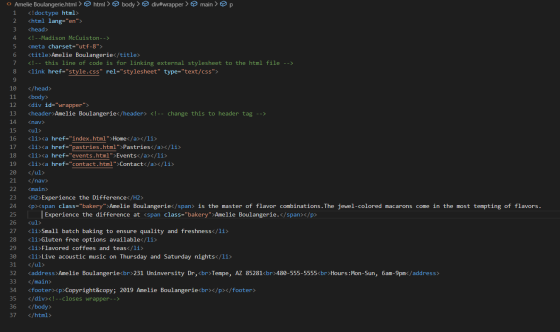
.html file : -
<!doctype html>
<html lang="en">
<head>
<!--Madison McCuiston-->
<meta charset="utf-8">
<title>Amelie Boulangerie</title>
<!-- this line of code is for linking external stylesheet to the html file -->
<link href="style.css" rel="stylesheet" type="text/css">
</head>
<body>
<div id="wrapper">
<header>Amelie Boulangerie</header> <!-- change this to header tag -->
<nav>
<ul>
<li><a href="index.html">Home</a></li>
<li><a href="pastries.html">Pastries</a></li>
<li><a href="events.html">Events</a></li>
<li><a href="contact.html">Contact</a></li>
</ul>
</nav>
<main>
<H2>Experience the Difference</H2>
<p><span class="bakery">Amelie Boulangerie</span> is the master of flavor combinations.The jewel-colored macarons come in the most tempting of flavors. Experience the difference at <span class="bakery">Amelie Boulangerie.</span></p>
<ul>
<li>Small batch baking to ensure quality and freshness</li>
<li>Gluten free options available</li>
<li>Flavored coffees and teas</li>
<li>Live acoustic music on Thursday and Saturday nights</li>
</ul>
<address>Amelie Boulangerie<br>231 Uninversity Dr,<br>Tempe, AZ 85281<br>480-555-5555<br>Hours:Mon-Sun, 6am-9pm</address>
</main>
<footer><p>Copyright© 2019 Amelie Boulangerie<br></p></footer>
</div><!--closes wrapper-->
</body>
</html>
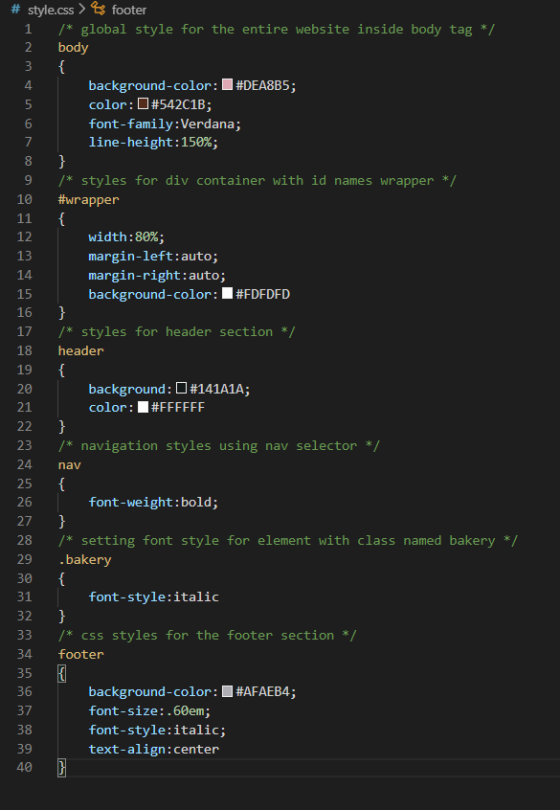
style.css file :-
/* global style for the entire website inside body tag */
body
{
background-color:#DEA8B5;
color:#542C1B;
font-family:Verdana;
line-height:150%;
}
/* styles for div container with id names wrapper */
#wrapper
{
width:80%;
margin-left:auto;
margin-right:auto;
background-color:#FDFDFD
}
/* styles for header section */
header
{
background:#141A1A;
color:#FFFFFF
}
/* navigation styles using nav selector */
nav
{
font-weight:bold;
}
/* setting font style for element with class named bakery */
.bakery
{
font-style:italic
}
/* css styles for the footer section */
footer
{
background-color:#AFAEB4;
font-size:.60em;
font-style:italic;
text-align:center
}
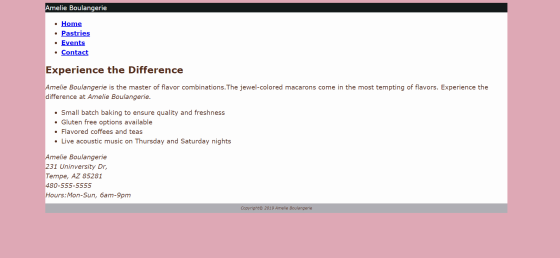
output : -
if my answer helped then please upvote
thankyou !
Add Answer to:
I have never created an external style before. This is the main
Html that I am...
I cant seem to get the CSS at the bottom of this HTML to work. <!doctype...
I cant seem to get the CSS at the bottom of this HTML to work. <!doctype html> <html lang="en"> <head> <!--Madison McCuiston--> <meta charset="utf-8"> <title>Amelie Boulangerie</title> <link href="style.css" rel="stylesheet" type="text/css"> </head> <body> <div id="wrapper"> <header>Amelie Boulangerie</header> <!-- change this to header tag --> <nav> <ul> <li><a href="index.html">Home</a></li> <li><a href="pastries.html">Pastries</a></li> <li><a href="events.html">Events</a></li> <li><a href="contact.html">Contact</a></li> </ul> </nav> <main> <H2>Experience the Difference</H2> <p><span class="bakery">Amelie Boulangerie</span> is the master of flavor combinations.The jewel-colored macarons come in the most tempting of flavors. Experience the difference...
Hello, I am designing a website for my class. I am using HTML/CSS/Jscript. I need to...
Hello, I am designing a website for my class. I am using HTML/CSS/Jscript. I need to have my text in the body, white. All text and the picture centered but how do I have margins on the left and right side?. I have a figcaption and I dont know have to place it under the picture but I am having a hard time. Can you help me? Thank you! HTML <!DOCTYPE html> <html> <head> <meta name="viewport" content="width=device-width, initial-scale=1"> <link rel="stylesheet"...
Hello! I am to create a .js file that allows the paragraph on the bottom of...
Hello! I am to create a .js file that allows the paragraph on the bottom of the page to update with what the user enters. I need to modify the given HTML to recognize the javascript file that I am to make from scratch. The HTML file and other details are below: Use the given HTML to add functionality to an interactive form that generates an invitation to volunteers for an event. The file will have the following invitation message...
As part of this assignment we are using the base Gallery HTML and writing JavaScript code...
As part of this assignment we are using the base Gallery HTML and writing JavaScript code that will: 1) preload the images provided to us, 2) Create rollover functionality for each of the thumbnails in your image gallery 3) Use appropriate images found in the images folder. 4) Write developer comments to describe the variables being declared and explain the functions and logical blocks of JavaScript code pertaining to the gallery. I know it has to be an external JS...
Please edit and add all the code needed to make the images side by side and to put the buttons in...
 Please edit and add all the code needed to make the images side
by side and to put the buttons in the middle of the images. Thank
you
index.html
<!DOCTYPE html>
<html lang="en">
<head>
<meta charset="utf-8">
<meta http-equiv="X-UA-Compatible"
content="IE=edge">
<meta name="viewport" content="width=device-width,
initial-scale=1">
<title>Untitled Document</title>
<!-- Bootstrap -->
<link href="css/bootstrap-4.0.0.css"
rel="stylesheet">
<link href="style.css" rel="stylesheet"
type="text/css">
<link rel="stylesheet"
href="https://cdnjs.cloudflare.com/ajax/libs/font-awesome/4.7.0/css/font-awesome.min.css">
</head>
<body>
<header>
<nav class="navbar navbar-expand-lg navbar-light
bg-light"> <a class="navbar-brand" href="#">Lakeside
Resort Spot</a>
<button class="navbar-toggler"
type="button" data-toggle="collapse"
data-target="#navbarSupportedContent1"
aria-controls="navbarSupportedContent1" aria-expanded="false"
aria-label="Toggle navigation">...
Please edit and add all the code needed to make the images side
by side and to put the buttons in the middle of the images. Thank
you
index.html
<!DOCTYPE html>
<html lang="en">
<head>
<meta charset="utf-8">
<meta http-equiv="X-UA-Compatible"
content="IE=edge">
<meta name="viewport" content="width=device-width,
initial-scale=1">
<title>Untitled Document</title>
<!-- Bootstrap -->
<link href="css/bootstrap-4.0.0.css"
rel="stylesheet">
<link href="style.css" rel="stylesheet"
type="text/css">
<link rel="stylesheet"
href="https://cdnjs.cloudflare.com/ajax/libs/font-awesome/4.7.0/css/font-awesome.min.css">
</head>
<body>
<header>
<nav class="navbar navbar-expand-lg navbar-light
bg-light"> <a class="navbar-brand" href="#">Lakeside
Resort Spot</a>
<button class="navbar-toggler"
type="button" data-toggle="collapse"
data-target="#navbarSupportedContent1"
aria-controls="navbarSupportedContent1" aria-expanded="false"
aria-label="Toggle navigation">...
Hello, I was wondering if you could possibly think of ways to improve my home page then I would l...
 Hello, I was wondering if you could possibly think of ways to
improve my home page then I would like you to do so. I know it
could be better. Thank you.
index.html
<!DOCTYPE html>
<html lang="en">
<head>
<meta charset="utf-8">
<meta http-equiv="X-UA-Compatible" content="IE=edge">
<meta name="viewport" content="width=device-width,
initial-scale=1">
<title>Untitled Document</title>
<!-- Bootstrap -->
<link rel="stylesheet"
href="https://maxcdn.bootstrapcdn.com/bootstrap/3.4.0/css/bootstrap.min.css">
<!-- jQuery library -->
<script
src="https://ajax.googleapis.com/ajax/libs/jquery/3.3.1/jquery.min.js"></script>
<!-- Latest compiled JavaScript -->
<script
src="https://maxcdn.bootstrapcdn.com/bootstrap/3.4.0/js/bootstrap.min.js"></script>
<link href="style.css" rel="stylesheet"
type="text/css">
<link rel="stylesheet"
href="https://cdnjs.cloudflare.com/ajax/libs/font-awesome/4.7.0/css/font-awesome.min.css">
</head>
<body>
<header>
<nav class="navbar...
Hello, I was wondering if you could possibly think of ways to
improve my home page then I would like you to do so. I know it
could be better. Thank you.
index.html
<!DOCTYPE html>
<html lang="en">
<head>
<meta charset="utf-8">
<meta http-equiv="X-UA-Compatible" content="IE=edge">
<meta name="viewport" content="width=device-width,
initial-scale=1">
<title>Untitled Document</title>
<!-- Bootstrap -->
<link rel="stylesheet"
href="https://maxcdn.bootstrapcdn.com/bootstrap/3.4.0/css/bootstrap.min.css">
<!-- jQuery library -->
<script
src="https://ajax.googleapis.com/ajax/libs/jquery/3.3.1/jquery.min.js"></script>
<!-- Latest compiled JavaScript -->
<script
src="https://maxcdn.bootstrapcdn.com/bootstrap/3.4.0/js/bootstrap.min.js"></script>
<link href="style.css" rel="stylesheet"
type="text/css">
<link rel="stylesheet"
href="https://cdnjs.cloudflare.com/ajax/libs/font-awesome/4.7.0/css/font-awesome.min.css">
</head>
<body>
<header>
<nav class="navbar...
Kindly assist in fixing the error i got when I pasted my codes to validate it....
Kindly assist in fixing the error i got when I pasted my codes to validate it. The error is in bold. Error: Table column 2 established by element th has no cells beginning in it. From line 53, column 25; to line 55, column 40 <tr> <th colspan="2"> <!DOCTYPE HTML> <html lang="en"><!-- language is English--> <head> <meta charset="utf-8"/> <title>DA Website</title> <link rel="stylesheet" type="text/css" href="styles.css" /> </head> <body> <div id="wrapper"> <!-- start html...
How do I get my HTML and CSS to look similar to this mockup? HTML: <!DOCTYPE...
 How do I get my HTML and CSS to look similar to this mockup?
HTML:
<!DOCTYPE html>
<html lang="en">
<head>
<meta charset="UTF-8">
<meta name="viewport"
content="width=device-width, initial-scale=1.0">
<title>nitro
site</title>
<link href="css/main.css"
rel="stylesheet"/>
</head>
<body>
<header class="header">
<section class="navlist">
<img
class="logo" src="assets/logobeans.png"/>
<h2
class="headertitle">nitro</h2>
<nav>
<ul>
<li><a
href="index.html"
target="_parent">About</a></li>
<li><a
href="/html/menu.html"
target="_blank">Menu</a></li>
<li><a
href="/html/menu.html">Shop Now</a></li>
</ul>
</nav>
</section>
<section
class="headerContainer">
<h1
class="heading">Nitro Coffee</h1>
<p
class="productDesc">Coffee is a brewed drink prepared from
roasted coffee beans, the seeds of berries from certain Coffea
species.</p>...
How do I get my HTML and CSS to look similar to this mockup?
HTML:
<!DOCTYPE html>
<html lang="en">
<head>
<meta charset="UTF-8">
<meta name="viewport"
content="width=device-width, initial-scale=1.0">
<title>nitro
site</title>
<link href="css/main.css"
rel="stylesheet"/>
</head>
<body>
<header class="header">
<section class="navlist">
<img
class="logo" src="assets/logobeans.png"/>
<h2
class="headertitle">nitro</h2>
<nav>
<ul>
<li><a
href="index.html"
target="_parent">About</a></li>
<li><a
href="/html/menu.html"
target="_blank">Menu</a></li>
<li><a
href="/html/menu.html">Shop Now</a></li>
</ul>
</nav>
</section>
<section
class="headerContainer">
<h1
class="heading">Nitro Coffee</h1>
<p
class="productDesc">Coffee is a brewed drink prepared from
roasted coffee beans, the seeds of berries from certain Coffea
species.</p>...
Hi, can someone explain to me why my image is not in the middle but all...
Hi, can someone explain to me why my image is not in the middle but all the way to the top of the page? <!DOCTYPE html> <html lang=”en”> <head> <title> Pacific Trails Resort :: Yurts </title> <meta charset="utf-8"> <link rel="stylesheet" type="text/css" href="pacific.css"> <div id="yurthero"></div> </head> <body> <div id="wrapper"></div> <header> <h1 id="hh"> Pacific Trails Resort </h1> </header> <div id=”navbar”></div> <b><a href=”index.html”> Home </a> <a href=”yurt.html”> Yurt </a> <a href=”activities.html”> Activities</a> <a href=”reservation.html”> Reservation </a> </ul> </b> <div> <img src="images/yurts.jpg" alt="Yurt" height="250"...
Form for a user to enter billing and shipping information. A checkbox that when clicked copies...
Form for a user to enter billing and shipping information. A checkbox that when clicked copies all of the billing information to the shipping information. A submit button that, when clicked, will make sure that all text fields have had data entered into them. Create your own validation in for the fields, No automatic browser validation. JavaScript/HTML <!DOCTYPE html> <html lang="en"> <head> </head> <body> <div class="container"> <header> <h1> </h1> </header> <nav> <ul>...
 Please edit and add all the code needed to make the images side
by side and to put the buttons in the middle of the images. Thank
you
index.html
<!DOCTYPE html>
<html lang="en">
<head>
<meta charset="utf-8">
<meta http-equiv="X-UA-Compatible"
content="IE=edge">
<meta name="viewport" content="width=device-width,
initial-scale=1">
<title>Untitled Document</title>
<!-- Bootstrap -->
<link href="css/bootstrap-4.0.0.css"
rel="stylesheet">
<link href="style.css" rel="stylesheet"
type="text/css">
<link rel="stylesheet"
href="https://cdnjs.cloudflare.com/ajax/libs/font-awesome/4.7.0/css/font-awesome.min.css">
</head>
<body>
<header>
<nav class="navbar navbar-expand-lg navbar-light
bg-light"> <a class="navbar-brand" href="#">Lakeside
Resort Spot</a>
<button class="navbar-toggler"
type="button" data-toggle="collapse"
data-target="#navbarSupportedContent1"
aria-controls="navbarSupportedContent1" aria-expanded="false"
aria-label="Toggle navigation">...
Please edit and add all the code needed to make the images side
by side and to put the buttons in the middle of the images. Thank
you
index.html
<!DOCTYPE html>
<html lang="en">
<head>
<meta charset="utf-8">
<meta http-equiv="X-UA-Compatible"
content="IE=edge">
<meta name="viewport" content="width=device-width,
initial-scale=1">
<title>Untitled Document</title>
<!-- Bootstrap -->
<link href="css/bootstrap-4.0.0.css"
rel="stylesheet">
<link href="style.css" rel="stylesheet"
type="text/css">
<link rel="stylesheet"
href="https://cdnjs.cloudflare.com/ajax/libs/font-awesome/4.7.0/css/font-awesome.min.css">
</head>
<body>
<header>
<nav class="navbar navbar-expand-lg navbar-light
bg-light"> <a class="navbar-brand" href="#">Lakeside
Resort Spot</a>
<button class="navbar-toggler"
type="button" data-toggle="collapse"
data-target="#navbarSupportedContent1"
aria-controls="navbarSupportedContent1" aria-expanded="false"
aria-label="Toggle navigation">...
 Hello, I was wondering if you could possibly think of ways to
improve my home page then I would like you to do so. I know it
could be better. Thank you.
index.html
<!DOCTYPE html>
<html lang="en">
<head>
<meta charset="utf-8">
<meta http-equiv="X-UA-Compatible" content="IE=edge">
<meta name="viewport" content="width=device-width,
initial-scale=1">
<title>Untitled Document</title>
<!-- Bootstrap -->
<link rel="stylesheet"
href="https://maxcdn.bootstrapcdn.com/bootstrap/3.4.0/css/bootstrap.min.css">
<!-- jQuery library -->
<script
src="https://ajax.googleapis.com/ajax/libs/jquery/3.3.1/jquery.min.js"></script>
<!-- Latest compiled JavaScript -->
<script
src="https://maxcdn.bootstrapcdn.com/bootstrap/3.4.0/js/bootstrap.min.js"></script>
<link href="style.css" rel="stylesheet"
type="text/css">
<link rel="stylesheet"
href="https://cdnjs.cloudflare.com/ajax/libs/font-awesome/4.7.0/css/font-awesome.min.css">
</head>
<body>
<header>
<nav class="navbar...
Hello, I was wondering if you could possibly think of ways to
improve my home page then I would like you to do so. I know it
could be better. Thank you.
index.html
<!DOCTYPE html>
<html lang="en">
<head>
<meta charset="utf-8">
<meta http-equiv="X-UA-Compatible" content="IE=edge">
<meta name="viewport" content="width=device-width,
initial-scale=1">
<title>Untitled Document</title>
<!-- Bootstrap -->
<link rel="stylesheet"
href="https://maxcdn.bootstrapcdn.com/bootstrap/3.4.0/css/bootstrap.min.css">
<!-- jQuery library -->
<script
src="https://ajax.googleapis.com/ajax/libs/jquery/3.3.1/jquery.min.js"></script>
<!-- Latest compiled JavaScript -->
<script
src="https://maxcdn.bootstrapcdn.com/bootstrap/3.4.0/js/bootstrap.min.js"></script>
<link href="style.css" rel="stylesheet"
type="text/css">
<link rel="stylesheet"
href="https://cdnjs.cloudflare.com/ajax/libs/font-awesome/4.7.0/css/font-awesome.min.css">
</head>
<body>
<header>
<nav class="navbar...
 How do I get my HTML and CSS to look similar to this mockup?
HTML:
<!DOCTYPE html>
<html lang="en">
<head>
<meta charset="UTF-8">
<meta name="viewport"
content="width=device-width, initial-scale=1.0">
<title>nitro
site</title>
<link href="css/main.css"
rel="stylesheet"/>
</head>
<body>
<header class="header">
<section class="navlist">
<img
class="logo" src="assets/logobeans.png"/>
<h2
class="headertitle">nitro</h2>
<nav>
<ul>
<li><a
href="index.html"
target="_parent">About</a></li>
<li><a
href="/html/menu.html"
target="_blank">Menu</a></li>
<li><a
href="/html/menu.html">Shop Now</a></li>
</ul>
</nav>
</section>
<section
class="headerContainer">
<h1
class="heading">Nitro Coffee</h1>
<p
class="productDesc">Coffee is a brewed drink prepared from
roasted coffee beans, the seeds of berries from certain Coffea
species.</p>...
How do I get my HTML and CSS to look similar to this mockup?
HTML:
<!DOCTYPE html>
<html lang="en">
<head>
<meta charset="UTF-8">
<meta name="viewport"
content="width=device-width, initial-scale=1.0">
<title>nitro
site</title>
<link href="css/main.css"
rel="stylesheet"/>
</head>
<body>
<header class="header">
<section class="navlist">
<img
class="logo" src="assets/logobeans.png"/>
<h2
class="headertitle">nitro</h2>
<nav>
<ul>
<li><a
href="index.html"
target="_parent">About</a></li>
<li><a
href="/html/menu.html"
target="_blank">Menu</a></li>
<li><a
href="/html/menu.html">Shop Now</a></li>
</ul>
</nav>
</section>
<section
class="headerContainer">
<h1
class="heading">Nitro Coffee</h1>
<p
class="productDesc">Coffee is a brewed drink prepared from
roasted coffee beans, the seeds of berries from certain Coffea
species.</p>...
Most questions answered within 3 hours.
-
Where is the error in this code sequence?
String s1 = "Hello";
String s2 = "ello";...
asked 10 months ago -
Financial data for Joel de Paris, Inc., for last year
follow:
Joel de Paris, Inc.
Balance...
asked 10 months ago -
Consider this reaction:
Al2(SO4)3 (aq)+ BaCl3
(aq) Al2Cl6 (aq)- +
3BaSO4(s) . What is the...
asked 10 months ago -
Suppose that Savneet is considering increasing her
recent random sample from 20 car rentals to 40...
asked 10 months ago -
Trucks arrive at an unloading terminal at an average rate of 120
per hour.
Trucks arrive...
asked 10 months ago -
Why are methanol and ethanol completely soluble in water while
octanol is not very little soluble....
asked 10 months ago -
A facilities manager at a university reads in a research report
that the mean amount of...
asked 10 months ago -
When the CuSO4 is rehydrated by adding water to the anhydrous
compound, is this an endothermic...
asked 10 months ago -
A ray of sunlight is passing from diamond into crown glass; the
angle of incidence is...
asked 10 months ago -
A block of mass 0.249 kg is placed on top of a light, vertical
spring of...
asked 10 months ago -
how do the kidneys compensate in the presences of acidosis
a) trigger hyperventilate
b) reserve acid...
asked 10 months ago -
Question 501 pts
The rental rate of capital to the firm increases. Which of the
following...
asked 10 months ago