Using Microsoft Visual Studio C#


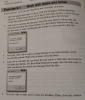
Create a new Windows Forms Application named StringHandling and build the form as shown above. 1. Add code to parse the email address into two parts when the user clicks the Parse button the user name before the sign and the domain name after the @ sign. Be sure to check that the email contains an sign before you parse it, and display an error message if it doesn't. Also, be sure to remove any leading or trailing spaces that the user enters. Display the results in a message box like the first one shown above. 2. 3. Test the application with both valid and invalid email addresses to be sure it works correctly. Add code to format an address 4. Add code to format the city, state, and zip code when the user clicks the Format button. To do that, create a string that contains the city, state, and zip code and then use the Insert method to insert the appropriate characters. Be sure that the two-character state code is in uppercase. (You can assume that the user enters appropriate data in each text box.) Display the results in a message box like the second one shown above. Test the application to be sure it formats the city, state, and zip code correctly. 5.
Homework Answers
Dear Student ,
As per the requirement submitted above , kindly find the below solution.
Here a new Windows Forms Application in C# is created using Visual Studio 2017 with name "StringHandling".This application contains a form with name "Form1.cs".Below are the files associated with form1.
1.Form1.cs[Design]

2.Form1.Designer.cs
namespace StringHandling
{
partial class Form1
{
/// <summary>
/// Required designer variable.
/// </summary>
private System.ComponentModel.IContainer components = null;
/// <summary>
/// Clean up any resources being used.
/// </summary>
/// <param name="disposing">true if managed resources should
be disposed; otherwise, false.</param>
protected override void Dispose(bool disposing)
{
if (disposing && (components != null))
{
components.Dispose();
}
base.Dispose(disposing);
}
#region Windows Form Designer generated code
/// <summary>
/// Required method for Designer support - do not modify
/// the contents of this method with the code editor.
/// </summary>
private void InitializeComponent()
{
this.lblEmail = new System.Windows.Forms.Label();
this.txtEmail = new System.Windows.Forms.TextBox();
this.btnParse = new System.Windows.Forms.Button();
this.txtCity = new System.Windows.Forms.TextBox();
this.lblCity = new System.Windows.Forms.Label();
this.txtState = new System.Windows.Forms.TextBox();
this.lblState = new System.Windows.Forms.Label();
this.txtZipCode = new System.Windows.Forms.TextBox();
this.lblZipCode = new System.Windows.Forms.Label();
this.btnFormat = new System.Windows.Forms.Button();
this.btnExit = new System.Windows.Forms.Button();
this.SuspendLayout();
//
// lblEmail
//
this.lblEmail.AutoSize = true;
this.lblEmail.Location = new System.Drawing.Point(28, 32);
this.lblEmail.Name = "lblEmail";
this.lblEmail.Size = new System.Drawing.Size(35, 13);
this.lblEmail.TabIndex = 0;
this.lblEmail.Text = "Email:";
//
// txtEmail
//
this.txtEmail.Location = new System.Drawing.Point(86, 29);
this.txtEmail.Name = "txtEmail";
this.txtEmail.Size = new System.Drawing.Size(172, 20);
this.txtEmail.TabIndex = 1;
//
// btnParse
//
this.btnParse.Location = new System.Drawing.Point(296, 32);
this.btnParse.Name = "btnParse";
this.btnParse.Size = new System.Drawing.Size(75, 23);
this.btnParse.TabIndex = 2;
this.btnParse.Text = "&Parse";
this.btnParse.UseVisualStyleBackColor = true;
this.btnParse.Click += new
System.EventHandler(this.btnParse_Click);
//
// txtCity
//
this.txtCity.Location = new System.Drawing.Point(86, 79);
this.txtCity.Name = "txtCity";
this.txtCity.Size = new System.Drawing.Size(172, 20);
this.txtCity.TabIndex = 4;
//
// lblCity
//
this.lblCity.AutoSize = true;
this.lblCity.Location = new System.Drawing.Point(28, 82);
this.lblCity.Name = "lblCity";
this.lblCity.Size = new System.Drawing.Size(27, 13);
this.lblCity.TabIndex = 3;
this.lblCity.Text = "City:";
//
// txtState
//
this.txtState.Location = new System.Drawing.Point(86, 116);
this.txtState.Name = "txtState";
this.txtState.Size = new System.Drawing.Size(63, 20);
this.txtState.TabIndex = 6;
//
// lblState
//
this.lblState.AutoSize = true;
this.lblState.Location = new System.Drawing.Point(28, 119);
this.lblState.Name = "lblState";
this.lblState.RightToLeft =
System.Windows.Forms.RightToLeft.No;
this.lblState.Size = new System.Drawing.Size(35, 13);
this.lblState.TabIndex = 5;
this.lblState.Text = "State:";
//
// txtZipCode
//
this.txtZipCode.Location = new System.Drawing.Point(86, 157);
this.txtZipCode.Name = "txtZipCode";
this.txtZipCode.Size = new System.Drawing.Size(113, 20);
this.txtZipCode.TabIndex = 8;
//
// lblZipCode
//
this.lblZipCode.AutoSize = true;
this.lblZipCode.Location = new System.Drawing.Point(28, 160);
this.lblZipCode.Name = "lblZipCode";
this.lblZipCode.Size = new System.Drawing.Size(52, 13);
this.lblZipCode.TabIndex = 7;
this.lblZipCode.Text = "Zip code:";
//
// btnFormat
//
this.btnFormat.Location = new System.Drawing.Point(296, 154);
this.btnFormat.Name = "btnFormat";
this.btnFormat.Size = new System.Drawing.Size(75, 23);
this.btnFormat.TabIndex = 9;
this.btnFormat.Text = "&Format";
this.btnFormat.UseVisualStyleBackColor = true;
this.btnFormat.Click += new
System.EventHandler(this.btnFormat_Click);
//
// btnExit
//
this.btnExit.Location = new System.Drawing.Point(296, 203);
this.btnExit.Name = "btnExit";
this.btnExit.Size = new System.Drawing.Size(75, 23);
this.btnExit.TabIndex = 10;
this.btnExit.Text = "&Exit";
this.btnExit.UseVisualStyleBackColor = true;
this.btnExit.Click += new
System.EventHandler(this.btnExit_Click);
//
// Form1
//
this.AutoScaleDimensions = new System.Drawing.SizeF(6F, 13F);
this.AutoScaleMode = System.Windows.Forms.AutoScaleMode.Font;
this.ClientSize = new System.Drawing.Size(383, 238);
this.Controls.Add(this.btnExit);
this.Controls.Add(this.btnFormat);
this.Controls.Add(this.txtZipCode);
this.Controls.Add(this.lblZipCode);
this.Controls.Add(this.txtState);
this.Controls.Add(this.lblState);
this.Controls.Add(this.txtCity);
this.Controls.Add(this.lblCity);
this.Controls.Add(this.btnParse);
this.Controls.Add(this.txtEmail);
this.Controls.Add(this.lblEmail);
this.Name = "Form1";
this.Text = "String Handling";
this.ResumeLayout(false);
this.PerformLayout();
}
#endregion
private System.Windows.Forms.Label lblEmail;
private System.Windows.Forms.TextBox txtEmail;
private System.Windows.Forms.Button btnParse;
private System.Windows.Forms.TextBox txtCity;
private System.Windows.Forms.Label lblCity;
private System.Windows.Forms.TextBox txtState;
private System.Windows.Forms.Label lblState;
private System.Windows.Forms.TextBox txtZipCode;
private System.Windows.Forms.Label lblZipCode;
private System.Windows.Forms.Button btnFormat;
private System.Windows.Forms.Button btnExit;
}
}
3.Form1.cs
//namespace
using System;
using System.Collections.Generic;
using System.ComponentModel;
using System.Data;
using System.Drawing;
using System.Linq;
using System.Text;
using System.Threading.Tasks;
using System.Windows.Forms;
//application namespace
namespace StringHandling
{
public partial class Form1 : Form
{
public Form1()
{
InitializeComponent();
}
//Parse Button click
private void btnParse_Click(object sender, EventArgs e)
{
//taking email adress entered by user
string email = txtEmail.Text;
//checking if email contains @
if(email.Contains('@'))
{
//if email contains @
//declaring array to store string before @ and after @
string[] stringArray = new string[2];
//trim email and split based on @
stringArray = email.Trim().Split('@');
//display username and Domain name in the message box
MessageBox.Show("User name:" + stringArray[0] + Environment.NewLine
+ "Domain name:" + stringArray[1], "Parsed String");
}
else
{
//if email does not contains @ then display message
MessageBox.Show("Email should have @ sign");
}
}
//Format button click
private void btnFormat_Click(object sender, EventArgs e)
{ //concatenate string
string format = "CityStateZip" + txtCity.Text +",
"+txtState.Text.ToUpper() + txtZipCode.Text;
//using Insert() method
format = format.Insert(4, ",").Insert(10, ",").Insert(14,
":");
//display on the message box
MessageBox.Show(format, "Formatted String");
}
//Exit button click
private void btnExit_Click(object sender, EventArgs e)
{
this.Close();//close form
}
}
}
======================================================
Output : Run application using F5 and will get the screen as shown below
Screen 1 :

Screen 2:Screen when email does not contains @

Screen 3:Screen showing parsed string

Screen 4:Screen showing formatted string

NOTE : PLEASE FEEL FREE TO PROVIDE FEEDBACK ABOUT THE SOLUTION.
Add Answer to:
In this lab assignment, you'll write code that parses an email address and formats the ci and zip...
UI: Provided Code: Public Class Form1 Private Sub btnExit_Click(sender As Object, e As EventArgs) Handles btnExit.Click...
 UI:
Provided Code:
Public Class Form1
Private Sub btnExit_Click(sender As Object,
e As EventArgs) Handles btnExit.Click
Me.Close()
End Sub
Private Sub btnCalculateDueDays_Click(sender As Object, e As
EventArgs) Handles btnCalculateDueDays.Click
End Sub
End Class
tick bitwise Or operation Work with dates and times Exercise 9-1 In this exercise, you'll use the Date Time and TimeSpan st I. Open the application th ructures. n that's in the CIVB 2015iChapter 09DateHandlin a form that accepts a future date a directory. Within this project,...
UI:
Provided Code:
Public Class Form1
Private Sub btnExit_Click(sender As Object,
e As EventArgs) Handles btnExit.Click
Me.Close()
End Sub
Private Sub btnCalculateDueDays_Click(sender As Object, e As
EventArgs) Handles btnCalculateDueDays.Click
End Sub
End Class
tick bitwise Or operation Work with dates and times Exercise 9-1 In this exercise, you'll use the Date Time and TimeSpan st I. Open the application th ructures. n that's in the CIVB 2015iChapter 09DateHandlin a form that accepts a future date a directory. Within this project,...
Create an external JavaScript file/code and then write a function that displays an alert box. This...
Create an external JavaScript file/code and then write a function that displays an alert box. This box will display when the user clicks the submit button to submit the information typed in the form, so be sure the alert box contains an appropriate message. please use the OnClick event handler for your form's submit button.
Write a C# code for a Sales Calculator: Note: You cannot use the foreach loop in...
Write a C# code for a Sales Calculator: Note: You cannot use the foreach loop in any part of this program! sales.txt file: 1189.55, 1207.00, 1348.27, 1456.88, 1198.34, 1128.55, 1172.37, 1498.55, 1163.29 The application should have controls described as follows: • A button that reads Get Sales. If the user clicks this button, the application should call a method named ProcesSalesFile. ProcessSalesFile Method: accepts no arguments and does not return anything The ProcessSalesFile Method will do the following: o Open...
Write a C# code for a Sales Calculator: Note: You cannot use the foreach loop in any part of this...
Write a C# code for a Sales Calculator: Note: You cannot use the foreach loop in any part of this program! sales.txt file: 1189.55, 1207.00, 1348.27, 1456.88, 1198.34, 1128.55, 1172.37, 1498.55, 1163.29 The application should have controls described as follows: • A button that reads Get Sales. If the user clicks this button, the application should call a method named ProcesSalesFile. ProcessSalesFile Method: accepts no arguments and does not return anything The ProcessSalesFile Method will do the following: o Open...
Assignment 14.3: Valid Email (10 pts) image source Write a program that takes as input an...
 Assignment 14.3: Valid Email (10 pts)
image source
Write a program that takes as
input an email address, and reports to the user whether or not the
email address is valid.
For the purposes of this
assignment, we will consider a valid email address to be one that
contains an @ symbol
The program must allow the user
to input as many email addresses as desired until the user enters
"q" to quit.
For each email entered, the
program should...
Assignment 14.3: Valid Email (10 pts)
image source
Write a program that takes as
input an email address, and reports to the user whether or not the
email address is valid.
For the purposes of this
assignment, we will consider a valid email address to be one that
contains an @ symbol
The program must allow the user
to input as many email addresses as desired until the user enters
"q" to quit.
For each email entered, the
program should...
In this exercise, you’ll add code to a form that converts the value the user enters...
 In this exercise, you’ll add code to a form that converts the
value the user enters based on the selected conversion type.
The application should handle the following conversions:
1. Open the Conversions project. Display the code for the form,
and notice the rectangular array whose rows contain the value to be
displayed in the combo box, the text for the labels that identify
the two text boxes, and the multiplier for the conversion as shown
above. Note: An array...
In this exercise, you’ll add code to a form that converts the
value the user enters based on the selected conversion type.
The application should handle the following conversions:
1. Open the Conversions project. Display the code for the form,
and notice the rectangular array whose rows contain the value to be
displayed in the combo box, the text for the labels that identify
the two text boxes, and the multiplier for the conversion as shown
above. Note: An array...
Hello, I need assistance with my assignment please in Visual Basic. Starting Out With Visual Basic...
Hello, I need assistance with my assignment please in Visual Basic. Starting Out With Visual Basic Seventh Edition Chapter 5 Programming Challenge #1. Sum Of Numbers... page 370 Create an application that displays a form similar to the one shown in Figure 5-44. When the Enter Numbers button is clicked, the application should display the input box shown in Figure 5-45. The input box asks the user to enter a positive integer value. Notice that the default input value is...
I need help please to add function for clean up any inputs form that we receive from the users for this code below : <...
I need help please to add function for clean up any inputs form that we receive from the users for this code below : <?php session_start(); // initializing variables $fname = ""; $lname = ""; $address = ""; $city = ""; $state = ""; $zip = ""; $email = ""; $phone = ""; $errors = array(); // connect to the database $db = mysqli_connect("localhost","root","password","db"); // REGISTER USER if (isset($_POST['reg_user1'])) { // receive all input values from the form $fname =...
 UI:
Provided Code:
Public Class Form1
Private Sub btnExit_Click(sender As Object,
e As EventArgs) Handles btnExit.Click
Me.Close()
End Sub
Private Sub btnCalculateDueDays_Click(sender As Object, e As
EventArgs) Handles btnCalculateDueDays.Click
End Sub
End Class
tick bitwise Or operation Work with dates and times Exercise 9-1 In this exercise, you'll use the Date Time and TimeSpan st I. Open the application th ructures. n that's in the CIVB 2015iChapter 09DateHandlin a form that accepts a future date a directory. Within this project,...
UI:
Provided Code:
Public Class Form1
Private Sub btnExit_Click(sender As Object,
e As EventArgs) Handles btnExit.Click
Me.Close()
End Sub
Private Sub btnCalculateDueDays_Click(sender As Object, e As
EventArgs) Handles btnCalculateDueDays.Click
End Sub
End Class
tick bitwise Or operation Work with dates and times Exercise 9-1 In this exercise, you'll use the Date Time and TimeSpan st I. Open the application th ructures. n that's in the CIVB 2015iChapter 09DateHandlin a form that accepts a future date a directory. Within this project,...
 Assignment 14.3: Valid Email (10 pts)
image source
Write a program that takes as
input an email address, and reports to the user whether or not the
email address is valid.
For the purposes of this
assignment, we will consider a valid email address to be one that
contains an @ symbol
The program must allow the user
to input as many email addresses as desired until the user enters
"q" to quit.
For each email entered, the
program should...
Assignment 14.3: Valid Email (10 pts)
image source
Write a program that takes as
input an email address, and reports to the user whether or not the
email address is valid.
For the purposes of this
assignment, we will consider a valid email address to be one that
contains an @ symbol
The program must allow the user
to input as many email addresses as desired until the user enters
"q" to quit.
For each email entered, the
program should...
 In this exercise, you’ll add code to a form that converts the
value the user enters based on the selected conversion type.
The application should handle the following conversions:
1. Open the Conversions project. Display the code for the form,
and notice the rectangular array whose rows contain the value to be
displayed in the combo box, the text for the labels that identify
the two text boxes, and the multiplier for the conversion as shown
above. Note: An array...
In this exercise, you’ll add code to a form that converts the
value the user enters based on the selected conversion type.
The application should handle the following conversions:
1. Open the Conversions project. Display the code for the form,
and notice the rectangular array whose rows contain the value to be
displayed in the combo box, the text for the labels that identify
the two text boxes, and the multiplier for the conversion as shown
above. Note: An array...
Most questions answered within 3 hours.
-
Where is the error in this code sequence?
String s1 = "Hello";
String s2 = "ello";...
asked 11 months ago -
Financial data for Joel de Paris, Inc., for last year
follow:
Joel de Paris, Inc.
Balance...
asked 11 months ago -
Consider this reaction:
Al2(SO4)3 (aq)+ BaCl3
(aq) Al2Cl6 (aq)- +
3BaSO4(s) . What is the...
asked 11 months ago -
Suppose that Savneet is considering increasing her
recent random sample from 20 car rentals to 40...
asked 11 months ago -
Trucks arrive at an unloading terminal at an average rate of 120
per hour.
Trucks arrive...
asked 11 months ago -
Why are methanol and ethanol completely soluble in water while
octanol is not very little soluble....
asked 11 months ago -
A facilities manager at a university reads in a research report
that the mean amount of...
asked 11 months ago -
When the CuSO4 is rehydrated by adding water to the anhydrous
compound, is this an endothermic...
asked 11 months ago -
A ray of sunlight is passing from diamond into crown glass; the
angle of incidence is...
asked 11 months ago -
A block of mass 0.249 kg is placed on top of a light, vertical
spring of...
asked 11 months ago -
how do the kidneys compensate in the presences of acidosis
a) trigger hyperventilate
b) reserve acid...
asked 11 months ago -
Question 501 pts
The rental rate of capital to the firm increases. Which of the
following...
asked 11 months ago