Slide show application with effects and animations for a travel agency (max. 100%) Sunshine Beach travel...
Slide show application with effects and animations for a travel agency (max. 100%) Sunshine Beach travel agency needs to make their website more attractive and interactive by implementing some effects and animations. The requirements are: Using the images provided by the agency create a slide show. The slide show should show the slides by fading In and hide by fading out. At the same time, the caption of the slide should appear with animation of the font size, left property and opacity. Study the HTML (index.html) and CSS (in styles folder). Notice that in HTML the slides are in img elements and their captions are in their title attributes. Follow these steps to implement the slide show: 1) Create a jQuery ready event handler in the empty vacations-in-pictures.js file which is in the scripts folder; 2) In that ready event handler, get the first image (within div with id "slides") with jQuery and show it using jQuery fading in effect within 1 second. 3) At the same time, get the title of the first slide, set the text of h2 element with id "caption" to this title and show this h2 element by animating those properties within 1 second: Font size: 100% Left: 0 Opacity: completely opaque (visible) 4) Create a function expression which, when called, hides the current caption (h2 element) and current slide, gets next slide and caption, and shows next caption and next slide. Current caption is hidden by animating the following properties within 0.5 seconds: Font size: 50% Left: -300 Opacity: completely transparent (invisible) Within the function expression the current image is hidden with fade out effect within 0.5 seconds. As soon as the current image is hidden, you need to get next slide in the list of slides and fade in within 1 second (you should check if you are at the last slide already, and if not, get next slide, otherwise get first slide because you need to restart the slide show from first slide when you are at the last slide) At the same time of showing next slide, get next image’s title, set the text of h2 element to this title and show it by animating the same properties as in step 3. 5) Create an interval timer that calls the function expression that you created in step 4 every 4 seconds.
here is html
<!DOCTYPE html>
<!-- CSD 2214. Assignment 4 on jQuery effects and animations. Instructor: V.Khachidze -->
<html>
<head>
<title>Sunshine Beach Vacations in Pictures</title>
<link rel="stylesheet" href="styles/vacations-in-pictures.css">
<link rel="stylesheet" href="https://cdnjs.cloudflare.com/ajax/libs/animate.css/3.5.2/animate.min.css">
<script src="https://code.jquery.com/jquery-3.2.1.min.js"
integrity="sha256-hwg4gsxgFZhOsEEamdOYGBf13FyQuiTwlAQgxVSNgt4="
crossorigin="anonymous">
</script>
<script src="scripts/vacations-in-pictures.js"></script>
</head>
<body>
<main class="animated zoomIn">
<h1 class="animated zoomInLeft">Sunshine Beach Vacations in Pictures</h1>
<div id="slides" class="animated rotateIn">
<div id="caption_area"><h2 id="caption"></h2></div>
<img src="images/beach1.jpeg" alt="Sunshine Beach in early Summer" title="Beautiful Summer of Sunshine Beach. Every instant matters!" />
<img src="images/beach2.jpeg" alt="Sunshine Beach in Fall" title="There you feel the freashness of air" />
<img src="images/beach3.jpeg" alt="Sand coast of Sunshine Beach" title="In this endless space there is so much to discover!" />
<img src="images/beach4.jpeg" alt="Evening gathering of Sunshine Beach" title="Beach gatherings will help you to find the natural uniqueness!" />
<img src="images/beach5.jpeg" alt="Beautiful Spring in Sunshine Beach" title="In the forest of the beach you find your evergreen dreams" />
<img src="images/beach6.jpeg" alt="Sunset of Sunshine Beach" title="In Sunshine Beach, even when the sun goes down, your mood goes up!" />
</div>
</main>
</body>
</html>
Homework Answers
I have created a jquery function for fadin and fadeout of the images that given inside the div for the image slide show.
The codes are explained below
In the script file vacations-in-pictures.js i have added ready function so that the code inside to this function will trigger immediately the page get loaded
$(document).ready(function(){ });
Inside this ready function i have made all the images to hide so that we can create a function to display one image at a time
$('#slides').find("img").hide();
After to this the below function is called, please read the inline comment given inside the code. which is a toggle method to hide and show the image like a slider. The comment is in bold text
function showImages(firstImg)
{
//get the current visible image
var $imgVisible = $('#slides img:visible');
//get the title of last image in the div
var lastTitle = $("#slides img:last").attr("title");
//If either parameter is true
//The current visible image's title matches with last image title
//then show the first image so that it keep on looping the slides
if(firstImg == true || lastTitle == $imgVisible.attr("title"))
{
$('#slides img:first').fadeIn();
var title = $("#slides img:first").attr("title");
$("#caption").html(title);
animateHeader();
}
//hide the current visible image and show the next image immediate to it
else
{
$imgVisible.fadeOut();
$imgVisible.next().fadeIn(function(){
var title = $(this).attr("title");
$("#caption").html(title);
animateHeader();
});
}
}
Now the full code of the vacations-in-pictures.js is gievn below
***************JQuery Code****************
$(document).ready(function(){
//Hide all the images at the beginning
$('#slides').find("img").hide();
//Show only the first image
//We sending the parameter as true ehich means to shwo only first image
showImages(true);
//Keep repeat the function for the
//interval of 3 seconds
setInterval(function(){debugger;
showImages(false);
}, 3000);
});
function showImages(firstImg)
{
//get the current visible image
var $imgVisible = $('#slides img:visible');
//get the title of last image in the div
var lastTitle = $("#slides img:last").attr("title");
//If either parameter is true
//The current visible image's title matches with last image title
//then show the first image so that it keep on looping the slides
if(firstImg == true || lastTitle == $imgVisible.attr("title"))
{
$('#slides img:first').fadeIn();
var title = $("#slides img:first").attr("title");
$("#caption").html(title);
animateHeader();
}
//hide the current visible image and show the next image immediate to it
else
{
$imgVisible.fadeOut();
$imgVisible.next().fadeIn(function(){
var title = $(this).attr("title");
$("#caption").html(title);
animateHeader();
});
}
}
//Animate the header h2
//since the interval is too small so the animation is hard to notice
function animateHeader() {
var $elem = $('#caption');
$('#caption').css({"font-size": "40px;"});
$elem.animate({
fontSize: "100%",
left:0,
opacity:1
}, 1000);
}
************************END**********************
And the HTML Code
********************HTML********************
<!DOCTYPE html>
<!-- CSD 2214. Assignment 4 on jQuery effects and animations. Instructor: V.Khachidze -->
<html>
<head>
<title>Sunshine Beach Vacations in Pictures</title>
<link rel="stylesheet" href="styles/vacations-in-pictures.css">
<link rel="stylesheet" href="https://cdnjs.cloudflare.com/ajax/libs/animate.css/3.5.2/animate.min.css">
<script src="https://code.jquery.com/jquery-3.2.1.min.js" integrity="sha256-hwg4gsxgFZhOsEEamdOYGBf13FyQuiTwlAQgxVSNgt4=" crossorigin="anonymous">
</script>
<script
src="scripts/vacations-in-pictures.js"></script>
</head>
<body>
<main class="animated zoomIn">
<h1 class="animated zoomInLeft">Sunshine Beach Vacations in Pictures</h1>
<div id="slides" class="animated rotateIn">
<div id="caption_area"><h2 id="caption"></h2></div>
<img src="images/beach1.jpeg" alt="Sunshine Beach in early Summer" title="Beautiful Summer of Sunshine Beach. Every instant matters!" />
<img src="images/beach2.jpeg" alt="Sunshine Beach in Fall" title="There you feel the freashness of air" />
<img src="images/beach3.jpeg" alt="Sand coast of Sunshine Beach" title="In this endless space there is so much to discover!" />
<img src="images/beach4.jpeg" alt="Evening gathering of Sunshine Beach" title="Beach gatherings will help you to find the natural uniqueness!" />
<img src="images/beach5.jpeg" alt="Beautiful Spring in Sunshine Beach" title="In the forest of the beach you find your evergreen dreams" />
<img src="images/beach6.jpeg" alt="Sunset of Sunshine Beach" title="In Sunshine Beach, even when the sun goes down, your mood goes up!" />
</div>
</main>
</body>
</html>
**************END*************************
The Html code is same as you given in question
Screen
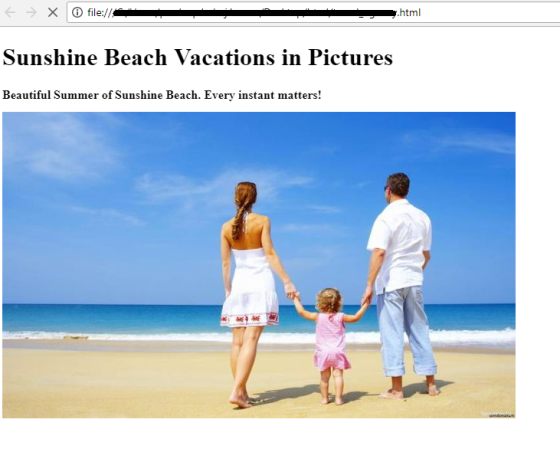
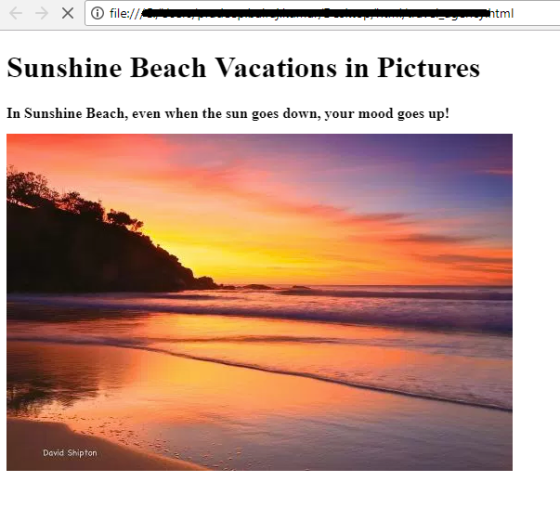
The above images are displayed from google and in your case please use the images that you stored in your local machine
Add Answer to:
Slide show application with effects and animations for a travel
agency (max. 100%) Sunshine Beach travel...
I am trying to create a slide show using JavaScript. This is what I have so...
I am trying to create a slide show using JavaScript. This is what I have so far: HTML: <!DOCTYPE html> <html lang="en"> <head> <meta charset="utf-8"> <title>Slide Show</title> <link rel="stylesheet" href="main.css"> <script src="http://html5shiv.googlecode.com/svn/trunk/html5.js"></script> <script src="slide_show.js"></script> </head> <body> <section> <h1>Fishing Slide Show</h1> <ul id="image_list"> <li><a href="images/casting1.jpg" title="Casting on the Upper Kings"></a></li> <li><a href="images/casting2.jpg" title="Casting on the Lower Kings"></a></li> <li><a href="images/catchrelease.jpg" title="Catch and Release on the Big Horn"></a></li> <li><a href="images/fish.jpg" title="Catching on the South Fork"></a></li> <li><a href="images/lures.jpg" title="The Lures for Catching"></a></li> </ul>...
for Javascript, JQuery When the page is first opened a user will see the name field...
 for Javascript, JQuery
When the page is first opened a user will see the name field and the
three vacation images to the left of the page. The page
should behave according to the following rules.
1. When a user's mouse pointer goes over any image, that image's
border will change to be "outset 10px" and when the mouse pointer
leaves that image it's border will change to "none".
2. When the user clicks a "Vacation" image on the left,...
for Javascript, JQuery
When the page is first opened a user will see the name field and the
three vacation images to the left of the page. The page
should behave according to the following rules.
1. When a user's mouse pointer goes over any image, that image's
border will change to be "outset 10px" and when the mouse pointer
leaves that image it's border will change to "none".
2. When the user clicks a "Vacation" image on the left,...
image_gallery.js: $(document).ready(function() { $("#image_list a").each(function() { // get the image URL and caption for each...
 image_gallery.js:
$(document).ready(function() {
$("#image_list a").each(function() {
// get the image URL and caption for each image
var imageURL = $(this).attr("href");
var caption = $(this).attr("title");
// preload the image for each link
var galleryImage = new
Image();
galleryImage.src = imageURL;
// set up the event handlers for
each link
$(this).click(function(evt) {
$("#image").attr("src", imageURL);
$("#caption").text(caption);
// cancel...
image_gallery.js:
$(document).ready(function() {
$("#image_list a").each(function() {
// get the image URL and caption for each image
var imageURL = $(this).attr("href");
var caption = $(this).attr("title");
// preload the image for each link
var galleryImage = new
Image();
galleryImage.src = imageURL;
// set up the event handlers for
each link
$(this).click(function(evt) {
$("#image").attr("src", imageURL);
$("#caption").text(caption);
// cancel...
How do i make my html show 10 results per page, and how do i make...
How do i make my html show 10 results per page, and how do i make the books clickable to show results about them? <!DOCTYPE html> <html> <head> <title>Google Books Search</title> <script src="https://code.jquery.com/jquery-2.1.4.min.js"> </script> <script src="https://ajax.googleapis.com/ajax/libs/jquery/2.2.2/jquery.min.js"></script> <style> body{ background:lightblue } .wrap{ max-width:400px; margin:auto; margin-top:10px; } .pagination, pagination-last{ float:left; } a{ text-decoration:none; padding:15px 20px; border:1px solid black; border-right:none; background:#f2f2f2; font-size:18px; font-weight:bold; } .pagination-last a{ border-right:1px solid black; } a:hover { background:orange; color;white; } </style> <!-- <script src="js/main.js"></script> --> <script> function B_Search()...
<!DOCTYPE HTML> <html lang="en"> <head> <meta charset="utf-8"> <title>Plaid Scarf Selector</title> <link rel="stylesheet" href="a3.css" />...
 <!DOCTYPE HTML>
<html lang="en">
<head>
<meta charset="utf-8">
<title>Plaid Scarf Selector</title>
<link rel="stylesheet" href="a3.css" />
<script src="a3.js"> </script>
</head>
<body>
<section>
<h1> Plaid Scarf Selector
</h1><br>
<p>Feels close to real
cashmere (but costs a lot less).
Think of this scarf as the next
best thing to wearing authentic cashmere.
Its microsueded fabric really is
that soft. In fact, at first touch some
mistake if for the real...
<!DOCTYPE HTML>
<html lang="en">
<head>
<meta charset="utf-8">
<title>Plaid Scarf Selector</title>
<link rel="stylesheet" href="a3.css" />
<script src="a3.js"> </script>
</head>
<body>
<section>
<h1> Plaid Scarf Selector
</h1><br>
<p>Feels close to real
cashmere (but costs a lot less).
Think of this scarf as the next
best thing to wearing authentic cashmere.
Its microsueded fabric really is
that soft. In fact, at first touch some
mistake if for the real...
Please edit and add all the code needed to make the images side by side and to put the buttons in...
 Please edit and add all the code needed to make the images side
by side and to put the buttons in the middle of the images. Thank
you
index.html
<!DOCTYPE html>
<html lang="en">
<head>
<meta charset="utf-8">
<meta http-equiv="X-UA-Compatible"
content="IE=edge">
<meta name="viewport" content="width=device-width,
initial-scale=1">
<title>Untitled Document</title>
<!-- Bootstrap -->
<link href="css/bootstrap-4.0.0.css"
rel="stylesheet">
<link href="style.css" rel="stylesheet"
type="text/css">
<link rel="stylesheet"
href="https://cdnjs.cloudflare.com/ajax/libs/font-awesome/4.7.0/css/font-awesome.min.css">
</head>
<body>
<header>
<nav class="navbar navbar-expand-lg navbar-light
bg-light"> <a class="navbar-brand" href="#">Lakeside
Resort Spot</a>
<button class="navbar-toggler"
type="button" data-toggle="collapse"
data-target="#navbarSupportedContent1"
aria-controls="navbarSupportedContent1" aria-expanded="false"
aria-label="Toggle navigation">...
Please edit and add all the code needed to make the images side
by side and to put the buttons in the middle of the images. Thank
you
index.html
<!DOCTYPE html>
<html lang="en">
<head>
<meta charset="utf-8">
<meta http-equiv="X-UA-Compatible"
content="IE=edge">
<meta name="viewport" content="width=device-width,
initial-scale=1">
<title>Untitled Document</title>
<!-- Bootstrap -->
<link href="css/bootstrap-4.0.0.css"
rel="stylesheet">
<link href="style.css" rel="stylesheet"
type="text/css">
<link rel="stylesheet"
href="https://cdnjs.cloudflare.com/ajax/libs/font-awesome/4.7.0/css/font-awesome.min.css">
</head>
<body>
<header>
<nav class="navbar navbar-expand-lg navbar-light
bg-light"> <a class="navbar-brand" href="#">Lakeside
Resort Spot</a>
<button class="navbar-toggler"
type="button" data-toggle="collapse"
data-target="#navbarSupportedContent1"
aria-controls="navbarSupportedContent1" aria-expanded="false"
aria-label="Toggle navigation">...
Hello, I was wondering if you could possibly think of ways to improve my home page then I would l...
 Hello, I was wondering if you could possibly think of ways to
improve my home page then I would like you to do so. I know it
could be better. Thank you.
index.html
<!DOCTYPE html>
<html lang="en">
<head>
<meta charset="utf-8">
<meta http-equiv="X-UA-Compatible" content="IE=edge">
<meta name="viewport" content="width=device-width,
initial-scale=1">
<title>Untitled Document</title>
<!-- Bootstrap -->
<link rel="stylesheet"
href="https://maxcdn.bootstrapcdn.com/bootstrap/3.4.0/css/bootstrap.min.css">
<!-- jQuery library -->
<script
src="https://ajax.googleapis.com/ajax/libs/jquery/3.3.1/jquery.min.js"></script>
<!-- Latest compiled JavaScript -->
<script
src="https://maxcdn.bootstrapcdn.com/bootstrap/3.4.0/js/bootstrap.min.js"></script>
<link href="style.css" rel="stylesheet"
type="text/css">
<link rel="stylesheet"
href="https://cdnjs.cloudflare.com/ajax/libs/font-awesome/4.7.0/css/font-awesome.min.css">
</head>
<body>
<header>
<nav class="navbar...
Hello, I was wondering if you could possibly think of ways to
improve my home page then I would like you to do so. I know it
could be better. Thank you.
index.html
<!DOCTYPE html>
<html lang="en">
<head>
<meta charset="utf-8">
<meta http-equiv="X-UA-Compatible" content="IE=edge">
<meta name="viewport" content="width=device-width,
initial-scale=1">
<title>Untitled Document</title>
<!-- Bootstrap -->
<link rel="stylesheet"
href="https://maxcdn.bootstrapcdn.com/bootstrap/3.4.0/css/bootstrap.min.css">
<!-- jQuery library -->
<script
src="https://ajax.googleapis.com/ajax/libs/jquery/3.3.1/jquery.min.js"></script>
<!-- Latest compiled JavaScript -->
<script
src="https://maxcdn.bootstrapcdn.com/bootstrap/3.4.0/js/bootstrap.min.js"></script>
<link href="style.css" rel="stylesheet"
type="text/css">
<link rel="stylesheet"
href="https://cdnjs.cloudflare.com/ajax/libs/font-awesome/4.7.0/css/font-awesome.min.css">
</head>
<body>
<header>
<nav class="navbar...
Question 1 To remove the underlining from an <a> element, you can use CSS to set...
Question 1 To remove the underlining from an <a> element, you can use CSS to set its A. text-decoration property to none B. text-decoration property to off C. underline property to none D underline property to off Question 2 You can use the CSS list-style-type property to change A. the bullet style in an unordered list B the number style in an ordered list C the terms style in a description list Dthe bullet or number style in an unordered...
Question 1 To remove the underlining from an <a> element, you can use CSS to set...
Question 1 To remove the underlining from an <a> element, you can use CSS to set its A. text-decoration property to none B. text-decoration property to off C. underline property to none D underline property to off Question 2 You can use the CSS list-style-type property to change A. the bullet style in an unordered list B the number style in an ordered list C the terms style in a description list Dthe bullet or number style in an unordered...
given below are the project description and their Html and css files i need javascript according...
 given below are the project description and their Html and css
files i need javascript according to the project and other
files!
WEB230 - JavaScript 1 Assignment 6b - Event Delegation Before starting, study the HTML and open it in a browser so that you understand the structure of the document. You will add functionality to perform several tasks in our shopping list app. Clicking the red "X" at the right of an item will delete that item. Clicking on...
given below are the project description and their Html and css
files i need javascript according to the project and other
files!
WEB230 - JavaScript 1 Assignment 6b - Event Delegation Before starting, study the HTML and open it in a browser so that you understand the structure of the document. You will add functionality to perform several tasks in our shopping list app. Clicking the red "X" at the right of an item will delete that item. Clicking on...
 image_gallery.js:
$(document).ready(function() {
$("#image_list a").each(function() {
// get the image URL and caption for each image
var imageURL = $(this).attr("href");
var caption = $(this).attr("title");
// preload the image for each link
var galleryImage = new
Image();
galleryImage.src = imageURL;
// set up the event handlers for
each link
$(this).click(function(evt) {
$("#image").attr("src", imageURL);
$("#caption").text(caption);
// cancel...
image_gallery.js:
$(document).ready(function() {
$("#image_list a").each(function() {
// get the image URL and caption for each image
var imageURL = $(this).attr("href");
var caption = $(this).attr("title");
// preload the image for each link
var galleryImage = new
Image();
galleryImage.src = imageURL;
// set up the event handlers for
each link
$(this).click(function(evt) {
$("#image").attr("src", imageURL);
$("#caption").text(caption);
// cancel...
 <!DOCTYPE HTML>
<html lang="en">
<head>
<meta charset="utf-8">
<title>Plaid Scarf Selector</title>
<link rel="stylesheet" href="a3.css" />
<script src="a3.js"> </script>
</head>
<body>
<section>
<h1> Plaid Scarf Selector
</h1><br>
<p>Feels close to real
cashmere (but costs a lot less).
Think of this scarf as the next
best thing to wearing authentic cashmere.
Its microsueded fabric really is
that soft. In fact, at first touch some
mistake if for the real...
<!DOCTYPE HTML>
<html lang="en">
<head>
<meta charset="utf-8">
<title>Plaid Scarf Selector</title>
<link rel="stylesheet" href="a3.css" />
<script src="a3.js"> </script>
</head>
<body>
<section>
<h1> Plaid Scarf Selector
</h1><br>
<p>Feels close to real
cashmere (but costs a lot less).
Think of this scarf as the next
best thing to wearing authentic cashmere.
Its microsueded fabric really is
that soft. In fact, at first touch some
mistake if for the real...
 Please edit and add all the code needed to make the images side
by side and to put the buttons in the middle of the images. Thank
you
index.html
<!DOCTYPE html>
<html lang="en">
<head>
<meta charset="utf-8">
<meta http-equiv="X-UA-Compatible"
content="IE=edge">
<meta name="viewport" content="width=device-width,
initial-scale=1">
<title>Untitled Document</title>
<!-- Bootstrap -->
<link href="css/bootstrap-4.0.0.css"
rel="stylesheet">
<link href="style.css" rel="stylesheet"
type="text/css">
<link rel="stylesheet"
href="https://cdnjs.cloudflare.com/ajax/libs/font-awesome/4.7.0/css/font-awesome.min.css">
</head>
<body>
<header>
<nav class="navbar navbar-expand-lg navbar-light
bg-light"> <a class="navbar-brand" href="#">Lakeside
Resort Spot</a>
<button class="navbar-toggler"
type="button" data-toggle="collapse"
data-target="#navbarSupportedContent1"
aria-controls="navbarSupportedContent1" aria-expanded="false"
aria-label="Toggle navigation">...
Please edit and add all the code needed to make the images side
by side and to put the buttons in the middle of the images. Thank
you
index.html
<!DOCTYPE html>
<html lang="en">
<head>
<meta charset="utf-8">
<meta http-equiv="X-UA-Compatible"
content="IE=edge">
<meta name="viewport" content="width=device-width,
initial-scale=1">
<title>Untitled Document</title>
<!-- Bootstrap -->
<link href="css/bootstrap-4.0.0.css"
rel="stylesheet">
<link href="style.css" rel="stylesheet"
type="text/css">
<link rel="stylesheet"
href="https://cdnjs.cloudflare.com/ajax/libs/font-awesome/4.7.0/css/font-awesome.min.css">
</head>
<body>
<header>
<nav class="navbar navbar-expand-lg navbar-light
bg-light"> <a class="navbar-brand" href="#">Lakeside
Resort Spot</a>
<button class="navbar-toggler"
type="button" data-toggle="collapse"
data-target="#navbarSupportedContent1"
aria-controls="navbarSupportedContent1" aria-expanded="false"
aria-label="Toggle navigation">...
 Hello, I was wondering if you could possibly think of ways to
improve my home page then I would like you to do so. I know it
could be better. Thank you.
index.html
<!DOCTYPE html>
<html lang="en">
<head>
<meta charset="utf-8">
<meta http-equiv="X-UA-Compatible" content="IE=edge">
<meta name="viewport" content="width=device-width,
initial-scale=1">
<title>Untitled Document</title>
<!-- Bootstrap -->
<link rel="stylesheet"
href="https://maxcdn.bootstrapcdn.com/bootstrap/3.4.0/css/bootstrap.min.css">
<!-- jQuery library -->
<script
src="https://ajax.googleapis.com/ajax/libs/jquery/3.3.1/jquery.min.js"></script>
<!-- Latest compiled JavaScript -->
<script
src="https://maxcdn.bootstrapcdn.com/bootstrap/3.4.0/js/bootstrap.min.js"></script>
<link href="style.css" rel="stylesheet"
type="text/css">
<link rel="stylesheet"
href="https://cdnjs.cloudflare.com/ajax/libs/font-awesome/4.7.0/css/font-awesome.min.css">
</head>
<body>
<header>
<nav class="navbar...
Hello, I was wondering if you could possibly think of ways to
improve my home page then I would like you to do so. I know it
could be better. Thank you.
index.html
<!DOCTYPE html>
<html lang="en">
<head>
<meta charset="utf-8">
<meta http-equiv="X-UA-Compatible" content="IE=edge">
<meta name="viewport" content="width=device-width,
initial-scale=1">
<title>Untitled Document</title>
<!-- Bootstrap -->
<link rel="stylesheet"
href="https://maxcdn.bootstrapcdn.com/bootstrap/3.4.0/css/bootstrap.min.css">
<!-- jQuery library -->
<script
src="https://ajax.googleapis.com/ajax/libs/jquery/3.3.1/jquery.min.js"></script>
<!-- Latest compiled JavaScript -->
<script
src="https://maxcdn.bootstrapcdn.com/bootstrap/3.4.0/js/bootstrap.min.js"></script>
<link href="style.css" rel="stylesheet"
type="text/css">
<link rel="stylesheet"
href="https://cdnjs.cloudflare.com/ajax/libs/font-awesome/4.7.0/css/font-awesome.min.css">
</head>
<body>
<header>
<nav class="navbar...
 given below are the project description and their Html and css
files i need javascript according to the project and other
files!
WEB230 - JavaScript 1 Assignment 6b - Event Delegation Before starting, study the HTML and open it in a browser so that you understand the structure of the document. You will add functionality to perform several tasks in our shopping list app. Clicking the red "X" at the right of an item will delete that item. Clicking on...
given below are the project description and their Html and css
files i need javascript according to the project and other
files!
WEB230 - JavaScript 1 Assignment 6b - Event Delegation Before starting, study the HTML and open it in a browser so that you understand the structure of the document. You will add functionality to perform several tasks in our shopping list app. Clicking the red "X" at the right of an item will delete that item. Clicking on...
Most questions answered within 3 hours.
-
Where is the error in this code sequence?
String s1 = "Hello";
String s2 = "ello";...
asked 10 months ago -
Financial data for Joel de Paris, Inc., for last year
follow:
Joel de Paris, Inc.
Balance...
asked 10 months ago -
Consider this reaction:
Al2(SO4)3 (aq)+ BaCl3
(aq) Al2Cl6 (aq)- +
3BaSO4(s) . What is the...
asked 10 months ago -
Suppose that Savneet is considering increasing her
recent random sample from 20 car rentals to 40...
asked 10 months ago -
Trucks arrive at an unloading terminal at an average rate of 120
per hour.
Trucks arrive...
asked 10 months ago -
Why are methanol and ethanol completely soluble in water while
octanol is not very little soluble....
asked 10 months ago -
A facilities manager at a university reads in a research report
that the mean amount of...
asked 10 months ago -
When the CuSO4 is rehydrated by adding water to the anhydrous
compound, is this an endothermic...
asked 10 months ago -
A ray of sunlight is passing from diamond into crown glass; the
angle of incidence is...
asked 10 months ago -
A block of mass 0.249 kg is placed on top of a light, vertical
spring of...
asked 10 months ago -
how do the kidneys compensate in the presences of acidosis
a) trigger hyperventilate
b) reserve acid...
asked 10 months ago -
Question 501 pts
The rental rate of capital to the firm increases. Which of the
following...
asked 10 months ago