In Python, make changes in the client code, so that the client allows the user to...
In Python, make changes in the client code, so that the client allows the user to continue to send multiple requests until the user types in “Quit”. This means that the client process should not exit after the user sends one request and receives one response. Instead, the client process should be able to receive subsequent inputs from the user. You need to have a loop in the client code, so that it can accept the user request until the user explicitly types in “Quit”. Please comment on what each line does.
You are required to have files:
The modified UDP client code. (preferred file name: UDPClient.py)
The modified TCP client code. (preferred file name: TCPClient.py)
Python Socket Programming (using Python 3)
If we use UDP sockets, we have the following code:
Python code for the UDP client:
UDP client
from socket import *
serverName = 'localhost'
serverPort = 12000
clientSocket = socket(AF_INET, SOCK_DGRAM)
message = input("Input a lowercase sentence: ")
clientSocket.sendto(message.encode(), (serverName, serverPort))
modifiedMessage, serverAddress = clientSocket.recvfrom(2048)
print(modifiedMessage.decode())
clientSocket.close()
TCP client
from socket import *
serverName = 'localhost'
serverPort = 12000
clientSocket = socket(AF_INET, SOCK_STREAM)
clientSocket.connect((serverName, serverPort))
sentence = input("Input a lowercase sentence: ")
clientSocket.send(sentence.encode())
modifiedSentence = clientSocket.recv(1024)
print(modifiedSentence.decode())
clientSocket.close()
TCP clients to interact correctly with the given TCP server, your clients should also use a non-persistent implementation to send multiple requests to the server. This means that you should use a separate TCP connection to send each request from the user; if the user has multiple requests to send (which is an important requirement you need to implement), you should constantly open and close new TCP connections.
modified UDP client code
modified TCP client code
Homework Answers
UDP Client:
Code:
# Import socket
from socket import *
# Server address
serverName = 'localhost'
# Server port number
serverPort = 12000
# Loop until user give Quit command
while True:
# Creating client socket
clientSocket = socket(AF_INET, SOCK_DGRAM)
# Get a lower case sentence from user
message = input("Input a lowercase sentence: ")
# If the input is Quit, then end the program
if message is "Quit":
break
# Otherwise send the message to server
clientSocket.sendto(message.encode(), (serverName,
serverPort))
# Receive response from server
modifiedMessage, serverAddress = clientSocket.recvfrom(2048)
# Print the server response
print(modifiedMessage.decode())
# Close client socket
clientSocket.close()
Code screenshot:

Output:

TCP Client:
Code:
# Import socket
from socket import *
# Server address
serverName = 'localhost'
# Server port number
serverPort = 12000
# Loop until give Quit command
while True:
# Creating client socket
clientSocket = socket(AF_INET, SOCK_STREAM)
# Connecting with server
clientSocket.connect((serverName, serverPort))
# Get a lowercase sentence from user
sentence = input("Input a lowercase sentence: ")
# If inpt is Quit, then end the program
if sentence is "Quit":
break
# Otherwise sending the message to server
clientSocket.send(sentence.encode())
# Receiving message from server
modifiedSentence = clientSocket.recv(1024)
# Print the message from server
print(modifiedSentence.decode())
# Closing socket
clientSocket.close()
Code screenshot:

Output:

Additional Information:
UDP server code:
import socket
bufferSize = 1024
# Create a datagram socket
UDPServerSocket = socket.socket(family=socket.AF_INET,
type=socket.SOCK_DGRAM)
#UDPServerSocket.close()
# Bind to address and ip
UDPServerSocket.bind(("127.0.0.1", 12001))
print("UDP server up and listening")
# Listen for incoming datagrams
while(True):
bytesAddressPair = UDPServerSocket.recvfrom(bufferSize)
message = bytesAddressPair[0]
address = bytesAddressPair[1]
clientMsg = "Message from Client:{}".format(message)
clientIP = "Client IP Address:{}".format(address)
print(clientMsg)
print(clientIP)
bytesToSend = str.encode(message.upper())
# Sending a reply to client
# UDPServerSocket.sendto(bytesToSend, address)
UDPServerSocket.sendto(bytesToSend, address)
UDP server code screenshot:

TCP server code:
import socket
import sys
# Create a TCP/IP socket
sock = socket.socket(family=socket.AF_INET,
type=socket.SOCK_STREAM)
# Bind the socket to the port
sock.bind(('localhost', 12000))
# Listen for incoming connections
sock.listen(1)
while True:
# Wait for a connection
print >>sys.stderr, 'waiting for a connection'
connection, client_address = sock.accept()
try:
print >>sys.stderr, 'connection from', client_address
# Receive the data in small chunks and retransmit it
while True:
data = connection.recv(1024)
print >>sys.stderr, 'received "%s"' % data
if data:
print >>sys.stderr, 'sending data back to the client'
connection.sendall(data.upper())
else:
print >>sys.stderr, 'no more data from', client_address
break
finally:
# Clean up the connection
connection.close()
TCP server code screenshot:

Add Answer to:
In Python, make changes in the client code, so that the client
allows the user to...
Use Python TCP socket to implement an application with client-server architecture. In this application, client must...
Use Python TCP socket to implement an application with client-server architecture. In this application, client must read a line of characters from its input and send it to the server. The server must remove all non-alphanumeric characters from the input and send the modified data to the client. The client must receive the modified data and displays it on its screen.
I NEED HELP WITH NETWORKS ( 1 - 11) QUESTIONS , ENSURE YOU ANSWER THEM ALL...
I NEED HELP WITH NETWORKS ( 1 - 11) QUESTIONS , ENSURE YOU ANSWER THEM ALL QUESTION 1 Which of the following could be valid DNS resource record entries? (mysite.com, 125.245.206.3, NS) (ibm.com, backup6.ibm.com, CNAME) (158.223.21.2, mypage.edu, A) All of the above None of the above 1 points QUESTION 2 Which mail protocol keeps state information across sessions? SMTP POP3 IMAP All of the above None of the above 1 points QUESTION 3 What type of message is...
Q7 The following Client side Java code can send a message to the server side via...
Q7 The following Client side Java code can send a message to the server side via UDP socket. The client side Java code and the server side Java code are running in two different hosts respectively. The server side host name is “MyFileServer”. The server side receives the message and converts all the letters in the message received to uppercase, then sends the modified message back to the client side. Please read the code carefully, and fill out the blanks...
The following Client side Java code can send a message to the server side via UDP...
The following Client side Java code can send a message to the server side via UDP socket. The client side Java code and the server side Java code are running in two different hosts respectively. The server side host name is “MyFileServer”. The server side receives the message and converts all the letters in the message received to uppercase, then sends the modified message back to the client side. Please read the code carefully, and fill out the blanks with...
I NEED HELP WITH COMPUTER NETWORKS( PLEASE ANSWER THEM ALL) CALCULATIONS & MCQS 1. Name 1...
I NEED HELP WITH COMPUTER NETWORKS( PLEASE ANSWER THEM ALL) CALCULATIONS & MCQS 1. Name 1 languages that the browser is willing to accept in the following message? GET /kurose_ross/interactive/quotation7.htm HTTP/1.1 Host: gaia.cs.umass.edu Accept: text/plain, text/html, image/gif, image/jpeg, audio/mpeg, audio/basic, video/wmv, video/mp4, application/*, */* Accept-Language: en, fr, de, ar, cs If-Modified-Since: Mon, 12 Aug 2019 07:13:47 -0700 User Agent: Mozilla/5.0 (Windows NT 5.1; rv:11.0) Gecko/20100101 Firefox/11.0 2. A file of size F = 8 Gbits needs to be distributed to10...
Here is the description of the client and server programs that you need to develop in C using TCP: Suppose we have a simple student query system, where the server keeps student's info in an array...
 Here is the description of the client and server programs that you need to develop in C using TCP: Suppose we have a simple student query system, where the server keeps student's info in an array of struct student_info ( char abc123171 char name [101 double GPA; To simplify the tasks, the server should create a static array of 10 students with random abc123, name, and GPA in the server program. Then the server waits for clients. When a client...
Implement your first Networking application that uses the Client-Server model. Using Python and either TCP or...
Implement your first Networking application that uses the Client-Server model. Using Python and either TCP or UDP Protocol, the application should do the following: 1. Client reads a line of characters (data) from its keyboard and sends data to server 2. Server receives the data and converts characters to uppercase 3. Server sends modified data to client 4. Client receives modified data and displays line on its screen
SMTP Your task is to develop a simple mail client that sends email to any recipient....
SMTP Your task is to develop a simple mail client that sends email to any recipient. Your client will need to connect to a mail server, dialogue with the mail server using the SMTP protocol, and send an email message to the mail server. Python provides a module, called smtplib, which has built in methods to send mail using SMTP protocol. However, we will not be using this module in this lab, because it hide the details of SMTP and...
want code in C: and please answer the question! Goal: To improve the client-server model introduced...
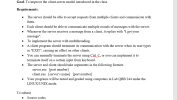 want code
in C:
and please answer the
question!
Goal: To improve the client-server model introduced in the class Requirements: The server should be able to accept requests from multiple clients and communicate with them. .Each client should be able to communicate multiple rounds of messages with the server. .Whenever the server receives a message from a client, it replies with "I got your message To implement the server with multithreading. .A client program should terminate its communication with the...
want code
in C:
and please answer the
question!
Goal: To improve the client-server model introduced in the class Requirements: The server should be able to accept requests from multiple clients and communicate with them. .Each client should be able to communicate multiple rounds of messages with the server. .Whenever the server receives a message from a client, it replies with "I got your message To implement the server with multithreading. .A client program should terminate its communication with the...
I need some help in creating a pair of programs in Python UDPClient and UDPServer, that...
I need some help in creating a pair of programs in Python UDPClient and UDPServer, that use the UDP protocol to communicate with each other. Once the sockets are set up, the communication will go as follows: The client reads a line of characters (data) from its keyboard and sends the data to the server. The server receives the data and converts the characters to uppercase. The server sends the modified data to the client. The client receives the modified...
 Here is the description of the client and server programs that you need to develop in C using TCP: Suppose we have a simple student query system, where the server keeps student's info in an array of struct student_info ( char abc123171 char name [101 double GPA; To simplify the tasks, the server should create a static array of 10 students with random abc123, name, and GPA in the server program. Then the server waits for clients. When a client...
 want code
in C:
and please answer the
question!
Goal: To improve the client-server model introduced in the class Requirements: The server should be able to accept requests from multiple clients and communicate with them. .Each client should be able to communicate multiple rounds of messages with the server. .Whenever the server receives a message from a client, it replies with "I got your message To implement the server with multithreading. .A client program should terminate its communication with the...
want code
in C:
and please answer the
question!
Goal: To improve the client-server model introduced in the class Requirements: The server should be able to accept requests from multiple clients and communicate with them. .Each client should be able to communicate multiple rounds of messages with the server. .Whenever the server receives a message from a client, it replies with "I got your message To implement the server with multithreading. .A client program should terminate its communication with the...
Most questions answered within 3 hours.
-
Where is the error in this code sequence?
String s1 = "Hello";
String s2 = "ello";...
asked 11 months ago -
Financial data for Joel de Paris, Inc., for last year
follow:
Joel de Paris, Inc.
Balance...
asked 11 months ago -
Consider this reaction:
Al2(SO4)3 (aq)+ BaCl3
(aq) Al2Cl6 (aq)- +
3BaSO4(s) . What is the...
asked 11 months ago -
Suppose that Savneet is considering increasing her
recent random sample from 20 car rentals to 40...
asked 11 months ago -
Trucks arrive at an unloading terminal at an average rate of 120
per hour.
Trucks arrive...
asked 11 months ago -
Why are methanol and ethanol completely soluble in water while
octanol is not very little soluble....
asked 11 months ago -
A facilities manager at a university reads in a research report
that the mean amount of...
asked 11 months ago -
When the CuSO4 is rehydrated by adding water to the anhydrous
compound, is this an endothermic...
asked 11 months ago -
A ray of sunlight is passing from diamond into crown glass; the
angle of incidence is...
asked 11 months ago -
A block of mass 0.249 kg is placed on top of a light, vertical
spring of...
asked 11 months ago -
how do the kidneys compensate in the presences of acidosis
a) trigger hyperventilate
b) reserve acid...
asked 11 months ago -
Question 501 pts
The rental rate of capital to the firm increases. Which of the
following...
asked 11 months ago