1. display a dialog box which contains the message "Input a value for size (>0)"; 2....
1. display a dialog box which contains the message "Input a
value for size (>0)";
2. assume the input is a number, check if it is less than or equal
to zero. If so, display the message "Size must be > 0" in
another dialog box and go to 1;
I got trouble in question 2. After I display the message of "Size must be >0", how can I repeat the step in question 1 and make it like a looping?
//The class to model the class Orange
//Import statement for resolving the class JOptionPane
import javax.swing.*;
//The class definition of TestOrange
public class TestOrange {
//The main executive method
public static void main (String[] args) {
Orange orangeA;
orangeA = new Orange();
//Print the message "An object orangeA of class Orange"
System.out.println("An object orangeA of class Orange has been
created");
//Show a dialog for getting the size of orange
String inputSize = JOptionPane.showInputDialog("Input a value for
size (>0)");
//Obtain the double value from the input String object
double size = Double.parseDouble (inputSize);
//Show message dialog if size is less than or equal to zero
if(size<=0) {
String output = "Size must be >0";
JOptionPane.showMessageDialog(null,output);
}
//Print the category of the orange if size is greater 0
else {
orangeA.setSize(size);
System.out.println(orangeA.category());
}
}
}
Homework Answers
thanks for the question, here is the how you need to loop until user enters a positive number. I have commented the additional lines so that you can follow it.
thanks : )
=========================================================================================
import javax.swing.*;
//The class definition of TestOrange
public class TestOrange {
//The main executive method
public static void
main(String[] args) {
Orange orangeA;
orangeA =
new Orange();
//Print the message "An object orangeA of class Orange"
System.out.println("An object
orangeA of class Orange has been created");
// infinite while
loop until user enters a size > 0
while (true) {
//Show a dialog for getting the size of orange
String inputSize =
JOptionPane.showInputDialog("Input a value for
size (>0)");
//Obtain the double value from the input String object
double size =
Double.parseDouble(inputSize);
//Show message dialog if size is less than or equal to
zero
if (size <= 0) {
String output = "Size must be >0";
// JOptionPane.showMessageDialog(null,
output); // this line is not needed any more
}
//Print the category of the orange if size is greater 0
else {
orangeA.setSize(size);
System.out.println(orangeA.category());
// when the size is greater than 0 we break out of while loop
using break statement
break;
}
}
}
}
Add Answer to:
1. display a dialog box which contains the message "Input a
value for size (>0)";
2....
JAVA Please debug. Has 2 errors. Thanks ---------------------------------------- import javax.swing.*; public class UseCustomerAccount { public...
JAVA Please debug. Has 2 errors. Thanks ---------------------------------------- import javax.swing.*; public class UseCustomerAccount { public static void main(String[] args) { int num; double balance; String input; input = JOptionPane.showInputDialog(null, "Enter an account number"); num = Integer.parseInt(input); input = JOptionPane.showInputDialog(null, "Enter a balance due"); balance = Double.parseDouble(input); try { CustomerAccount ca = new CustomerAccount(num, balance); JOptionPane.showMessageDialog(null, "Customer #" + num + " has a balance of...
// Arithmetic2.java - This program performs arithmetic, ( +. -, *. /, % ) on two...
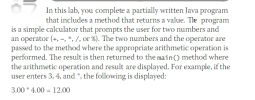 // Arithmetic2.java - This program performs arithmetic, ( +. -, *. /, % ) on two numbers
// Input: Interactive.
// Output: Result of arithmetic operation
import javax.swing.*;
public class Arithmetic2
{
public static void main(String args[])
{
double numberOne, numberTwo;
String numberOneString, numberTwoString;
String operation;
double result;
numberOneString = JOptionPane.showInputDialog("Enter the first number: ");
numberOne = Double.parseDouble(numberOneString);
numberTwoString = JOptionPane.showInputDialog("Enter the second number: ");
numberTwo = Double.parseDouble(numberTwoString);
operation = JOptionPane.showInputDialog("Enter an operator (+.-.*,/,%): ");
// Call performOperation method here...
// Arithmetic2.java - This program performs arithmetic, ( +. -, *. /, % ) on two numbers
// Input: Interactive.
// Output: Result of arithmetic operation
import javax.swing.*;
public class Arithmetic2
{
public static void main(String args[])
{
double numberOne, numberTwo;
String numberOneString, numberTwoString;
String operation;
double result;
numberOneString = JOptionPane.showInputDialog("Enter the first number: ");
numberOne = Double.parseDouble(numberOneString);
numberTwoString = JOptionPane.showInputDialog("Enter the second number: ");
numberTwo = Double.parseDouble(numberTwoString);
operation = JOptionPane.showInputDialog("Enter an operator (+.-.*,/,%): ");
// Call performOperation method here...
I'm attempting to convert ch object array to double array public void calculateSalesPrice() { double salePrice[]...
I'm attempting to convert ch object array to double array public void calculateSalesPrice() { double salePrice[] = new double[ch.length]; int p = 0; for (int i = 0; i < ch.length; i += 3) { p = i + 1; for(int j = 0;j } } error message:items.java:16: error: cannot find symbol for(int j = 0;j ^ symbol: variable length location: class Object items.java:17: error: array required, but Object found salePrice[j] = (double full program import java.io.File; import java.util.Scanner; import...
Hello I need help with this. I am trying to use JOptionpane to ask 5 questions....
Hello I need help with this. I am trying to use JOptionpane to ask 5 questions. However I cannot get the program to do anything after an initial selection is made. Here is the assignment. Write an application that creates a quiz, which contains at least five questions about a hobby, popular music, astronomy, or any other personal interest. Each question should be a multiple choice question with at least three options. When a user answers a question correctly, display...
Write a program that will predict the size of a population of organisms. The program should...
Write a program that will predict the size of a population of organisms. The program should ask for the starting number of organisms, their average daily population increase (as a percentage), and the number of days they will multiply. For example, a population might begin with two organisms, have an average daily increase of 50 percent, and will be allowed to multiply for seven days. The program should use a loop to display the size of the population for each...
This exercise guides you through the process of converting an Area and Perimeter application from a...
This exercise guides you through the process of converting an Area and Perimeter application from a procedural application to an object-oriented application. Create and use an object 1. Open the project named ch04_ex2_Area and Perimeter that’s stored in the ex_starts folder. Then, review the code for the Main class. 2. Create a class named Rectangle and store it in the murach.rectangle package. 3. In the Rectangle class, add instance variables for length and width. The, code the get and set...
I'm working with Java and I have a error message 1 error Error: Could not find or...
I'm working with Java and I have a error message 1 error Error: Could not find or load main class Flowers. This is the problem: Instructions Make sure the source code file named Flowers.java is open. Declare the variables you will need. Write the Java statements that will open the input file, flowers.dat, for reading. Write a while loop to read the input until EOF is reached. In the body of the loop, print the name of each flower and where...
THIS CODE SHOULD BE MODIFIED TO READ SuperMarket.dat instead of Inputting and Outputting. SuperMarket.dat Monday 4...
THIS CODE SHOULD BE MODIFIED TO READ SuperMarket.dat instead of Inputting and Outputting. SuperMarket.dat Monday 4 Monday 6 Monday 2 Tuesday 3 Tuesday 2 Wednesday 3 Wednesday 5 Wednesday 7 Thursday 5 Friday 4 Friday 3 Friday 4 Saturday 8 Saturday 8 Saturday 8 Sunday 0 QUESTION: Write the control break code, including the code for the dayChange() method, in the main() method. // SuperMarket.java - This program creates a report that lists weekly hours worked // by employees of...
How do I record every user Input and then display all of it in the scream....
How do I record every user Input and then display all of it in the scream. In my code i ask the user for a series of food item, then i ask for the toppings. I need to display every input of food and toppings the user enters. The output must look like this Here is your order <name> Appetizer: [ Wings, Blue cheese, Ranch ] Main Course: [ Hamburger: mushrooms , Advocado ] Dessert: [ Pie: Powder Sugar, Scoop...
In Problem Set 7 you designed and implemented a Message class. This time, let's design and...
 In Problem Set 7 you designed and implemented a Message class. This time, let's design and implement a Mailbox class in a file named Mailbox java. Do the following with this class • You may use the Message class from PS 7. You will have to add new features to the Message class from PS 7 as you work through this problem. You are welcome to start with my sample solution if you wish • Suppose there are multiple mail...
 // Arithmetic2.java - This program performs arithmetic, ( +. -, *. /, % ) on two numbers
// Input: Interactive.
// Output: Result of arithmetic operation
import javax.swing.*;
public class Arithmetic2
{
public static void main(String args[])
{
double numberOne, numberTwo;
String numberOneString, numberTwoString;
String operation;
double result;
numberOneString = JOptionPane.showInputDialog("Enter the first number: ");
numberOne = Double.parseDouble(numberOneString);
numberTwoString = JOptionPane.showInputDialog("Enter the second number: ");
numberTwo = Double.parseDouble(numberTwoString);
operation = JOptionPane.showInputDialog("Enter an operator (+.-.*,/,%): ");
// Call performOperation method here...
// Arithmetic2.java - This program performs arithmetic, ( +. -, *. /, % ) on two numbers
// Input: Interactive.
// Output: Result of arithmetic operation
import javax.swing.*;
public class Arithmetic2
{
public static void main(String args[])
{
double numberOne, numberTwo;
String numberOneString, numberTwoString;
String operation;
double result;
numberOneString = JOptionPane.showInputDialog("Enter the first number: ");
numberOne = Double.parseDouble(numberOneString);
numberTwoString = JOptionPane.showInputDialog("Enter the second number: ");
numberTwo = Double.parseDouble(numberTwoString);
operation = JOptionPane.showInputDialog("Enter an operator (+.-.*,/,%): ");
// Call performOperation method here...
 In Problem Set 7 you designed and implemented a Message class. This time, let's design and implement a Mailbox class in a file named Mailbox java. Do the following with this class • You may use the Message class from PS 7. You will have to add new features to the Message class from PS 7 as you work through this problem. You are welcome to start with my sample solution if you wish • Suppose there are multiple mail...
Most questions answered within 3 hours.
-
Where is the error in this code sequence?
String s1 = "Hello";
String s2 = "ello";...
asked 10 months ago -
Financial data for Joel de Paris, Inc., for last year
follow:
Joel de Paris, Inc.
Balance...
asked 10 months ago -
Consider this reaction:
Al2(SO4)3 (aq)+ BaCl3
(aq) Al2Cl6 (aq)- +
3BaSO4(s) . What is the...
asked 10 months ago -
Suppose that Savneet is considering increasing her
recent random sample from 20 car rentals to 40...
asked 10 months ago -
Trucks arrive at an unloading terminal at an average rate of 120
per hour.
Trucks arrive...
asked 10 months ago -
Why are methanol and ethanol completely soluble in water while
octanol is not very little soluble....
asked 10 months ago -
A facilities manager at a university reads in a research report
that the mean amount of...
asked 10 months ago -
When the CuSO4 is rehydrated by adding water to the anhydrous
compound, is this an endothermic...
asked 10 months ago -
A ray of sunlight is passing from diamond into crown glass; the
angle of incidence is...
asked 10 months ago -
A block of mass 0.249 kg is placed on top of a light, vertical
spring of...
asked 10 months ago -
how do the kidneys compensate in the presences of acidosis
a) trigger hyperventilate
b) reserve acid...
asked 10 months ago -
Question 501 pts
The rental rate of capital to the firm increases. Which of the
following...
asked 10 months ago