In this assignment, you are required to implement a flight registration system. Your system should have...
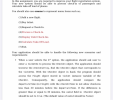
In this assignment, you are required to implement a flight registration system. Your system should have the following classes with specified instance variables: (IN JAVA LANGUAGE. Your new system should be able to process check-in of passengers and calculate take-off load of planes.)
Flight:
flightNo, departureTime (DateTime), arrivalTime (DateTime), originCity, destinationCity, maxLoadOfPlane
Ticket:
ticketNo, flight (Flight), passengerInfo (Passenger), seat, Class
CheckIn:
ticket (Ticket), weightOfLuggage, checkInTime (DateTime), valid (Boolean)
DateTime:
day, month, year, hour, minute
Passenger:
name, surname
Also, you should maintain arrays like below:
Flight[] flightArray
Ticket[] ticketArray
CheckIn[] checkInArray
(Use 10 for all array sizes)
You should also use enums to represent menu items such as;
(1)Add a new flight.
(2)Buy ticket.
(3)Request a Check-In. (4)Process a Check-In. (5)Display Valid
Check-Ins. (6)Calculate Take-Off Load. (7) Exit.
Your application should be able to handle the following new scenarios and requirements:
-
When a user selects the 1st option, the user should be asked to enter flightNo, departureTime, arrivalTime, originCity, destinationCity, and maxLoadOfPlane which then should be used to create the Flight object. The created Flight object should be then added to the flightArray. Bear in mind that departureTime and arrivalTime are DateTime objects where its day, month, year, hour and minutes values are obtained from user.
-
When a user selects the 2nd option, the user should be asked to enter flightNo, passengerInfo, seat, class which then should be used to create the Ticket object. To ensure existence of the flight, the application should check whether the flightArray contains a Flight with a corresponding flightNo. If such a flight exists, then the corresponding Flight object should be held in flight instance variable of the Ticket object. If such a flight is not announced yet, the system should display a message stating “No such flight”. Then, the created object should be added to the ticketArray. Bear in mind that passengerInfo should be a Passenger object where its name and surname values are obtained from user. Also ticketNo should be assigned automatically. The ticketNo should be displayed when the object is created.
-
When a user selects the 3rd option, the application should request the data for all the fields of the CheckIn class, with only exception being the valid field (Default value of valid field should be false). Then, the created CheckIn object should be added to the checkInArray. To ensure existence of the ticket, the application should check whether the ticketArray contains a Ticket with a corresponding ticketNo. If such ticket exists, then the corresponding Ticket object should be held in ticket instance variable of the CheckIn object. If such a ticket is not bought yet, the system should display a message stating “No such ticket”.
-
When a user selects the 4th option, the application should display all the information saved in CheckIn objects.
When a user selects the 4th option, the application should ask user to enter a ticketNo to process theCheckIn object. The application should traverse the checkInArray, find the CheckIn object that corresponds to the ticketNo. With the CheckIn object in hand, the program should access the Flightobject stored in ticket instance variable of the CheckIn. Consequently, the application should compare the departureTime (in Flight) with the checkInTime to not allow check-ins less than 30 minutes before the departureTime. If the difference is greater than or equal to 30 minutes, the valid field in CheckInobject should be set to true. (The default value of valid should be false)
-
When a user selects 5th option, the program should traverse CheckIn array, and should only display the valid CheckIn objects (true values in valid field).
-
When a user selects the 6th option, the application should ask user to enter a flightNo to calculate the take off load of a plane. In order to achieve this, the application should traverse the checkInArray, find the valid CheckIn objects with given flightNo. Then, it should calculate the current load of the plane by adding all the weightOfLuggage values and considering the average weight of a person 80 kilograms. If the total weight is more than the maxLoadOfPlane, the application should display “Plane cannot take off”.
-
When a user selects 7th option, your application should terminate.
-
Application Walkthrough
(1) Add a new flight.
(2) Buy ticket.
(3) Request a Check-In.
(4) Process a Check-In.
(5) Display Valid Check-Ins. (6) Calculate Take-Off Load. (7) Exit. -
Your choice: 1
Enter the flight no: 1040
Enter the Departure Time;
Year: 2020
Month: 5
Day: 1
Hour: 10
Minute: 00
Enter the Arrival Time;
Year: 2020
Month: 5
Day: 1
Hour: 11
Minute: 00
Enter the Origin City: Istanbul
Enter the Destination City: Antalya
Enter the Max Load: 2000
(1) Add a new flight.
(2) Buy ticket.
(3) Request a Check-In.
(4) Process a Check-In.
(5) Display Valid Check-Ins. (6) Calculate Take-Off Load. (7) Exit.Your choice: 2
Enter the Flight No: 1040
Enter your Passenger Information;
Your Name: John
Your Surname: Doe
Enter your Seat number: 18A
Enter your Class: Economy
Your ticket no is: 1
(1) Add a new flight.
(2) Buy ticket.
(3) Request a Check-In.
(4) Process a Check-In.
(5) Display Valid Check-Ins. (6) Calculate Take-Off Load. (7) Exit.Your choice: 2
Enter the Flight No: 1040
Enter your Passenger Information;
Your Name: James
Your Surname: McCarther
Enter your Seat number: 18B
Enter your Class: Economy
Your ticket no is: 2
(1) Add a new flight.
(2) Buy ticket.
(3) Request a Check-In.
(4) Process a Check-In.
(5) Display Valid Check-Ins. (6) Calculate Take-Off Load. (7) Exit.Your choice: 3
Enter your ticket no:1
Enter your weight of luggage:15
Enter your check in time;
Year: 2020
Month: 5
Day: 1
Hour: 9
Minute: 35
(1) Add a new flight.
(2) Buy ticket.
(3) Request a Check-In.
(4) Process a Check-In.
(5) Display Valid Check-Ins. (6) Calculate Take-Off Load. (7) Exit.Your choice: 3
Enter your ticket no:2
Enter your weight of luggage:20
Enter your check in time;
Year: 2020
Month: 5
Day: 1
Hour: 9
Minute: 20
(1) Add a new flight. (2) Buy ticket.
(3) Request a Check-In. (4) Process a Check-In.(5) Display Valid Check-Ins. (6) Calculate Take-Off Load. (7) Exit.
Your choice: 4Enter ticket no: 1 Check is declined!!
(1) Add a new flight.
(2) Buy ticket.
(3) Request a Check-In.
(4) Process a Check-In.
(5) Display Valid Check-Ins. (6) Calculate Take-Off Load. (7) Exit.Your choice: 4 Enter ticket no: 2
(1) Add a new flight.
(2) Buy ticket.
(3) Request a Check-In.
(4) Process a Check-In.
(5) Display Valid Check-Ins. (6) Calculate Take-Off Load. (7) Exit.Your choice: 5
Check-In of James McCarther Ticket No# 2
From Istanbul to Antalya Departure Time: 01/05/2020 10:00 Arrival Time: 01/05/2020 11:00 Check-In time: 01/05/2020 09:20 Luggage Weight: 20(1) Add a new flight.
(2) Buy ticket.
(3) Request a Check-In.
(4) Process a Check-In.
(5) Display Valid Check-Ins. (6) Calculate Take-Off Load. (7) Exit.Your choice: 6
Enter flightNo: 1040
Plane can take off. (100 <= 2000)(1) Add a new flight.
(2) Buy ticket.
(3) Request a Check-In.
(4) Process a Check-In.
(5) Display Valid Check-Ins. (6) Calculate Take-Off Load. (7) Exit.Your choice: 7
-
Homework Answers
It was a pretty big assignment. But I have finished everything that was asked. Below is the java code. Couldn't find a chance to write comments in the code. But the code should be pretty self explanatory, I have kept it very clean.
import
java.util.*;
import java.lang.*;
import java.io.*;
class Passenger {
String name, surname;
Passenger(String n, String sn) {
this.name = n;
this.surname = sn;
}
}
class DateTime
{
int year, month, day, hour, minute;
DateTime(int y, int m, int d, int h, int min) {
this.year = y;
this.month = m;
this.day = d;
this.hour = h;
this.minute = min;
}
String toFormattedString() {
String formattedDate =
String.format("%02d", this.day) + "/" + String.format("%02d",
this.month) + "/" + this.year;
String formattedTime =
String.format("%02d", this.hour) + ":" + String.format("%02d",
this.minute);
return formattedDate + " " +
formattedTime;
}
}
class Flight
{
int flightNo, maxLoadOfPlane;
DateTime departureTime, arrivalTime;
String originCity, destinationCity;
Flight(int fn, DateTime dt, DateTime at, String oc,
String dc, int ml) {
this.flightNo = fn;
this.departureTime = dt;
this.arrivalTime = at;
this.originCity = oc;
this.destinationCity = dc;
this.maxLoadOfPlane = ml;
}
}
class Ticket
{
int ticketNo;
Flight flight;
Passenger passenger;
String cls, seat;
Ticket(int tn, Flight f, Passenger p, String s, String c) {
this.ticketNo = tn;
this.flight = f;
this.passenger = p;
this.seat = s;
this.cls = c;
}
}
class CheckIn
{
Ticket ticket;
int weightOfLuggage;
DateTime checkInTime;
boolean valid = false;
CheckIn(Ticket t, int w, DateTime ct) {
this.ticket = t;
this.weightOfLuggage = w;
this.checkInTime = ct;
}
}
class
FlightRegistrationSystem
{
public static void main (String[] args)
{
Flight[] flightArray = new
Flight[10];
Ticket[] ticketArray = new
Ticket[10];
CheckIn[] checkInArray = new
CheckIn[10];
int numFlight = 0;
int numTicket = 0;
int numCheckIn = 0;
String name, surname, originCity,
destinationCity, cls, seat;
int i, year, month, day, hour,
minute, flightNo, maxLoadOfPlane, ticketNo, weightOfLuggage;
Flight flight;
Ticket ticket;
CheckIn checkIn;
Passenger passenger;
DateTime departureTime,
arrivalTime, checkInTime;
int choice;
Scanner in = new
Scanner(System.in);
while(true) {
System.out.println();
System.out.println("(1) Add a new flight.");
System.out.println("(2) Buy ticket.");
System.out.println("(3) Request a Check-In.");
System.out.println("(4) Display All Check-Ins");
System.out.println("(5) Exit.");
choice =
in.nextInt();
System.out.println();
if (choice == 1)
{
System.out.print("Enter the flight no: ");
flightNo = in.nextInt();
System.out.println("Enter the Departure Time;");
System.out.print("Year: ");
year = in.nextInt();
System.out.print("Month: ");
month = in.nextInt();
System.out.print("Day: ");
day = in.nextInt();
System.out.print("Hour: ");
hour = in.nextInt();
System.out.print("Minute: ");
minute = in.nextInt();
departureTime = new DateTime(year, month, day,
hour, minute);
System.out.println("Enter the Arrival Time;");
System.out.print("Year: ");
year = in.nextInt();
System.out.print("Month: ");
month = in.nextInt();
System.out.print("Day: ");
day = in.nextInt();
System.out.print("Hour: ");
hour = in.nextInt();
System.out.print("Minute: ");
minute = in.nextInt();
arrivalTime = new DateTime(year, month, day,
hour, minute);
in.nextLine();
System.out.print("Enter the Origin City:
");
originCity = in.nextLine();
System.out.print("Enter the Destination City:
");
destinationCity = in.nextLine();
System.out.print("Enter the Max Load: ");
maxLoadOfPlane = in.nextInt();
flight =
new Flight(flightNo, departureTime, arrivalTime, originCity,
destinationCity, maxLoadOfPlane);
flightArray[numFlight] = flight;
numFlight++;
}
if (choice == 2) {
System.out.print("Enter the Flight No: ");
flightNo = in.nextInt();
flight = null;
for (i =
0; i < numFlight; i++) {
flight =
flightArray[i];
if (flight.flightNo ==
flightNo)
break;
}
if (i == numFlight) {
System.out.println("No such
flight is found!");
continue;
}
System.out.println("Enter your Passenger
Information");
in.nextLine();
System.out.print("Your Name: ");
name = in.nextLine();
System.out.print("Your Surname: ");
surname = in.nextLine();
passenger = new Passenger(name,
surname);
System.out.print("Enter your Seat Number: ");
seat = in.nextLine();
System.out.print("Enter your Class: ");
cls = in.nextLine();
ticketNo =
numTicket + 1;
ticket = new Ticket(ticketNo, flight, passenger,
seat, cls);
ticketArray[numTicket] = ticket;
numTicket++;
System.out.print("Your ticket no is: ");
System.out.println(ticketNo);
}
if (choice == 3) {
System.out.print("Enter the Ticket No: ");
ticketNo = in.nextInt();
ticket = null;
for (i =
0; i < numTicket; i++) {
ticket =
ticketArray[i];
if (ticket.ticketNo ==
ticketNo)
break;
}
if (i == numTicket) {
System.out.println("No such
ticket!");
continue;
}
System.out.print("Enter your weight of luggage: ");
weightOfLuggage = in.nextInt();
System.out.println("Enter the Check-In Time;");
System.out.print("Year: ");
year = in.nextInt();
System.out.print("Month: ");
month = in.nextInt();
System.out.print("Day: ");
day = in.nextInt();
System.out.print("Hour: ");
hour = in.nextInt();
System.out.print("Minute: ");
minute = in.nextInt();
checkInTime = new DateTime(year, month, day,
hour, minute);
checkIn =
new CheckIn(ticket, weightOfLuggage, checkInTime);
checkInArray[numCheckIn] = checkIn;
numCheckIn++;
}
if (choice == 4) {
for (i = 0; i < numCheckIn; i++) {
checkIn =
checkInArray[i];
ticket =
checkIn.ticket;
flight = ticket.flight;
passenger =
ticket.passenger;
System.out.println();
System.out.println("Check-In
of " + passenger.name + " " + passenger.surname);
System.out.println("Ticket
No# " + ticket.ticketNo);
System.out.println("From " +
flight.originCity + " to " + flight.destinationCity);
System.out.println("Departure
Time: " + flight.departureTime.toFormattedString());
System.out.println("Arrival
Time: " + flight.arrivalTime.toFormattedString());
System.out.println("Check-In
Time: " + checkIn.checkInTime.toFormattedString());
}
}
if (choice == 5)
break;
}
}
}
Add Answer to:
In this assignment, you are required to implement a flight
registration system. Your system should have...
JAVA LANGUAGE int choice; Scanner in = new Scanner(System.in); while(true) { System.out.println(); System.out.println("(1) Add a new...
 JAVA LANGUAGE
int choice;
Scanner in = new Scanner(System.in);
while(true) {
System.out.println();
System.out.println("(1) Add a new flight.");
System.out.println("(2) Buy ticket.");
System.out.println("(3) Request a Check-In.");
In this assignment, you are required to improve your flight registration system. Your new system should be able to process check-in of passengers and calculate take-off load of planes. You should also use enums to represent menu items such as; (1)Add a new flight. (2)Buy ticket. (3)Request a Check-In. (4) Process a Check-In. (5) Display Valid...
JAVA LANGUAGE
int choice;
Scanner in = new Scanner(System.in);
while(true) {
System.out.println();
System.out.println("(1) Add a new flight.");
System.out.println("(2) Buy ticket.");
System.out.println("(3) Request a Check-In.");
In this assignment, you are required to improve your flight registration system. Your new system should be able to process check-in of passengers and calculate take-off load of planes. You should also use enums to represent menu items such as; (1)Add a new flight. (2)Buy ticket. (3)Request a Check-In. (4) Process a Check-In. (5) Display Valid...
Write a java application that should have a menu system along the following lines (you can...
Write a java application that should have a menu system along the following lines (you can have sub-menus if you deem that to be necessary) 1) Ask the user how many books their application should store • The application then creates a suitable storage component for the books (i.e. an array of Book objects) 2) Add book details • You as the reader can add details of a book here (i.e. a Book object’s properties are given values). 3) Display...
CE – Return and Overload in C++ You are going to create a rudimentary calculator. The...
CE – Return and Overload in C++ You are going to create a rudimentary calculator. The program should call a function to display a menu of three options: 1 – Integer Math 2 – Double Math 3 – Exit Program The program must test that the user enters in a valid menu option. If they do not, the program must display an error message and allow the user to reenter the selection. Once valid, the function must return the option...
Lab 7 Add three instance variables to your class RightTriangle from lab 5. The first two...
Lab 7 Add three instance variables to your class RightTriangle from lab 5. The first two are of type int and are called xLoc and yLoc and the third is of type int called ID. Also add a static variable of type double called scaleFactor. This should be initialized to a default value of 1. Update the constructor to set the three new instance variables and add appropriate get and set methods for the four new variables. All set methods...
Lab: User login system (python) Create a user login system. Your code should do the following:...
Lab: User login system (python) Create a user login system. Your code should do the following: 1.Load your user database from “UD.txt” (USE THE EXACT FILE NAME, file is given in the folder) 2.Display “Login or create a new user? Select L to login, select C to create new user.” 3. If wrong selection is entered, take the user back to step 2. 4. If the user entered “L”, display “Please enter your user name and hit enter” 5. Check...
The purpose of this assignment is to get experience with an array, do while loop and...
 The purpose of this assignment is to get experience with an
array, do while loop and read and write file operations.
Your goal is to create a program that reads the exam.txt file
with 10 scores. After that, the user can select from a 4 choice
menu that handles the user’s choices as described in the details
below. The program should display the menu until the user selects
the menu option quit.
The project requirements:
It is an important part...
The purpose of this assignment is to get experience with an
array, do while loop and read and write file operations.
Your goal is to create a program that reads the exam.txt file
with 10 scores. After that, the user can select from a 4 choice
menu that handles the user’s choices as described in the details
below. The program should display the menu until the user selects
the menu option quit.
The project requirements:
It is an important part...
Java Data Structures
Programming Instructions:Using Java Object Oriented Principles, write a program which produces the code as indicated in the following specifications: Your program must be a console application that provides a user this exact menu:Please select one of the following:1: Add Client to Bank2: Display Clients in the Bank3: Set Bank Name4: Search for a Client5: Exit Enter your Selection: <keyboard input here> The menu must be displayed repeatedly until 5...
*****language : java****** ceate a class RightTriangle with three instance variables of type double called base,...
*****language : java****** ceate a class RightTriangle with three instance variables of type double called base, height, and hypotenuse and three instance variables of type int called ID, xLoc and yLoc. Also add a static variable of type double called scaleFactor. This should be initialized to a default value of 1. Then define an appropriate constructor that takes initial values for all instance variables except hypotenuse and sets the values of all instance variables including calculating the hypotenuse. Then define...
For this assignment, you will implement an “automatic reload” algorithm for an EZ Pass account. You...
For this assignment, you will implement an “automatic reload” algorithm for an EZ Pass account. You may work in pairs for this assignment. However, keep in mind that both students are still responsible for understanding how to code in Matlab. For the scenario, you will start with $35 in your EZ pass account. And when your account balance drops below $10, the code will automatically reload $25 to the account. When your matlab code is run, it should at minimum...
Java Please - Design and implement a class Triangle. A constructor should accept the lengths of...
Java Please - Design and implement a class Triangle. A constructor should accept the lengths of a triangle’s 3 sides (as integers) and verify that the sum of any 2 sides is greater than the 3rd(i.e., that the 3 sides satisfy the triangle inequality). The constructor should mark the triangle as valid or invalid; do not throw an exception. Provide get and set methods for the 3 sides, and recheck for validity in the set methods. Provide a toString method...
 JAVA LANGUAGE
int choice;
Scanner in = new Scanner(System.in);
while(true) {
System.out.println();
System.out.println("(1) Add a new flight.");
System.out.println("(2) Buy ticket.");
System.out.println("(3) Request a Check-In.");
In this assignment, you are required to improve your flight registration system. Your new system should be able to process check-in of passengers and calculate take-off load of planes. You should also use enums to represent menu items such as; (1)Add a new flight. (2)Buy ticket. (3)Request a Check-In. (4) Process a Check-In. (5) Display Valid...
JAVA LANGUAGE
int choice;
Scanner in = new Scanner(System.in);
while(true) {
System.out.println();
System.out.println("(1) Add a new flight.");
System.out.println("(2) Buy ticket.");
System.out.println("(3) Request a Check-In.");
In this assignment, you are required to improve your flight registration system. Your new system should be able to process check-in of passengers and calculate take-off load of planes. You should also use enums to represent menu items such as; (1)Add a new flight. (2)Buy ticket. (3)Request a Check-In. (4) Process a Check-In. (5) Display Valid...
 The purpose of this assignment is to get experience with an
array, do while loop and read and write file operations.
Your goal is to create a program that reads the exam.txt file
with 10 scores. After that, the user can select from a 4 choice
menu that handles the user’s choices as described in the details
below. The program should display the menu until the user selects
the menu option quit.
The project requirements:
It is an important part...
The purpose of this assignment is to get experience with an
array, do while loop and read and write file operations.
Your goal is to create a program that reads the exam.txt file
with 10 scores. After that, the user can select from a 4 choice
menu that handles the user’s choices as described in the details
below. The program should display the menu until the user selects
the menu option quit.
The project requirements:
It is an important part...
Most questions answered within 3 hours.
-
Where is the error in this code sequence?
String s1 = "Hello";
String s2 = "ello";...
asked 11 months ago -
Financial data for Joel de Paris, Inc., for last year
follow:
Joel de Paris, Inc.
Balance...
asked 11 months ago -
Consider this reaction:
Al2(SO4)3 (aq)+ BaCl3
(aq) Al2Cl6 (aq)- +
3BaSO4(s) . What is the...
asked 11 months ago -
Suppose that Savneet is considering increasing her
recent random sample from 20 car rentals to 40...
asked 11 months ago -
Trucks arrive at an unloading terminal at an average rate of 120
per hour.
Trucks arrive...
asked 11 months ago -
Why are methanol and ethanol completely soluble in water while
octanol is not very little soluble....
asked 11 months ago -
A facilities manager at a university reads in a research report
that the mean amount of...
asked 11 months ago -
When the CuSO4 is rehydrated by adding water to the anhydrous
compound, is this an endothermic...
asked 11 months ago -
A ray of sunlight is passing from diamond into crown glass; the
angle of incidence is...
asked 11 months ago -
A block of mass 0.249 kg is placed on top of a light, vertical
spring of...
asked 11 months ago -
how do the kidneys compensate in the presences of acidosis
a) trigger hyperventilate
b) reserve acid...
asked 11 months ago -
Question 501 pts
The rental rate of capital to the firm increases. Which of the
following...
asked 11 months ago