Please answer the following questions in essay form. Write a 3-page essay. What is Cloud Computing?...
Please answer the following questions in essay form.
Write a 3-page essay.
- What is Cloud Computing? (1-2 paragraphs)
- Aside from cost what are FIVE advantages/benefits of cloud computing? (You can use bullets to list the answers BUT next to each item identified I want a definition and example of why it is a benefit)
- Cost is a benefit of cloud computing. Describe at least three ways an organization can save money by using cloud computing. You can provide this in the form of bullets but for each bullet where you identify a way to save money I want you to document how the money will be saved for this item.
- What are the FIVE disadvantages/negatives of cloud computing? (You can use bullets to list the answer BUT next to each item identified I want a definition and example of why it is a negative)
- Why are the disadvantages or negatives of cloud computing perceived and not realistic drawbacks? List three negatives (as bullets) and each one provides a counter-argument why this should not be a concern.
- What is IAAS, SAAS, PAAS? (List as bullets and along with the definitions of each provide examples of each one.)
- What is Public Cloud (with the definition provide examples)
- What is Private Cloud (with the definition provide examples)
- What is a Hybrid Cloud (with the definition provide examples)
- Provide a list of all of the links you used to answer the above questions
Please answer these questions. Thanks
Homework Answers
What Is Cloud Computing?
Cloud computing is the delivery of different services through the
Internet. These resources include tools and applications like data
storage, servers, databases, networking, and software.
Rather than keeping files on a proprietary hard drive or local
storage device, cloud-based storage makes it possible to save them
to a remote database. As long as an electronic device has access to
the web, it has access to the data and the software programs to run
it.
Cloud computing is a popular option for people and businesses for a number of reasons including cost savings, increased productivity, speed and efficiency, performance, and security.
Understanding Cloud Computing
Cloud computing is named as such because the information being accessed is found remotely in the cloud or a virtual space. Companies that provide cloud services enable users to store files and applications on remote servers and then access all the data via the Internet. This means the user is not required to be in a specific place to gain access to it, allowing the user to work remotely.
Cloud computing takes all the heavy lifting involved in crunching and processing data away from the device you carry around or sit and work at. It also moves all of that work to huge computer clusters far away in cyberspace. The Internet becomes the cloud, and voilà—your data, work, and applications are available from any device with which you can connect to the Internet, anywhere in the world.
Cloud computing can be both public and private. Public cloud services provide their services over the Internet for a fee. Private cloud services, on the other hand, only provide services to a certain number of people. These services are a system of networks that supply hosted services. There is also a hybrid option, which combines elements of both the public and private services.
Top benefits of cloud computing
Cloud computing is a big shift from the traditional way businesses think about IT resources. Here are seven common reasons organisations are turning to cloud computing services:
1) Cost
Cloud computing eliminates the capital expense of buying hardware and software and setting up and running on-site datacenters—the racks of servers, the round-the-clock electricity for power and cooling, the IT experts for managing the infrastructure. It adds up fast.
2) Speed
Most cloud computing services are provided self service and on demand, so even vast amounts of computing resources can be provisioned in minutes, typically with just a few mouse clicks, giving businesses a lot of flexibility and taking the pressure off capacity planning.
3) Global scale
The benefits of cloud computing services include the ability to scale elastically. In cloud speak, that means delivering the right amount of IT resources—for example, more or less computing power, storage, bandwidth—right when it is needed and from the right geographic location.
4) Productivity
On-site datacenters typically require a lot of “racking and stacking”—hardware setup, software patching, and other time-consuming IT management chores. Cloud computing removes the need for many of these tasks, so IT teams can spend time on achieving more important business goals.
5) Performance
The biggest cloud computing services run on a worldwide network of secure datacenters, which are regularly upgraded to the latest generation of fast and efficient computing hardware. This offers several benefits over a single corporate datacenter, including reduced network latency for applications and greater economies of scale.
6) Security
Many cloud providers offer a broad set of policies, technologies and controls that strengthen your security posture overall, helping protect your data, apps and infrastructure from potential threats.
five reasons why moving to the cloud will save you money and improve operations:
Scalable hardware means you pay for what you use
Cloud computing brings natural economies of scale. The practicalities of cloud computing mean high utilization and smoothing of the inevitable peaks and troughs in workloads. Rather than using a dedicated server that you own, maintain, and pay for regardless of demand, your workloads will share server infrastructure with other organizations' computing needs. This allows the cloud-computing provider to optimize the hardware needs of its data centers, which means you’re not paying for idle infrastructure which results in lower operating costs.
You’ll save money on energy costs
Cloud computing uses less electricity. That's an inevitable result that comes with scalable computing: Better hardware utilization means more efficient power use for your business. When you run your own data center, your servers won't be fully-utilized (unless yours is a very unusual organization). Idle servers waste energy, which means that regardless of demand, a cloud service provider can charge you less for energy used than you're spending in your own data center.
You’ll save money by streamlining your workforce
Whenever we analyze an organization’s computing costs, the biggest single line item is often the staffing budget, which can make up more than half of the operational cost for a business.
What makes this amount so high? Good IT people are expensive; Their salaries, benefits, and other employment costs usually outweigh the costs of hardware and software and that's before you add in the cost of recruiting good staff with the right experience.
When you move to the cloud, some of the money you pay for the service goes to the provider's staffing costs. But it's typically a much smaller amount than if you did all that work in-house. Yet again, we have to thank our old friend: economies of scale.
This doesn’t mean that you’ll be forced to downsize your current staff, but rather, you’ll be able to efficiently improve your IT department’s operations by deploying staff to other areas of your business, improving your bottom-line capabilities.
Zero upfront costs
When you run your own servers, you're looking at upfront capital costs, but in a cloud-based model, financing that capital investment is someone else's problem.
Sure, if you run the servers yourself, the accounting wizards do their amortization magic which makes it appear that the cost gets spread over a server's life. But that money still has to come from somewhere, so it's capital that otherwise can't be invested in the business—be it actual money or a line of credit. With cloud-based computing, there's far less variability in cost as your business scales, removing a significant barrier to growth.
Resilience without redundancy
When you run your own localized data centers and servers, you need to buy more hardware than you need in case of failure. In extreme cases, you need to duplicate everything. Having spare hardware lying idle, "just in case," is an expensive way to maximize uptime.
Instead, why not let a cloud computing service deal with the redundancy requirement? Typical clouds have several locations for their data centers, and they mirror your data and applications across at least two of them. That's a less expensive way of doing it, and another way to enjoy the cloud's economies of scale.
Plus, it’s good for the environment (and it saves you money, too)
Whether or not they believe in global warming, many organizations want to do something about it. This is either because their customers want to do business with green companies, or simply through a genuine desire to emit less CO2, or other gases believed to warm the planet.
By moving to the cloud, you'll be greener in two ways. First, you'll be saving energy, which as previously covered, saves you on your operating costs. Second, you'll be taking advantage of the work that your cloud service provider has done to reduce its data centers’ carbon footprint. Think of it as saving money that you might otherwise spend on carbon offsets.
It’s Reality
Cloud computing is now a proven, mainstream alternative for SMBs and SoHo. Moving to the cloud will save you money, not just for your cloud security needs, but for many other types of data center workloads. Webroot was the first cybersecurity provider to migrate to the cloud back in 2011. The move allowed us to provide our customers with extremely lightweight software that's able to fend off threats without hogging space or slowing you down.
Here are some key disadvantages to consider:
1. Network Connection Dependency
In order to reap the benefits of cloud computing, your business must always have an internet connection. Unfortunately, there is no way to get around this fact. You need a network in order to send files to the cloud and retrieve them.
You need a network to be able to use your virtual machines even if you opt for an IaaS, Infrastructure-as-a-Service. If you lose your network connection because of a storm or an outage, you may experience some downtime. However, a good Hosted Services provider will help you develop a business continuity plan, as well as the promise to deliver an SLA of more than 95% uptime.
2. Limited Features
Not all cloud providers are created equally. When you use cloud computing for storage and backup, you should ideally be working with a provider who offers the value of unlimited bandwidth. You may also experience limited storage space or accessibility. SaaS offerings may usually begin with a free package, but you will be charged for premium offerings and extra space. Can your business afford the costs as your business needs grow?
The answer to the concern of limited features is to partner with a Hosted Services provider who can meet your cloud storage, virtualization, and backup needs both now and in the future when your business grows. Ideally, you will want to work with a provider who will offer you a Hosted Services package at the highest value for the features and space your business needs.
3. Loss of Control
You are, essentially, trusting another party to take care of your data. You are trusting that they will maintain their data centers and servers with the same care as you would, if not more. You have to trust that your provider’s data centers are compliant and secured both physically and online. Some find the lack of in-house control of the server unnerving.
If this is one of your concerns, work with a partner with local contacts. Speak one-on-one with a representative who can address your access concerns, and learn about the measures that the Hosted Services company takes to ensure the integrity and safety of their cloud servers.
4. Security
Cloud hacking cases as recent as the past few months have shown that not all cloud providers are as secure as they claim to be. As a business, you can’t afford to have sensitive information about your company or your clients fall victim to hackers. One of cloud computing’s greatest disadvantages is that you don’t always know which providers you can trust.
This cloud computing disadvantage is more prevalent in SaaS providers than with Hosted providers. Because of the popularity of SaaS providers, they get targeted more frequently, and more easily, than a Hosted provider.
5. Technical Issues
If you experience any technical issues, you have no choice but to call your hosted provider’s technical support for help. You cannot fix your cloud computing problems in-house, and some providers do not offer around-the-clock technical support.
There is an easy fix to remediate this concern: pick a Hosted Services provider who offers 24/7 support to their clients
Types of Cloud Computing
Cloud computing is not a single piece of technology like a microchip or a cellphone. Rather, it's a system primarily comprised of three services: software-as-a-service (SaaS), infrastructure-as-a-service (IaaS), and platform-as-a-service (PaaS).
SaaS (software as a service)
This type of public cloud computing delivers applications over the internet through the browser. The most popular SaaS applications for business can be found in Google’s G Suite and Microsoft’s Office 365; among enterprise applications, Salesforce leads the pack. But virtually all enterprise applications, including ERP suites from Oracle and SAP, have adopted the SaaS model. Typically, SaaS applications offer extensive configuration options as well as development environments that enable customers to code their own modifications and additions.
IaaS (infrastructure as a service)
At a basic level, IaaS public cloud providers offer storage and compute services on a pay-per-use basis. But the full array of services offered by all major public cloud providers is staggering: highly scalable databases, virtual private networks, big data analytics, developer tools, machine learning, application monitoring, and so on. Amazon Web Services was the first IaaS provider and remains the leader, followed byMicrosoft Azure, Google Cloud Platform, and IBM Cloud.
PaaS (platform as a service)
PaaS provides sets of services and workflows that specifically target developers, who can use shared tools, processes, and APIs to accelerate the development, testing, and deployment of applications. Salesforce’s Heroku and Force.com are popular public cloud PaaS offerings; Pivotal’s Cloud Foundry and Red Hat’s OpenShift can be deployed on premises or accessed through the major public clouds. For enterprises, PaaS can ensure that developers have ready access to resources, follow certain processes, and use only a specific array of services, while operators maintain the underlying infrastructure.
Examples of SaaS, PaaS, and IaaS
Most businesses use a combination of SaaS and IaaS cloud computing service models, and many engage developers to create applications using PaaS, too.
SaaS examples: BigCommerce, Google Apps, Salesforce, Dropbox, MailChimp, ZenDesk, DocuSign, Slack, Hubspot.
PaaS examples: AWS Elastic Beanstalk, Heroku, Windows Azure (mostly used as PaaS), Force.com, OpenShift, Apache Stratos, Magento Commerce Cloud.
IaaS examples: AWS EC2, Rackspace, Google Compute Engine (GCE), Digital Ocean, Magento 1 Enterprise Edition*.
What is a public cloud?

The public cloud is defined as computing services offered by third-party providers over the public Internet, making them available to anyone who wants to use or purchase them. They may be free or sold on-demand, allowing customers to pay only per usage for the CPU cycles, storage or bandwidth they consume.
Unlike private clouds, public clouds can save companies from the expensive costs of having to purchase, manage and maintain on-premises hardware and application infrastructure - the cloud service provider is held responsible for all management and maintenance of the system. Public clouds can also be deployed faster than on-premises infrastructures and with an almost infinitely scalable platform. Every employee of a company can use the same application from any office or branch using their device of choice as long as they can access the Internet. While security concerns have been raised over public cloud environments, when implemented correctly, the public cloud can be as secure as the most effectively managed private cloud implementation if the provider uses proper security methods, such as intrusion detection and prevention systems (IDPS).
Examples of public clouds include ESDS eNlight Cloud, Amazon Elastic Compute Cloud (EC2), IBM Blue Cloud, Sun Cloud, Google AppEngine and Windows Azure Services Platform.
What is a hybrid cloud?
A hybrid cloud is a computing environment that combines a public cloud and a private cloud by allowing data and applications to be shared between them. When computing and processing demand fluctuates, hybrid cloud computing gives businesses the ability to seamlessly scale their on-premises infrastructure up to the public cloud to handle any overflow—without giving third-party datacenters access to the entirety of their data. Organizations gain the flexibility and computing power of the public cloud for basic and non-sensitive computing tasks, while keeping business-critical applications and data on-premises, safely behind a company firewall.
Using a hybrid cloud not only allows companies to scale computing resources, it also eliminates the need to make massive capital expenditures to handle short-term spikes in demand as well as when the business needs to free up local resources for more sensitive data or applications. Companies will pay only for resources they temporarily use instead of having to purchase, program, and maintain additional resources and equipment that could remain idle over long periods of time. Hybrid cloud computing is a “best of all possible worlds” platform, delivering all the benefits of cloud computing—flexibility, scalability, and cost efficiencies—with the lowest possible risk of data exposure.

Hybrid cloud definition
A hybrid cloud is the integration of a private cloud with a public cloud. At its most developed, the hybrid cloud involves creating parallel environments in which applications can move easily between private and public clouds. In other instances, databases may stay in the customer data center and integrate with public cloud applications—or virtualized data center workloads may be replicated to the cloud during times of peak demand. The types of integrations between private and public cloud vary widely, but they must be extensive to earn a hybrid cloud designation.
The most interesting real life examples of hybrid cloud are as follows:
- Ducati
- Blackline
- Fujitsu
- Monsah University
- Northumberland Country
Industry Examples of Hybrid Cloud Use:
- Finance: The public cloud is used for trade analytics, whereas the private cloud is used for trade orders. Firms when set up their system in this way are able to reduce their space requirements significantly.
- Healthcare: Here, a chief IT concern transfers patient data between the healthcare facilities and the insurance providers requiring HIPAA-compliant hosting.
- Law: Encrypted data is stored off-site in the public component. Law firms safeguard against the potential for loss due to hardware failure, theft, or a natural disaster by connecting public cloud with their own private cloud, thus creating a hybrid.
- Retail: The public cloud component can be extremely beneficial for these companies as processing sales data and analytics can be quite resource-intensive.
What is a private cloud?
The private cloud is defined as computing services offered either over the Internet or a private internal network and only to select users instead of the general public. Also called an internal or corporate cloud, private cloud computing gives businesses many of the benefits of a public cloud - including self-service, scalability and elasticity - with the additional control and customisation available from dedicated resources over a computing infrastructure hosted on-premises. In addition, private clouds deliver a higher level of security and privacy through both company firewalls and internal hosting to ensure operations and sensitive data are not accessible to third-party providers. One drawback is that the company’s IT department is held responsible for the cost and accountability of managing the private cloud. So private clouds require the same staffing, management and maintenance expenses as traditional datacenter ownership.
Two models for cloud services can be delivered in a private cloud. The first is infrastructure as a service (IaaS) which allows a company to use infrastructure resources such as compute, network and storage as a service. The second is platform as a service (PaaS) which lets a company deliver everything from simple cloud-based applications to sophisticated-enabled enterprise applications. Private clouds can also be combined with public clouds to create a hybrid cloud, allowing the business to take advantage of cloud bursting to free up more space and scale computing services to the public cloud when computing demand increases.

Private cloud definition
A private cloud downsizes the technologies used to run IaaS public clouds into software that can be deployed and operated in a customer’s data center. As with a public cloud, internal customers can provision their own virtual resources to build, test, and run applications, with metering to charge back departments for resource consumption. For administrators, the private cloud amounts to the ultimate in data center automation, minimizing manual provisioning and management. VMware’s Software Defined Data Center stack is the most popular commercial private cloud software, while OpenStack is the open source leader.
Note, however, that the private cloud does not fully conform to the definition of cloud computing. Cloud computing is a service. A private cloud demands that an organization build and maintain its own underlying cloud infrastructure; only internal usersof a private cloud experience it as a cloud computing service.
Realistic Example
SBI bank in India has built their own private cloud on top of VMware technologies with the name of “ Meghadoot”. They wanted to take advantage of benefits of cloud computing.
An example of a private cloud deployment is where you maintain your own servers and infrastructure that hosts your applications and data. What we call a datacenter.
You may be running Vmware or Hyper-V for a vitualized setup with limited phyiscal boxes hosting many virtual servers. Since you control the connection, security, hardware, apps, and everything this is considered a private cloud. You also pay for everything upfront including cost of servers, licensing, and maintenance.
Add Answer to:
Please answer the following questions in essay form.
Write a 3-page essay.
What is Cloud Computing?...
Cloud Delivery Models: You are given three scenarios and you need to decide which cloud delivery...
Cloud Delivery Models: You are given three scenarios and you need to decide which cloud delivery model would best suit each company, give reasons why you selected a specific cloud delivery model. Scenario #1 ABC is a mid-sized animation company that has worked on some of the major animation movies in the last few years. Their core competence is their animation engineers, and their very talented IT staff that manages their server farms and develops new versions of their custom...
cloud computing
Regional Gardens Ltd is a company that runs a number of related gardening enterprises. It has a large display garden that it opens for public inspection a number of times a year. These enterprises include the Regional Gardens Nursery which sells plants and garden supplies to the public, and Regional Garden Planners which provides garden advice, design and consultancy services.Regional Gardens has engaged you as a consultant to advise them on the use of Cloud Computing in their daily operations...
Answer the following questions. 1. Briefly explain the term cloud computing. 2. Why is searching on...
 Answer the following questions. 1. Briefly explain the term cloud computing. 2. Why is searching on Google seen as an example of cloud computing? 3. How has cloud computing revolutionised email? 4. What kind of documents can be prepared over Google Documents? 5. What does Google have to do for users to be able to use Google Documents?
CH1 Questions 1. Which of the following is not a common cloud characteristic as defined by...
CH1 Questions 1. Which of the following is not a common cloud characteristic as defined by the NIST? a. On-demand self-service b. Measured service c. Broad network access d. Dedicated hardware 2. What is the term commonly used for the cloud’s capability to scale outward and inward automatically based on demand? a. Agility b. Reliability c. Elasticity d. Fault tolerance 3. What is the very popular “as a Service” model that permits a cloud provider to make applications available that...
Task back to top Read the DTGOV Case Study before you attempt this assignment DTGOV want to migra...
Task back to top Read the DTGOV Case Study before you attempt this assignment DTGOV want to migrate some of their webservers to an IaaS instance in AWS to test their strategy. They understand that they need to do a full migration plan first, but they want to determine what sort of architecture would be required to support their web services. The web services are considered essential by both DTGOV and their users, so any web services must be: Readily...
Section 1: Essay Questions Please read carefully the questions below and answer any two (2) of...
 Section 1: Essay Questions Please read carefully the questions below and answer any two (2) of the four (4) questions. Each question holds 8 marks. 1. Engineering economy involves technical analysis, with emphasis on the economic aspects, and has the objective of assisting decisions. Analyze the 7 Principles of Engineering Economics. 2. Cost is the value of money that has been used up to produce something. Describe the Opportunity Cost, the Direct and Indirect Cost and the Fixed and Variable...
two page reflective essay answering the following questions. What business communication skills have you acquired in...
two page reflective essay answering the following questions. What business communication skills have you acquired in this course that you can use to demonstrate excellence in your professional and personal endeavors? Provide examples that connect to specific content from this course.
The term paper must answer the following questions. What are the most important functionalities of the...
The term paper must answer the following questions. What are the most important functionalities of the EHR that need to be implemented at the practice? Is it possible for any existing Practice Management Systems to be integrated with the EHR? Identify any two critical challenges in implementing the EHR. Identify any four critical advantages the EHR would provide to the practice. How would you manage the project planning and implementation of this EHR? Explain the technology security considerations and how...
Answer each of the following questions. Write 1 page per answer. (total of 3 pages) 1....
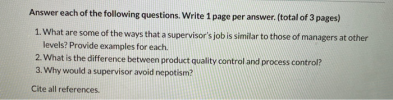 Answer each of the following questions. Write 1 page per answer. (total of 3 pages) 1. What are some of the ways that a supervisor's job is similar to those of managers at other levels? Provide examples for each. 2. What is the difference between product quality control and process control? 3. Why would a supervisor avoid nepotism? Cite all references.
Part I- Short-Essay questions-Answer any two (2) of the following eight(8) questions for 40 points total...
 Part I- Short-Essay questions-Answer any two (2) of the following eight(8) questions for 40 points total or 20 points each. 1. How does competition arise out of scarcity? To help organize your answers, first, define what scarcity is. Second, explain why competition arises out of scarcity. Finally, provide some real-world examples in how competition arises out of scarcity in today's economy or from your own personal experiences besides the examples that were brought up in class and in your notes....
 Answer the following questions. 1. Briefly explain the term cloud computing. 2. Why is searching on Google seen as an example of cloud computing? 3. How has cloud computing revolutionised email? 4. What kind of documents can be prepared over Google Documents? 5. What does Google have to do for users to be able to use Google Documents?
 Section 1: Essay Questions Please read carefully the questions below and answer any two (2) of the four (4) questions. Each question holds 8 marks. 1. Engineering economy involves technical analysis, with emphasis on the economic aspects, and has the objective of assisting decisions. Analyze the 7 Principles of Engineering Economics. 2. Cost is the value of money that has been used up to produce something. Describe the Opportunity Cost, the Direct and Indirect Cost and the Fixed and Variable...
 Answer each of the following questions. Write 1 page per answer. (total of 3 pages) 1. What are some of the ways that a supervisor's job is similar to those of managers at other levels? Provide examples for each. 2. What is the difference between product quality control and process control? 3. Why would a supervisor avoid nepotism? Cite all references.
 Part I- Short-Essay questions-Answer any two (2) of the following eight(8) questions for 40 points total or 20 points each. 1. How does competition arise out of scarcity? To help organize your answers, first, define what scarcity is. Second, explain why competition arises out of scarcity. Finally, provide some real-world examples in how competition arises out of scarcity in today's economy or from your own personal experiences besides the examples that were brought up in class and in your notes....
Most questions answered within 3 hours.
-
Where is the error in this code sequence?
String s1 = "Hello";
String s2 = "ello";...
asked 10 months ago -
Financial data for Joel de Paris, Inc., for last year
follow:
Joel de Paris, Inc.
Balance...
asked 10 months ago -
Consider this reaction:
Al2(SO4)3 (aq)+ BaCl3
(aq) Al2Cl6 (aq)- +
3BaSO4(s) . What is the...
asked 10 months ago -
Suppose that Savneet is considering increasing her
recent random sample from 20 car rentals to 40...
asked 10 months ago -
Trucks arrive at an unloading terminal at an average rate of 120
per hour.
Trucks arrive...
asked 10 months ago -
Why are methanol and ethanol completely soluble in water while
octanol is not very little soluble....
asked 10 months ago -
A facilities manager at a university reads in a research report
that the mean amount of...
asked 10 months ago -
When the CuSO4 is rehydrated by adding water to the anhydrous
compound, is this an endothermic...
asked 10 months ago -
A ray of sunlight is passing from diamond into crown glass; the
angle of incidence is...
asked 10 months ago -
A block of mass 0.249 kg is placed on top of a light, vertical
spring of...
asked 10 months ago -
how do the kidneys compensate in the presences of acidosis
a) trigger hyperventilate
b) reserve acid...
asked 10 months ago -
Question 501 pts
The rental rate of capital to the firm increases. Which of the
following...
asked 10 months ago