Describe how you would develop object-oriented features of Java for the Quiz program developed in the...
Describe how you would develop object-oriented features of Java for the Quiz program developed in the Programming Assignments. In particular, describe how the program could use each of the following: class variables, instance variables, inheritance, polymorphism, abstract classes, "this", "super", interfaces, and event listeners.
Your Discussion should be at least 250 words in length, but not more than 750 words.
QUIZ PROGRAM EXAMPLE:
Files "QuestionDialog.java":
import java.awt.event.*;
import javax.swing.*;
public class QuestionDialog extends JDialog implements
ActionListener {
String answer;
public void actionPerformed(ActionEvent e) {
answer = e.getActionCommand();
dispose();
}
}
File "Question.java":
import java.awt.*;
import javax.swing.*;
public abstract class Question {
static int nQuestions = 0;
static int nCorrect = 0;
QuestionDialog question;
String correctAnswer;
Question(String question) {
this.question = new QuestionDialog();
this.question.setLayout(new GridLayout(0,1));
this.question.add(new JLabel(" "+question+"
",JLabel.CENTER));
}
String ask() {
question.setVisible(true);
return question.answer;
}
void check() {
nQuestions++;
String answer = ask();
if (answer.equals(correctAnswer)) {
JOptionPane.showMessageDialog(null,"Correct!");
nCorrect++;
} else {
JOptionPane.showMessageDialog(null,"Incorrect. The correct
answer is "+correctAnswer+".");
}
}
void initQuestionDialog() {
this.question.setModal(true);
this.question.pack();
this.question.setLocationRelativeTo(null);
}
static void showResults() {
JOptionPane.showMessageDialog(null,nCorrect+" correct out of
"+nQuestions+" questions");
}
}
File "TrueFalseQuestion.java".
import javax.swing.*;
public class TrueFalseQuestion extends Question {
TrueFalseQuestion(String question, String answer) {
super(question);
JPanel buttons = new JPanel();
addButton(buttons,"TRUE");
addButton(buttons,"FALSE");
this.question.add(buttons);
initQuestionDialog();
answer = answer.toUpperCase();
if (answer.equals("T") || answer.equals("TRUE") ||
answer.equals("Y") ||
answer.equals("YES")) correctAnswer = "TRUE";
if (answer.equals("F") || answer.equals("FALSE") ||
answer.equals("N") ||
answer.equals("NO")) correctAnswer = "FALSE";
}
void addButton(JPanel buttons, String label) {
JButton button = new JButton(label);
button.addActionListener(question);
buttons.add(button);
}
}
File "MultipleChoiceQuestion.java"
import java.awt.*;
import javax.swing.*;
public class MultipleChoiceQuestion extends Question {
MultipleChoiceQuestion(String query, String a, String b, String c,
String d, String
e, String answer) {
super(query);
addChoice("A",a);
addChoice("B",b);
addChoice("C",c);
addChoice("D",d);
addChoice("E",e);
initQuestionDialog();
correctAnswer = answer.toUpperCase();
}
void addChoice(String name, String label) {
JPanel choice = new JPanel(new BorderLayout());
JButton button = new JButton(name);
button.addActionListener(question);
choice.add(button,BorderLayout.WEST);
choice.add(new JLabel(label+"
",JLabel.LEFT),BorderLayout.CENTER);
question.add(choice);
}
}
File "Quiz.java". (This file should not have changed since
the previous assignment.)
public class Quiz {
public static void main(String[] args) {
Question question = new TrueFalseQuestion("Quizzes are
fun!","y");
question.check();
question = new TrueFalseQuestion("Quizzes are more fun than
programming!","n");
question.check();
question = new TrueFalseQuestion("Which one starts with
T?","t");
question.check();
question = new TrueFalseQuestion("Which one starts with
F?","f");
question.check();
question = new TrueFalseQuestion("Which one is not
true?","false");
question.check();
question = new MultipleChoiceQuestion(
"What is a quiz?",
"a test of knowledge, especially a brief informal test given
to
students",
"42",
"a duck",
"to get to the other side",
"To be or not to be, that is the question.",
"a");
question.check();
question = new MultipleChoiceQuestion("When is a quiz?",
"long, long ago",
"right now",
"the best of times",
"the worst of times",
"nevermore",
"b");
question.check();
question = new MultipleChoiceQuestion("Where is a quiz?",
"a galaxy far, far away",
"under the sea",
"right here",
"there and back again",
"the other side of the mountain",
"c");
question.check();
question = new MultipleChoiceQuestion("Why is a quiz?",
"I think, therefore it is.",
"Who is to say?",
"You tell me.",
"Because learning is fun!",
"Because I said so.",
"d");
question.check();
question = new MultipleChoiceQuestion("How is a quiz?",
"fair to middling",
"not bad",
"by a stroke of luck",
"by accident",
"Using Java object-oriented programming!",
"e");
question.check();
MultipleChoiceQuestion.showResults();
}
}
Homework Answers
the pacakges are first imported in every java program
A Package is a collection of related classes.
It helps organize your classes into a folder structure and make it
easy to locate and use them. More importantly, it helps improve
re-usability. Each package in Java has its unique
name and organizes its classes and interfaces into a separate
namespace, or name group
EG:import java.awt.event.*;
import
javax.swing.*;
class variable :In object-oriented programming
with classes, a class variable is any variable
declared with the static modifier of which a single
copy exists, regardless of how many instances of the class
exist.
Note that in Java, the terms "field" and "variable" are used interchangeably for member variable.
A class variable is not an instance variable. It is a special type of class attribute (or class property, field, or data member). The same dichotomy between instance and class members applies to methods ("member functions") as well; a class may have both instance methods and class methods.
Instance variable in Java is used by Objects to store their states. Variables which are defined without the STATIC keyword and are Outside any method declaration are Object-specific and are known as instance variables.
Inheritance in Java is a mechanism in which one object acquires all the properties and behaviors of a parent object. The idea behind inheritance in Java is that you can create new classes that are built upon existing classes. When you inherit from an existing class, you can reuse methods and fields of the parent class.
Polymorphism in Java is a concept by which we can perform a single action in different ways. Polymorphism is derived from 2 Greek words: poly and morphs. The word "poly" means many and "morphs" means forms. So polymorphism means many forms.
There are two types of polymorphism in Java: compile-time polymorphism and runtime polymorphism. We can perform polymorphism in java by method overloading and method overriding.
QuestionDialog is a class which extends JDialog and implements ActionListener{(extends is a keyword of inheritance) JDialog() : creates an empty dialog without any title or any specified owner---->there are many types in JDialog
The extends keyword is mainly used to extend a class i.e. to create a subclass in Java, while implements keyword is used to implement an interface in Java.
Abtract class:An abstract class is a
class that is declared abstract—it may or may not
include abstract methods. Abstract classes cannot be instantiated,
but they can be subclassed.
‘this’ is a reference variable that refers to the current object.
super can be used to refer immediate parent class instance variable. super can be used to invoke immediate parent class method. super() can be used to invoke immediate parent class constructor.
Interfaces:Like a class, an interface can have methods and variables, but the methods declared in an interface are by default abstract (only method signature, no body).
- Interfaces specify what a class must do and not how. It is the blueprint of the class.
- An Interface is about capabilities like a Player may be an interface and any class implementing Player must be able to (or must implement) move(). So it specifies a set of methods that the class has to implement.
- If a class implements an interface and does not provide method bodies for all functions specified in the interface, then the class must be declared abstract.
- A Java library example is, Comparator Interface. If a class implements this interface, then it can be used to sort a collection.
Event Listener:The Event listener represent the interfaces responsible to handle events. Java provides us various Event listener classes but we will discuss those which are more frequently used. Every method of an event listener method has a single argument as an object which is subclass of EventObject class. For example, mouse event listener methods will accept instance of MouseEvent, where MouseEvent derives from EventObject.
EventListner interface
It is a marker interface which every listener interface has to extend.This class is defined in java.util package.
| 1 |
ActionListener This interface is used for receiving the action events. |
| 2 |
ComponentListener This interface is used for receiving the component events. |
| 3 |
ItemListener This interface is used for receiving the item events. |
| 4 |
KeyListener This interface is used for receiving the key events. |
| 5 |
MouseListener This interface is used for receiving the mouse events. |
| 6 |
TextListener This interface is used for receiving the text events. |
| 7 |
WindowListener This interface is used for receiving the window events. |
| 8 |
AdjustmentListener This interface is used for receiving the adjusmtent events. |
| 9 |
ContainerListener This interface is used for receiving the container events. |
| 10 |
MouseMotionListener This interface is used for receiving the mouse motion events. |
| 11 |
FocusListener This interface is used for receiving the focus events. |
IN Files "QuestionDialog.java":
what it explains is after importing packages we have created class and use inheritance and implements along with that eventlisteners. JDialog. The JDialog control represents a top level window with a border and a title used to take some form of input from the user. It inherits the Dialog class. Unlike JFrame, it doesn't have maximize and minimize buttons.
Files "QuestionDialog.java":
import java.awt.event.*;
import javax.swing.*;
public class QuestionDialog extends JDialog implements
ActionListener {
String answer;
public void actionPerformed(ActionEvent e) {
answer = e.getActionCommand();
dispose();
IN File "Question.java":
Java AWT (Abstract Window Toolkit) is an API to develop GUI or window-based applications in java. Java AWT components are platform-dependent i.e. components are displayed according to the view of operating system. AWT is heavyweight i.e. its components are using the resources of OS.
Swing is a part of Java Foundation classes (JFC),
the other parts of JFC are java2D and Abstract window toolkit
(AWT). AWT, Swing & Java 2D are used for building graphical
user interfaces (GUIs) in java. In this tutorial we will mainly
discuss about Swing API which is used for building GUIs on the top
of AWT and are much more light-weight compared to AWT.
used abstract class and declared variable as static type (which can
be shared by all interfaces) set the layout as grid type and add
new jlabel,set every question visible as true and return the
answer.check the answer and retuen the dialog
as JOptionpane.showMessageDialog(null,"correct") elseJOptionPane.showMessageDialog(null,"incorrect")
File "Question.java":
import java.awt.*;
import javax.swing.*;
public abstract class Question {
static int nQuestions = 0;
static int nCorrect = 0;
QuestionDialog question;
String correctAnswer;
Question(String question) {
this.question = new QuestionDialog();
this.question.setLayout(new GridLayout(0,1));
this.question.add(new JLabel(" "+question+"
",JLabel.CENTER));
}
String ask() {
question.setVisible(true);
return question.answer;
}
void check() {
nQuestions++;
String answer = ask();
if (answer.equals(correctAnswer)) {
JOptionPane.showMessageDialog(null,"Correct!");
nCorrect++;
} else {
JOptionPane.showMessageDialog(null,"Incorrect. The correct
answer is "+correctAnswer+".");
}
}
void initQuestionDialog() {
this.question.setModal(true);
this.question.pack();
this.question.setLocationRelativeTo(null);
}
static void showResults() {
JOptionPane.showMessageDialog(null,nCorrect+" correct out of
"+nQuestions+" questions");
}
}
IN File "TrueFalseQuestion.java".
Here we have to add buttons TRUE,FALSE and actionlistenerto the buttons and also check whether the given answer is true or false and displays according to the user input.
File "TrueFalseQuestion.java".
import javax.swing.*; // check in 2
public class TrueFalseQuestion extends Question {
TrueFalseQuestion(String question, String answer) {
super(question);
JPanel buttons = new JPanel();
addButton(buttons,"TRUE");
addButton(buttons,"FALSE");
this.question.add(buttons);
initQuestionDialog();
answer = answer.toUpperCase();
if (answer.equals("T") || answer.equals("TRUE") ||
answer.equals("Y") ||
answer.equals("YES")) correctAnswer = "TRUE";
if (answer.equals("F") || answer.equals("FALSE") ||
answer.equals("N") ||
answer.equals("NO")) correctAnswer = "FALSE";
}
void addButton(JPanel buttons, String label) {
JButton button = new JButton(label);
button.addActionListener(question);
buttons.add(button);
}
}
File "MultipleChoiceQuestion.java"
this is used to display the options and add buttons,actionlistener to it. it only adds a,b,c or A,B,C,D option buttons
import java.awt.*;
import javax.swing.*;
public class MultipleChoiceQuestion extends Question {
MultipleChoiceQuestion(String query, String a, String b, String c,
String d, String
e, String answer) {
super(query);
addChoice("A",a);
addChoice("B",b);
addChoice("C",c);
addChoice("D",d);
addChoice("E",e);
initQuestionDialog();
correctAnswer = answer.toUpperCase();
}
void addChoice(String name, String label) {
JPanel choice = new JPanel(new BorderLayout());
JButton button = new JButton(name);
button.addActionListener(question);
choice.add(button,BorderLayout.WEST);
choice.add(new JLabel(label+"
",JLabel.LEFT),BorderLayout.CENTER);
question.add(choice);
}
}
File "Quiz.java". (This file should not have changed since
the previous assignment.)
this is used to display questions and add queries to the options
a,b,c,d. And shows the result
public class Quiz {
public static void main(String[] args) {
Question question = new TrueFalseQuestion("Quizzes are
fun!","y");
question.check();
question = new TrueFalseQuestion("Quizzes are more fun than
programming!","n");
question.check();
question = new TrueFalseQuestion("Which one starts with
T?","t");
question.check();
question = new TrueFalseQuestion("Which one starts with
F?","f");
question.check();
question = new TrueFalseQuestion("Which one is not
true?","false");
question.check();
question = new MultipleChoiceQuestion(
"What is a quiz?",
"a test of knowledge, especially a brief informal test given
to
students",
"42",
"a duck",
"to get to the other side",
"To be or not to be, that is the question.",
"a");
question.check();
question = new MultipleChoiceQuestion("When is a quiz?",
"long, long ago",
"right now",
"the best of times",
"the worst of times",
"nevermore",
"b");
question.check();
question = new MultipleChoiceQuestion("Where is a quiz?",
"a galaxy far, far away",
"under the sea",
"right here",
"there and back again",
"the other side of the mountain",
"c");
question.check();
question = new MultipleChoiceQuestion("Why is a quiz?",
"I think, therefore it is.",
"Who is to say?",
"You tell me.",
"Because learning is fun!",
"Because I said so.",
"d");
question.check();
question = new MultipleChoiceQuestion("How is a quiz?",
"fair to middling",
"not bad",
"by a stroke of luck",
"by accident",
"Using Java object-oriented programming!",
"e");
question.check();
MultipleChoiceQuestion.showResults();
}
}
Add Answer to:
Describe how you would develop object-oriented features
of Java for the Quiz program developed in the...
Basic button tracking Deliverables Updated files for app6.java myJFrame6.java myJPanel6.java student.java Contents You can start with...
 Basic button tracking
Deliverables
Updated files for
app6.java
myJFrame6.java
myJPanel6.java
student.java
Contents
You can start with the files available here.
public class app6
{
public static void main(String args[])
{
myJFrame6 mjf = new myJFrame6();
}
}
import java.awt.*;
import javax.swing.*;
import java.awt.event.*;
public class myJFrame6 extends JFrame
{
myJPanel6 p6;
public myJFrame6 ()
{
super ("My First Frame");
//------------------------------------------------------
// Create components: Jpanel, JLabel and JTextField
p6 = new myJPanel6();
//------------------------------------------------------...
Basic button tracking
Deliverables
Updated files for
app6.java
myJFrame6.java
myJPanel6.java
student.java
Contents
You can start with the files available here.
public class app6
{
public static void main(String args[])
{
myJFrame6 mjf = new myJFrame6();
}
}
import java.awt.*;
import javax.swing.*;
import java.awt.event.*;
public class myJFrame6 extends JFrame
{
myJPanel6 p6;
public myJFrame6 ()
{
super ("My First Frame");
//------------------------------------------------------
// Create components: Jpanel, JLabel and JTextField
p6 = new myJPanel6();
//------------------------------------------------------...
CS 1102 Unit 5 – Programming Assignment In this assignment, you will again modify your Quiz...
CS 1102 Unit 5 – Programming Assignment In this assignment, you will again modify your Quiz program from the previous assignment. You will create an abstract class called "Question", modify "MultipleChoiceQuestion" to inherit from it, and add a new subclass of "Question" called "TrueFalseQuestion". This assignment will again involve cutting and pasting from existing classes. Because you are learning new features each week, you are retroactively applying those new features. In a typical programming project, you would start with the...
CS 1102 Unit 5 – Programming Assignment In this assignment, you will again modify your Quiz...
CS 1102 Unit 5 – Programming Assignment In this assignment, you will again modify your Quiz program from the previous assignment. You will create an abstract class called "Question", modify "MultipleChoiceQuestion" to inherit from it, and add a new subclass of "Question" called "TrueFalseQuestion". This assignment will again involve cutting and pasting from existing classes. Because you are learning new features each week, you are retroactively applying those new features. In a typical programming project, you would start with the...
In Java Swing, in my ButtonHandler class, I need to have 2 different showDialog messages show...
In Java Swing, in my ButtonHandler class, I need to have 2 different showDialog messages show when my acceptbutton1 is pressed. One message is if the mouse HAS been dragged. One is if the mouse HAS NOT been dragged. /// I tried to make the Points class or the Mouse Dragged function return a boolean of true, so that I could construct an IF/THEN statement for the showDialog messages, but my boolean value was never accepted by ButtonHandler. *************************ButtonHandler class************************************...
Debug this java and post the corrected code. /* Creates a simple JPanel with a single...
Debug this java and post the corrected code. /* Creates a simple JPanel with a single "quit" JButton * that ends the program when clicked. * There are 3 errors, one won't prevent compile, you have to read comments. */ import javax.swing.*; import java.awt.*; import java.awt.event.*; public class QuitIt extends JFrame { public QuitIt() { startIt(); //Create everything and start the listener } public final void startIt() { //Create the JPanel JPanel myPanel =...
I have been messing around with java lately and I have made this calculator. Is there...
I have been messing around with java lately and I have made this calculator. Is there any way that I would be able to get a different sound to play on each different button 1 - 9 like a nokia phone? Thank you. *SOURCE CODE* import java.awt.*; import java.awt.event.*; import javax.swing.*; import javax.swing.event.*; class Calculator extends JFrame { private final Font BIGGER_FONT = new Font("monspaced",Font.PLAIN, 20); private JTextField textfield; private boolean number = true; private String equalOp = "="; private...
I have currently a functional Java progam with a gui. Its a simple table of contacts...
 I have currently a functional Java progam with a gui. Its a
simple table of contacts with 3 buttons: add, remove, and edit.
Right now the buttons are in the program but they do not work yet.
I need the buttons to actually be able to add, remove, or edit
things on the table. Thanks so much.
Here is the working code so far:
//PersonTableModel.java
import java.util.List;
import javax.swing.table.AbstractTableModel;
public class PersonTableModel extends AbstractTableModel
{
private static final int...
I have currently a functional Java progam with a gui. Its a
simple table of contacts with 3 buttons: add, remove, and edit.
Right now the buttons are in the program but they do not work yet.
I need the buttons to actually be able to add, remove, or edit
things on the table. Thanks so much.
Here is the working code so far:
//PersonTableModel.java
import java.util.List;
import javax.swing.table.AbstractTableModel;
public class PersonTableModel extends AbstractTableModel
{
private static final int...
Simple java GUI language translator. English to Spanish, French, or German import javax.swing.*; import java.awt.*; import...
Simple java GUI language translator. English to Spanish, French, or German import javax.swing.*; import java.awt.*; import java.awt.event.ActionEvent; import java.awt.event.ActionListener; public class translatorApp extends JFrame implements ActionListener { public static final int width = 500; public static final int height = 300; public static final int no_of_lines = 10; public static final int chars_per_line = 20; private JTextArea lan1; private JTextArea lan2; public static void main(String[] args){ translatorApp gui = new translatorApp();...
This is the java GUI program. I want to add an icon to a button, but...
 This is the java GUI program.
I want to add an icon to a button, but it shows nothing.
Can you fix it for me please?
import java.awt.BorderLayout;
import java.awt.Container;
import javax.swing.ImageIcon;
import javax.swing.JButton;
import javax.swing.JFrame;
import javax.swing.JPanel;
class Icon extends JFrame{
public static
void main(String args[]){
Icon frame = new Icon("title");
frame.setVisible(true);
}
Icon(String title){
setTitle(title);
setBounds(100, 100, 300, 250);
setDefaultCloseOperation(JFrame.EXIT_ON_CLOSE);
JPanel p = new JPanel();
ImageIcon icon1 = new
ImageIcon("https://static.thenounproject.com/png/610387-200.png");
JButton button1 = new JButton(icon1);
p.add(button1);
Container contentPane...
This is the java GUI program.
I want to add an icon to a button, but it shows nothing.
Can you fix it for me please?
import java.awt.BorderLayout;
import java.awt.Container;
import javax.swing.ImageIcon;
import javax.swing.JButton;
import javax.swing.JFrame;
import javax.swing.JPanel;
class Icon extends JFrame{
public static
void main(String args[]){
Icon frame = new Icon("title");
frame.setVisible(true);
}
Icon(String title){
setTitle(title);
setBounds(100, 100, 300, 250);
setDefaultCloseOperation(JFrame.EXIT_ON_CLOSE);
JPanel p = new JPanel();
ImageIcon icon1 = new
ImageIcon("https://static.thenounproject.com/png/610387-200.png");
JButton button1 = new JButton(icon1);
p.add(button1);
Container contentPane...
22. Fill in the codes that creates a Java GUI application that contains a label and...
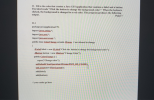 22. Fill in the codes that creates a Java GUI application that contains a label and a button. The label reads "Click the button to change the background color." When the button is clicked, the background is changed to a red color. The program produces the following output. Point 7 22.1 package javaapplication 179; import javax.swing": import java.ant": import java.awt.exst. public class ColorChange extends JFrame / not allowed to change JLabel label - new JLabel("Click the button to change the...
 Basic button tracking
Deliverables
Updated files for
app6.java
myJFrame6.java
myJPanel6.java
student.java
Contents
You can start with the files available here.
public class app6
{
public static void main(String args[])
{
myJFrame6 mjf = new myJFrame6();
}
}
import java.awt.*;
import javax.swing.*;
import java.awt.event.*;
public class myJFrame6 extends JFrame
{
myJPanel6 p6;
public myJFrame6 ()
{
super ("My First Frame");
//------------------------------------------------------
// Create components: Jpanel, JLabel and JTextField
p6 = new myJPanel6();
//------------------------------------------------------...
Basic button tracking
Deliverables
Updated files for
app6.java
myJFrame6.java
myJPanel6.java
student.java
Contents
You can start with the files available here.
public class app6
{
public static void main(String args[])
{
myJFrame6 mjf = new myJFrame6();
}
}
import java.awt.*;
import javax.swing.*;
import java.awt.event.*;
public class myJFrame6 extends JFrame
{
myJPanel6 p6;
public myJFrame6 ()
{
super ("My First Frame");
//------------------------------------------------------
// Create components: Jpanel, JLabel and JTextField
p6 = new myJPanel6();
//------------------------------------------------------...
 I have currently a functional Java progam with a gui. Its a
simple table of contacts with 3 buttons: add, remove, and edit.
Right now the buttons are in the program but they do not work yet.
I need the buttons to actually be able to add, remove, or edit
things on the table. Thanks so much.
Here is the working code so far:
//PersonTableModel.java
import java.util.List;
import javax.swing.table.AbstractTableModel;
public class PersonTableModel extends AbstractTableModel
{
private static final int...
I have currently a functional Java progam with a gui. Its a
simple table of contacts with 3 buttons: add, remove, and edit.
Right now the buttons are in the program but they do not work yet.
I need the buttons to actually be able to add, remove, or edit
things on the table. Thanks so much.
Here is the working code so far:
//PersonTableModel.java
import java.util.List;
import javax.swing.table.AbstractTableModel;
public class PersonTableModel extends AbstractTableModel
{
private static final int...
 22. Fill in the codes that creates a Java GUI application that contains a label and a button. The label reads "Click the button to change the background color." When the button is clicked, the background is changed to a red color. The program produces the following output. Point 7 22.1 package javaapplication 179; import javax.swing": import java.ant": import java.awt.exst. public class ColorChange extends JFrame / not allowed to change JLabel label - new JLabel("Click the button to change the...
Most questions answered within 3 hours.
-
Where is the error in this code sequence?
String s1 = "Hello";
String s2 = "ello";...
asked 11 months ago -
Financial data for Joel de Paris, Inc., for last year
follow:
Joel de Paris, Inc.
Balance...
asked 11 months ago -
Consider this reaction:
Al2(SO4)3 (aq)+ BaCl3
(aq) Al2Cl6 (aq)- +
3BaSO4(s) . What is the...
asked 11 months ago -
Suppose that Savneet is considering increasing her
recent random sample from 20 car rentals to 40...
asked 11 months ago -
Trucks arrive at an unloading terminal at an average rate of 120
per hour.
Trucks arrive...
asked 11 months ago -
Why are methanol and ethanol completely soluble in water while
octanol is not very little soluble....
asked 11 months ago -
A facilities manager at a university reads in a research report
that the mean amount of...
asked 11 months ago -
When the CuSO4 is rehydrated by adding water to the anhydrous
compound, is this an endothermic...
asked 11 months ago -
A ray of sunlight is passing from diamond into crown glass; the
angle of incidence is...
asked 11 months ago -
A block of mass 0.249 kg is placed on top of a light, vertical
spring of...
asked 11 months ago -
how do the kidneys compensate in the presences of acidosis
a) trigger hyperventilate
b) reserve acid...
asked 11 months ago -
Question 501 pts
The rental rate of capital to the firm increases. Which of the
following...
asked 11 months ago