Write an app that asks the user to enter an address in several TextViews. When the user clicks on...
Write an app that asks the user to enter an address in several TextViews. When the user clicks on a button, the app displays a map centered on that address. Android Programming
Homework Answers
Solution:
Manifest.xml
<?xml version="1.0" encoding="utf-8"?>
<manifest
xmlns:android="http://schemas.android.com/apk/res/android"
package="com.googlemapsgoogleplaces.abc">
<uses-permission
android:name="android.permission.INTERNET"/>
<uses-permission
android:name="android.permission.ACCESS_FINE_LOCATION"/>
<uses-permission
android:name="android.permission.ACCESS_COARSE_LOCATION"/>
<uses-permission
android:name="android.permission.ACCESS_NETWORK_STATE"/>
<application
android:allowBackup="true"
android:icon="@mipmap/ic_launcher"
android:label="@string/app_name"
android:roundIcon="@mipmap/ic_launcher_round"
android:supportsRtl="true"
android:theme="@style/AppTheme">
<meta-data
android:name="com.google.android.geo.API_KEY"
android:value="AIzaSyBuljOjByqE0GRMh19DT2vffTYhKU0wEuo or (Your API
Key here)"/>
<meta-data
android:name="com.google.android.gms.version"
android:value="@integer/google_play_services_version" />
<activity android:name=".MainActivity">
<intent-filter>
<action android:name="android.intent.action.MAIN"/>
<category
android:name="android.intent.category.LAUNCHER"/>
</intent-filter>
</activity>
<activity android:name=".MapActivity"/>
</application>
</manifest>
--------------------------------------------------------------------------------------------------
Layout file:
activity_main.xml
<?xml version="1.0" encoding="utf-8"?>
<android.support.constraint.ConstraintLayout
xmlns:android="http://schemas.android.com/apk/res/android"
xmlns:app="http://schemas.android.com/apk/res-auto"
xmlns:tools="http://schemas.android.com/tools"
android:layout_width="match_parent"
android:layout_height="match_parent"
tools:context="com.googlemapsgoogleplaces.abc.MainActivity">
<Button
android:layout_width="wrap_content"
android:layout_height="wrap_content"
android:text="Map"
android:id="@+id/btnMap"/>
</android.support.constraint.ConstraintLayout>
---------------------------------
activity_map.xml
<?xml version="1.0" encoding="utf-8"?>
<RelativeLayout
xmlns:android="http://schemas.android.com/apk/res/android"
android:layout_width="match_parent"
android:layout_height="match_parent">
<fragment
xmlns:android="http://schemas.android.com/apk/res/android"
xmlns:tools="http://schemas.android.com/tools"
android:layout_width="match_parent"
android:layout_height="match_parent"
android:id="@+id/map"
tools:context=".MapsActivity"
android:name="com.google.android.gms.maps.SupportMapFragment"
/>
<RelativeLayout
android:layout_width="match_parent"
android:layout_height="50dp"
android:layout_marginTop="10dp"
android:layout_marginRight="10dp"
android:layout_marginLeft="10dp"
android:elevation="10dp"
android:background="@drawable/white_border"
android:id="@+id/relLayout1">
<ImageView
android:layout_width="15dp"
android:layout_height="15dp"
android:id="@+id/ic_magnify"
android:layout_centerVertical="true"
android:layout_marginLeft="10dp"
android:src="@drawable/ic_magnify"/>
<EditText
android:layout_width="match_parent"
android:layout_height="match_parent"
android:layout_toRightOf="@+id/ic_magnify"
android:layout_centerVertical="true"
android:textSize="15sp"
android:textColor="#000"
android:id="@+id/input_search"
android:background="@null"
android:hint="Enter Address, City or Zip Code"
android:imeOptions="actionSearch"/>
</RelativeLayout>
<ImageView
android:layout_width="40dp"
android:layout_height="40dp"
android:layout_below="@id/relLayout1"
android:layout_alignParentRight="true"
android:layout_marginRight="10dp"
android:layout_marginTop="10dp"
android:scaleType="centerCrop"
android:id="@+id/ic_gps"
android:src="@drawable/ic_gps"/>
</RelativeLayout>
-------------------------------------------------------------------------------------------------
Java File:
MainActivity.java
package com.googlemapsgoogleplaces.abc;
import android.app.Dialog;
import android.content.Intent;
import android.support.v7.app.AppCompatActivity;
import android.os.Bundle;
import android.util.Log;
import android.view.View;
import android.widget.Button;
import android.widget.Toast;
import com.google.android.gms.common.ConnectionResult;
import com.google.android.gms.common.GoogleApiAvailability;
public class MainActivity extends AppCompatActivity {
private static final String TAG = "MainActivity";
private static final int ERROR_DIALOG_REQUEST = 9001;
@Override
protected void onCreate(Bundle savedInstanceState) {
super.onCreate(savedInstanceState);
setContentView(R.layout.activity_main);
if(isServicesOK()){
init();
}
}
private void init(){
Button btnMap = (Button) findViewById(R.id.btnMap);
btnMap.setOnClickListener(new View.OnClickListener() {
@Override
public void onClick(View view) {
Intent intent = new Intent(MainActivity.this,
MapActivity.class);
startActivity(intent);
}
});
}
public boolean isServicesOK(){
Log.d(TAG, "isServicesOK: checking google services version");
int available = GoogleApiAvailability.getInstance().isGooglePlayServicesAvailable(MainActivity.this);
if(available == ConnectionResult.SUCCESS){
//everything is fine and the user can make map requests
Log.d(TAG, "isServicesOK: Google Play Services is working");
return true;
}
else
if(GoogleApiAvailability.getInstance().isUserResolvableError(available)){
//an error occured but we can resolve it
Log.d(TAG, "isServicesOK: an error occured but we can fix
it");
Dialog dialog =
GoogleApiAvailability.getInstance().getErrorDialog(MainActivity.this,
available, ERROR_DIALOG_REQUEST);
dialog.show();
}else{
Toast.makeText(this, "You can't make map requests",
Toast.LENGTH_SHORT).show();
}
return false;
}
}
----------------------------------------------------------
MapActivity.java
package com.googlemapsgoogleplaces.abc;
import android.*;
import android.Manifest;
import android.content.pm.PackageManager;
import android.location.Address;
import android.location.Geocoder;
import android.location.Location;
import android.os.Bundle;
import android.support.annotation.NonNull;
import android.support.annotation.Nullable;
import android.support.v4.app.ActivityCompat;
import android.support.v4.content.ContextCompat;
import android.support.v7.app.AppCompatActivity;
import android.util.Log;
import android.view.KeyEvent;
import android.view.View;
import android.view.WindowManager;
import android.view.inputmethod.EditorInfo;
import android.widget.EditText;
import android.widget.ImageView;
import android.widget.TextView;
import android.widget.Toast;
import
com.google.android.gms.location.FusedLocationProviderClient;
import com.google.android.gms.location.LocationServices;
import com.google.android.gms.maps.CameraUpdateFactory;
import com.google.android.gms.maps.GoogleMap;
import com.google.android.gms.maps.OnMapReadyCallback;
import com.google.android.gms.maps.SupportMapFragment;
import com.google.android.gms.maps.model.LatLng;
import com.google.android.gms.maps.model.MarkerOptions;
import com.google.android.gms.tasks.OnCompleteListener;
import com.google.android.gms.tasks.Task;
import java.io.IOException;
import java.util.ArrayList;
import java.util.List;
/**
* Created by User on 10/2/2017.
*/
public class MapActivity extends AppCompatActivity implements OnMapReadyCallback {
@Override
public void onMapReady(GoogleMap googleMap) {
Toast.makeText(this, "Map is Ready",
Toast.LENGTH_SHORT).show();
Log.d(TAG, "onMapReady: map is ready");
mMap = googleMap;
if (mLocationPermissionsGranted) {
getDeviceLocation();
if (ActivityCompat.checkSelfPermission(this,
Manifest.permission.ACCESS_FINE_LOCATION)
!= PackageManager.PERMISSION_GRANTED &&
ActivityCompat.checkSelfPermission(this,
Manifest.permission.ACCESS_COARSE_LOCATION) !=
PackageManager.PERMISSION_GRANTED) {
return;
}
mMap.setMyLocationEnabled(true);
mMap.getUiSettings().setMyLocationButtonEnabled(false);
init();
}
}
private static final String TAG = "MapActivity";
private static final String FINE_LOCATION =
Manifest.permission.ACCESS_FINE_LOCATION;
private static final String COURSE_LOCATION =
Manifest.permission.ACCESS_COARSE_LOCATION;
private static final int LOCATION_PERMISSION_REQUEST_CODE =
1234;
private static final float DEFAULT_ZOOM = 15f;
//widgets
private EditText mSearchText;
private ImageView mGps;
//vars
private Boolean mLocationPermissionsGranted = false;
private GoogleMap mMap;
private FusedLocationProviderClient
mFusedLocationProviderClient;
@Override
protected void onCreate(@Nullable Bundle savedInstanceState)
{
super.onCreate(savedInstanceState);
setContentView(R.layout.activity_map);
mSearchText = (EditText) findViewById(R.id.input_search);
mGps = (ImageView) findViewById(R.id.ic_gps);
getLocationPermission();
}
private void init(){
Log.d(TAG, "init: initializing");
mSearchText.setOnEditorActionListener(new
TextView.OnEditorActionListener() {
@Override
public boolean onEditorAction(TextView textView, int actionId,
KeyEvent keyEvent) {
if(actionId == EditorInfo.IME_ACTION_SEARCH
|| actionId == EditorInfo.IME_ACTION_DONE
|| keyEvent.getAction() == KeyEvent.ACTION_DOWN
|| keyEvent.getAction() == KeyEvent.KEYCODE_ENTER){
//execute our method for searching
geoLocate();
}
return false;
}
});
mGps.setOnClickListener(new View.OnClickListener() {
@Override
public void onClick(View view) {
Log.d(TAG, "onClick: clicked gps icon");
getDeviceLocation();
}
});
hideSoftKeyboard();
}
private void geoLocate(){
Log.d(TAG, "geoLocate: geolocating");
String searchString = mSearchText.getText().toString();
Geocoder geocoder = new Geocoder(MapActivity.this);
List<Address> list = new ArrayList<>();
try{
list = geocoder.getFromLocationName(searchString, 1);
}catch (IOException e){
Log.e(TAG, "geoLocate: IOException: " + e.getMessage() );
}
if(list.size() > 0){
Address address = list.get(0);
Log.d(TAG, "geoLocate: found a location: " +
address.toString());
//Toast.makeText(this, address.toString(),
Toast.LENGTH_SHORT).show();
moveCamera(new LatLng(address.getLatitude(),
address.getLongitude()), DEFAULT_ZOOM,
address.getAddressLine(0));
}
}
private void getDeviceLocation(){
Log.d(TAG, "getDeviceLocation: getting the devices current
location");
mFusedLocationProviderClient = LocationServices.getFusedLocationProviderClient(this);
try{
if(mLocationPermissionsGranted){
final Task location =
mFusedLocationProviderClient.getLastLocation();
location.addOnCompleteListener(new OnCompleteListener() {
@Override
public void onComplete(@NonNull Task task) {
if(task.isSuccessful()){
Log.d(TAG, "onComplete: found location!");
Location currentLocation = (Location) task.getResult();
moveCamera(new LatLng(currentLocation.getLatitude(),
currentLocation.getLongitude()),
DEFAULT_ZOOM,
"My Location");
}else{
Log.d(TAG, "onComplete: current location is null");
Toast.makeText(MapActivity.this, "unable to get current location",
Toast.LENGTH_SHORT).show();
}
}
});
}
}catch (SecurityException e){
Log.e(TAG, "getDeviceLocation: SecurityException: " +
e.getMessage() );
}
}
private void moveCamera(LatLng latLng, float zoom, String
title){
Log.d(TAG, "moveCamera: moving the camera to: lat: " +
latLng.latitude + ", lng: " + latLng.longitude );
mMap.moveCamera(CameraUpdateFactory.newLatLngZoom(latLng,
zoom));
if(!title.equals("My Location")){
MarkerOptions options = new MarkerOptions()
.position(latLng)
.title(title);
mMap.addMarker(options);
}
hideSoftKeyboard();
}
private void initMap(){
Log.d(TAG, "initMap: initializing map");
SupportMapFragment mapFragment = (SupportMapFragment)
getSupportFragmentManager().findFragmentById(R.id.map);
mapFragment.getMapAsync(MapActivity.this);
}
private void getLocationPermission(){
Log.d(TAG, "getLocationPermission: getting location
permissions");
String[] permissions =
{Manifest.permission.ACCESS_FINE_LOCATION,
Manifest.permission.ACCESS_COARSE_LOCATION};
if(ContextCompat.checkSelfPermission(this.getApplicationContext(),
FINE_LOCATION) == PackageManager.PERMISSION_GRANTED){
if(ContextCompat.checkSelfPermission(this.getApplicationContext(),
COURSE_LOCATION) == PackageManager.PERMISSION_GRANTED){
mLocationPermissionsGranted = true;
initMap();
}else{
ActivityCompat.requestPermissions(this,
permissions,
LOCATION_PERMISSION_REQUEST_CODE);
}
}else{
ActivityCompat.requestPermissions(this,
permissions,
LOCATION_PERMISSION_REQUEST_CODE);
}
}
@Override
public void onRequestPermissionsResult(int requestCode, @NonNull
String[] permissions, @NonNull int[] grantResults) {
Log.d(TAG, "onRequestPermissionsResult: called.");
mLocationPermissionsGranted = false;
switch(requestCode){
case LOCATION_PERMISSION_REQUEST_CODE:{
if(grantResults.length > 0){
for(int i = 0; i < grantResults.length; i++){
if(grantResults[i] != PackageManager.PERMISSION_GRANTED){
mLocationPermissionsGranted = false;
Log.d(TAG, "onRequestPermissionsResult: permission failed");
return;
}
}
Log.d(TAG, "onRequestPermissionsResult: permission granted");
mLocationPermissionsGranted = true;
//initialize our map
initMap();
}
}
}
}
private void hideSoftKeyboard(){
this.getWindow().setSoftInputMode(WindowManager.LayoutParams.SOFT_INPUT_STATE_ALWAYS_HIDDEN);
}
}
----------------------------------------------------------------------------------------
Screnshots and Output:


Add Answer to:
Write an app that asks the user to enter an address in several TextViews. When the user clicks on...
C# Programming: A. Write a GUI program named MultiplicationGUI whose Main() method asks the user to...
C# Programming: A. Write a GUI program named MultiplicationGUI whose Main() method asks the user to input an integer into a TextBox and then calls a method named MultiplicationTable() after the user clicks a Button. MultiplicationTable() displays the results of multiplying the integer by each of the numbers 2 through 10.
Write a program that asks the user to enter a string and then asks the user...
Write a program that asks the user to enter a string and then asks the user to enter a character. The program should count and display the number of times that the specified character appears in the string. python programming
Programming: Chapter 3 Write a a program that asks the user to enter a golfer's score...
 Programming: Chapter 3 Write a a program that asks the user to enter a golfer's score for three games of golf, and then displays the average of the three scores.
Write a Java application that displays the following ClickMe When the user clicks on "Click Me"...
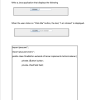 Write a Java application that displays the following ClickMe When the user clicks on "Click Me" button, the text, "l am clicked" is displayed. ClickMe am clicked import java.awt.*; import java.awt.event.*; public class OneButton extends JFrame implements ActionListener private JButton button; private JTextField field; public static void main(String args)( OneButton myCoolButton new OneButton0;
Android Studio (Java) Develop an android app that contains two fragments displayed on one activity. The...
Android Studio (Java) Develop an android app that contains two fragments displayed on one activity. The bottom fragment contains / displays several rows of individual buttons and each of these buttons resemble a letter of the alphabet such as the first button "A" second button "B" etc.. all the way to Z as well as buttons for the numbers 0 - 9. Once a user clicks a button, the corresponding letter or number button they pressed should display in the...
Write an Android App that calculates the days remaining from the current date until the user...
Write an Android App that calculates the days remaining from the current date until the user selected date. Display a fragment which has a single button labeled “Select Date”. When that button is pushed a Dialog should be displayed with a DatePicker widget inside. After the user selects the date, calculate the difference in days and display it back on the original fragment.
I need help developing this app using java in android studio Assignment: Tic-Tac-Toe app User interface...
I need help developing this app using java in android studio Assignment: Tic-Tac-Toe app User interface Operation The app allows the user to play a game of Tic-Tac-Toe. The user can click the New Game button at any time to start a new game. The app displays other messages to the user as the game progresses such as (1) whose turn it is, (2) if a player wins, and (3) if the game ends in a tie. Specifications The app...
In android studio, I want to get the user current location when he clicks on a...
In android studio, I want to get the user current location when he clicks on a button after asking him for the permission, store its latitude and longitude on double variables and then do calculations depends on the user location, How can I do that in maps activity? I want on click to be outside onCreate, I want inside on click to get double lat = latlong.getlatutide not to call function getlocation
Project 03 (Chapter 04 Multiple Activities) Code an app in android studio that does the following:...
Project 03 (Chapter 04 Multiple Activities) Code an app in android studio that does the following: There is one button in the middle of the screen. The button color is green and its text says 0. When the user clicks on the button GO, we go to a second activity that is red and has one button in the middle of the screen; its text says BACK. When the user clicks on that button, we go back to the first...
Write a Visual C# program that will input the user's name and a message. The user...
Write a Visual C# program that will input the user's name and a message. The user will be able to choose from an option of formatting tools to change the way the message (and only the message) will look. The user can choose from bold, underline, italic, along with several different color options. All changes the user selects will be displayed in the message textbox. Once the user selects the Finish button, the two pieces of information entered by the...
 Programming: Chapter 3 Write a a program that asks the user to enter a golfer's score for three games of golf, and then displays the average of the three scores.
 Write a Java application that displays the following ClickMe When the user clicks on "Click Me" button, the text, "l am clicked" is displayed. ClickMe am clicked import java.awt.*; import java.awt.event.*; public class OneButton extends JFrame implements ActionListener private JButton button; private JTextField field; public static void main(String args)( OneButton myCoolButton new OneButton0;
Most questions answered within 3 hours.
-
Where is the error in this code sequence?
String s1 = "Hello";
String s2 = "ello";...
asked 11 months ago -
Financial data for Joel de Paris, Inc., for last year
follow:
Joel de Paris, Inc.
Balance...
asked 11 months ago -
Consider this reaction:
Al2(SO4)3 (aq)+ BaCl3
(aq) Al2Cl6 (aq)- +
3BaSO4(s) . What is the...
asked 11 months ago -
Suppose that Savneet is considering increasing her
recent random sample from 20 car rentals to 40...
asked 11 months ago -
Trucks arrive at an unloading terminal at an average rate of 120
per hour.
Trucks arrive...
asked 11 months ago -
Why are methanol and ethanol completely soluble in water while
octanol is not very little soluble....
asked 11 months ago -
A facilities manager at a university reads in a research report
that the mean amount of...
asked 11 months ago -
When the CuSO4 is rehydrated by adding water to the anhydrous
compound, is this an endothermic...
asked 11 months ago -
A ray of sunlight is passing from diamond into crown glass; the
angle of incidence is...
asked 11 months ago -
A block of mass 0.249 kg is placed on top of a light, vertical
spring of...
asked 11 months ago -
how do the kidneys compensate in the presences of acidosis
a) trigger hyperventilate
b) reserve acid...
asked 11 months ago -
Question 501 pts
The rental rate of capital to the firm increases. Which of the
following...
asked 11 months ago