Please build a web page in HTML/css that does the following: The Home Page: It should...
Please build a web page in HTML/css that does the following:
The Home Page:
It should be a welcome page with options to buy sell or
trade.
The Buy Page:
You should be asked "What book are you trying to buy?" and be able
to enter a book name After pressing enter you should see a list of
books that fell under what you searched.
The Sell Page:
You should be asked "What book are you trying to sell?" and be able
to enter a book name. After pressing enter you should see your book
that you entered the information for available for sale among other
random books.
The Trade Page:
You should be asked "What book are you looking for?" and be able to
enter a book name. After pressing enter you should be asked "What
book are you trading?" and be able to enter a book name and a bar
code. After pressing enter you should be able to see a list of
books that are available for trading.
Homework Answers
index.html
<!DOCTYPE html>
<html lang="en">

<head>
    <meta charset="UTF-8">
    <meta name="viewport" content="width=device-width, initial-scale=1.0">
    <title>Book Wolrd</title>
    <link rel="stylesheet" href="styles.css">
</head>

<body>
    <header class="header">
        <div class="banner">
            <h1>Welcome to the World of Books</h1>
            <div class="search">
                <a href="buy.html" class="btn">Buy</a>
                <a href="sell.html" class="btn">Sell</a>
                <a href="trade.html" class="btn">Trade</a>
            </div>
        </div>

    </header>
</body>

</html>
buy.html
<!DOCTYPE html>
<html lang="en">

<head>
    <meta charset="UTF-8">
    <meta name="viewport" content="width=device-width, initial-scale=1.0">
    <title>Buy | Book Wolrd</title>
    <link rel="stylesheet" href="styles.css">
</head>

<body>
    <header class="page-header buy">
        <div class="page-banner">
            <h1>What book are you trying to buy?</h1>
            <form action="" class="form-group">
                <input type="text" name="" id="" placeholder="Book name?">
                <button type="submit">Search</i></button>
            </form>
        </div>
    </header>
</body>

</html>
sell.html
<!DOCTYPE html>
<html lang="en">

<head>
    <meta charset="UTF-8">
    <meta name="viewport" content="width=device-width, initial-scale=1.0">
    <title>Sell | Book Wolrd</title>
    <link rel="stylesheet" href="styles.css">
</head>

<body>
    <header class="page-header sell">
        <div class="page-banner">
            <h1>What book are you trying to sell?</h1>
            <form action="" class="form-group">
                <input type="text" name="" id="" placeholder="Book name?">
                <button type="submit">Search</i></button>
            </form>
        </div>
    </header>
</body>

</html>
trade.html
<!DOCTYPE html>
<html lang="en">

<head>
    <meta charset="UTF-8">
    <meta name="viewport" content="width=device-width, initial-scale=1.0">
    <title>Trade | Book Wolrd</title>
    <link rel="stylesheet" href="styles.css">
</head>

<body>
    <header class="page-header sell">
        <div class="page-banner">
            <h1>What book are you looking for?</h1>
            <form action="" class="form-group">
                <input type="text" name="" id="" placeholder="Book name?">
                <button type="submit">Search</i></button>
            </form>
        </div>
    </header>
</body>

</html>
style.css
@import url('https://fonts.googleapis.com/css2?family=Cairo&display=swap');
@import url('https://fonts.googleapis.com/css2?family=Grand+Hotel&display=swap');


* {
    margin: 0;
    padding: 0;
    box-sizing: border-box;
}


:root {
    --clr-primary-light: #00005c;
    --clr-primary: #6a097d;
    --clr-grey-1: #102a42;
    --clr-grey-5: #617d98;
    --clr-grey-10: #f1f5f8;
    --clr-white: #ffffff;
    --ff-primary: 'Cairo', sans-serif;
    --ff-secondary: Verdana, Geneva, Tahoma, sans-serif;
    --transition: all 0.5s linear;
    --spacing: 0.25rem;
    --radius: 0.5rem;
}

.btn {
    background-color: var(--clr-primary);
    text-transform: capitalize;
    color: var(--clr-white);
    font-family: var(--ff-secondary);
    padding: 0.5rem 1.5rem;
    display: inline-block;
    transition: var(--transition);
    font-size: 1.5rem;
    border: none;
    cursor: pointer;
    box-shadow: 0 1px 3px rgba(0, 0, 0, 0.2);
    text-decoration: none;
    margin: 0 1rem;
    border-radius: 10%;
}

body {
    position: relative;
}

.header {
    min-height: 100vh;
    background-image: linear-gradient(rgba(0, 0, 0, 0.2), rgba(0, 0, 0, 0.2)),
        url('https://images.pexels.com/photos/459791/pexels-photo-459791.jpeg?auto=compress&cs=tinysrgb&dpr=2&h=750&w=1260');
    background-position: center;
    background-size: cover;
    background-repeat: no-repeat;
    background-attachment: fixed;
    font-family: var(--ff-primary);
}

.banner {
    position: absolute;
    top: 50%;
    left: 50%;
    text-align: center;
    transform: translate(-50%, -50%);
    min-width: 100%;

}

.banner h1 {
    color: white;
    font-family: var(--ff-primary);
    text-transform: uppercase;
    font-size: 3.5rem;
}

.page-header {
    min-height: 100vh;
    background-position: center;
    background-size: cover;
    background-repeat: no-repeat;
    background-attachment: fixed;
    font-family: var(--ff-primary);
}

.page-banner {
    position: absolute;
    top: 50%;
    left: 50%;
    text-align: center;
    transform: translate(-50%, -50%);
    min-width: 100%;

}

.page-banner h1 {
    color: white;
    font-family: var(--ff-primary);
    text-transform: uppercase;
    font-size: 3.5rem;
}


.form-group {
    min-width: 400px;
    max-width: 800px;
    padding: 1rem;
    border-radius: var(--radius);
    text-align: center;
    margin: 0 auto;
}

::placeholder {
    font-size: 1.2rem;
    text-transform: capitalize;
}

.form-group input[type=text] {
    padding: 20px;
    font-size: 1.2rem;
    border: 1px solid grey;
    width: 80%;
    background: #f1f1f1;
    border: none;
    border-top-left-radius: var(--radius);
    border-bottom-left-radius: var(--radius);

}

.form-group button {
    width: 20%;
    float: right;
    padding: 20px;
    border: 1px solid grey;
    border-left: none;
    /* ----- */
    background-color: var(--clr-primary);
    text-transform: capitalize;
    color: var(--clr-white);
    font-family: var(--ff-secondary);
    transition: var(--transition);
    font-size: 1.2rem;
    border: none;
    cursor: pointer;
    text-decoration: none;
    border-top-right-radius: var(--radius);
    border-bottom-right-radius: var(--radius);
}

.form-group button:hover {
    background: var(--clr-primary-light);
}

.form-group::after {
    content: "";
    clear: both;
    display: table;
}

.buy {
    background-image: linear-gradient(rgba(0, 0, 0, 0.2), rgba(0, 0, 0, 0.2)),
        url('https://images.pexels.com/photos/904616/pexels-photo-904616.jpeg');
}

.sell {
    background-image: linear-gradient(rgba(0, 0, 0, 0.2), rgba(0, 0, 0, 0.2)),
        url('https://images.pexels.com/photos/6662/creative-smartphone-notebook-typography.jpg');
}

.trade {
    background-image: linear-gradient(rgba(0, 0, 0, 0.2), rgba(0, 0, 0, 0.2)),
        url('https://images.pexels.com/photos/2228557/pexels-photo-2228557.jpeg');
}
sample screenshot.
Need more info on use of javascript.

Add Answer to:
Please build a web page in HTML/css that does the following:
The Home Page:
It should...
HTML / CSS Content Requirements Create a home page with the following elements and settings: Set...
 HTML / CSS
Content Requirements
Create a home page with the following elements and settings:
Set the background, font colors, and “theme” to match those used
in lab assignment #1 using an external css file; inline styling
should be used only where necessary to override styling from the
external css
H1 element, centered at the top of the page, with “Thank you for
choosing Your Company Name. . . “ text*
Div or other container with at least 5 sentences...
HTML / CSS
Content Requirements
Create a home page with the following elements and settings:
Set the background, font colors, and “theme” to match those used
in lab assignment #1 using an external css file; inline styling
should be used only where necessary to override styling from the
external css
H1 element, centered at the top of the page, with “Thank you for
choosing Your Company Name. . . “ text*
Div or other container with at least 5 sentences...
Using HTML 5 and Javascript, build a web page that allows customers to book rental cars....
Using HTML 5 and Javascript, build a web page that allows customers to book rental cars. Customers pick a car type (Compact, Intermediate, Standard) using a drop down list, enter the number of days using a text box and select if they want to buy Insurance or not using radio buttons. Compact cars cost $30 / day, Intermediate cars cost $40 / day and Standard cars cost $50 / day. Insurance costs $15 / day for all car types. Your...
JUDY'S HTML TUTORIAL MENU CREATING YOUR FIRST WEB PAGE The best way to make a web...
JUDY'S HTML TUTORIAL MENU CREATING YOUR FIRST WEB PAGE The best way to make a web page is to just dive right in. Open Notepad. To open notepad in Windows, click the windows icon in the lower left corner of the screen and then type "notepad." Notepad is a text editor. Other text editors you may consider are TextPad, Sublime Text, or NotePad++. Do not use Word or WordPad; they are word processors. If you are using an Apple computer...
I need help writting a Javascript function that does the following its for a HTML/CSS Shopping...
 I need help writting a Javascript function that does the
following its for a HTML/CSS Shopping Cart Page
CODE
This page contains a list of the selected products that includes an image, name, price, quantity, and cost) Because the process is implemented not as real, three products along with its image and price are displayed on the page. The product ID of each product is stored in a hidden textbox. The default amount of each product is 1 and the...
I need help writting a Javascript function that does the
following its for a HTML/CSS Shopping Cart Page
CODE
This page contains a list of the selected products that includes an image, name, price, quantity, and cost) Because the process is implemented not as real, three products along with its image and price are displayed on the page. The product ID of each product is stored in a hidden textbox. The default amount of each product is 1 and the...
Qulz Part 2-CSCI 165 Recreate the following page Jango Coffee Shop Home Menu Music About We...
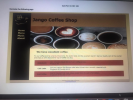 Qulz Part 2-CSCI 165 Recreate the following page Jango Coffee Shop Home Menu Music About We have excellent coffee Try our coffee and be lured by the aroma, the exotic taste and the excellent blend!!! Get our loyalty card at the counter and enjoy a 10% discount for cup of coffee you buy. Cafe Latte Our own version the famous cafe latte infused into a smooth, steamed milik. Single $4.00 Double 55.00 Toed Coffee General Guidelines 1. The general design...
Must be car Themed My first JS-DOM color:red; text node!'); //creates 'This is a text node!'...
 Must be car Themed
My first JS-DOM
color:red;
text node!'); //creates 'This is a text node!'
color:blue; font-family: arial;
Clicker Counter: 0
Interface should look something like this, but does not have to
be one for one like this picture
One of JavaScript's powers is to be able to interact with the DOM directly. You've seen this when using commands such as document.getElementById("idName'). This document allows you to search HTML for certain elements. It turns out that you can also...
Must be car Themed
My first JS-DOM
color:red;
text node!'); //creates 'This is a text node!'
color:blue; font-family: arial;
Clicker Counter: 0
Interface should look something like this, but does not have to
be one for one like this picture
One of JavaScript's powers is to be able to interact with the DOM directly. You've seen this when using commands such as document.getElementById("idName'). This document allows you to search HTML for certain elements. It turns out that you can also...
Please Help!!! Requirements: Use an external CSS & JS file, no internal or inline styles &...
Please Help!!! Requirements: Use an external CSS & JS file, no internal or inline styles & scripts Please comment your JS to demonstrate your understanding of what is happening Create a form with at least 2 inputs and a submit button A good example would be First Name, Last Name, and Age. Use JS to provide the user with some feedback on the values they enter or choose with your inputs To do this you will need create a function...
Assignment:Super Lotto This exercise is JavaScript only. No jQuery, please. Your page should work as follows: Ask the user the highest number that they want to generate. (Some lotteries are 1 ‐ 47, so...
 Assignment:Super Lotto
This exercise is JavaScript only. No jQuery, please. Your page
should work as follows:
Ask the user the highest number that they want to generate. (Some
lotteries are 1 ‐ 47, some 1 ‐ 49, etc.)
Ask the user how many numbers they want to generate.
Create a function that returns a random number between 1 and the
highest number (see "Additional Info" below).
Create an array of numbers. Run the function the correct number
of times, putting...
Assignment:Super Lotto
This exercise is JavaScript only. No jQuery, please. Your page
should work as follows:
Ask the user the highest number that they want to generate. (Some
lotteries are 1 ‐ 47, some 1 ‐ 49, etc.)
Ask the user how many numbers they want to generate.
Create a function that returns a random number between 1 and the
highest number (see "Additional Info" below).
Create an array of numbers. Run the function the correct number
of times, putting...
In this project, you will construct an Object-Oriented framework for a library system. The library must...
In this project, you will construct an Object-Oriented framework for a library system. The library must have books, and it must have patrons. The patrons can check books out and check them back in. Patrons can have at most 3 books checked out at any given time, and can only check out at most one copy of a given book. Books are due to be checked back in by the fourth day after checking them out. For every 5 days...
Create an HTML5 page that contains a form to collect the following data. The text in...
Create an HTML5 page that contains a form to collect the following data. The text in bold indicates the id value that should be assigned to each html control: Product (drop down list) product – iPad, iPhone 6S, Galaxy 5S, Moto X, and so on Quantity (number) quantity Unit price (number) unit_price Discount (%)(number) discount_rate Date (date) order_date First Name (text box) first_name Last Name (text box) last_name Payment type (drop down list) payment_type – Visa, Master, Discover, Amex, and...
 HTML / CSS
Content Requirements
Create a home page with the following elements and settings:
Set the background, font colors, and “theme” to match those used
in lab assignment #1 using an external css file; inline styling
should be used only where necessary to override styling from the
external css
H1 element, centered at the top of the page, with “Thank you for
choosing Your Company Name. . . “ text*
Div or other container with at least 5 sentences...
HTML / CSS
Content Requirements
Create a home page with the following elements and settings:
Set the background, font colors, and “theme” to match those used
in lab assignment #1 using an external css file; inline styling
should be used only where necessary to override styling from the
external css
H1 element, centered at the top of the page, with “Thank you for
choosing Your Company Name. . . “ text*
Div or other container with at least 5 sentences...
 I need help writting a Javascript function that does the
following its for a HTML/CSS Shopping Cart Page
CODE
This page contains a list of the selected products that includes an image, name, price, quantity, and cost) Because the process is implemented not as real, three products along with its image and price are displayed on the page. The product ID of each product is stored in a hidden textbox. The default amount of each product is 1 and the...
I need help writting a Javascript function that does the
following its for a HTML/CSS Shopping Cart Page
CODE
This page contains a list of the selected products that includes an image, name, price, quantity, and cost) Because the process is implemented not as real, three products along with its image and price are displayed on the page. The product ID of each product is stored in a hidden textbox. The default amount of each product is 1 and the...
 Qulz Part 2-CSCI 165 Recreate the following page Jango Coffee Shop Home Menu Music About We have excellent coffee Try our coffee and be lured by the aroma, the exotic taste and the excellent blend!!! Get our loyalty card at the counter and enjoy a 10% discount for cup of coffee you buy. Cafe Latte Our own version the famous cafe latte infused into a smooth, steamed milik. Single $4.00 Double 55.00 Toed Coffee General Guidelines 1. The general design...
 Must be car Themed
My first JS-DOM
color:red;
text node!'); //creates 'This is a text node!'
color:blue; font-family: arial;
Clicker Counter: 0
Interface should look something like this, but does not have to
be one for one like this picture
One of JavaScript's powers is to be able to interact with the DOM directly. You've seen this when using commands such as document.getElementById("idName'). This document allows you to search HTML for certain elements. It turns out that you can also...
Must be car Themed
My first JS-DOM
color:red;
text node!'); //creates 'This is a text node!'
color:blue; font-family: arial;
Clicker Counter: 0
Interface should look something like this, but does not have to
be one for one like this picture
One of JavaScript's powers is to be able to interact with the DOM directly. You've seen this when using commands such as document.getElementById("idName'). This document allows you to search HTML for certain elements. It turns out that you can also...
 Assignment:Super Lotto
This exercise is JavaScript only. No jQuery, please. Your page
should work as follows:
Ask the user the highest number that they want to generate. (Some
lotteries are 1 ‐ 47, some 1 ‐ 49, etc.)
Ask the user how many numbers they want to generate.
Create a function that returns a random number between 1 and the
highest number (see "Additional Info" below).
Create an array of numbers. Run the function the correct number
of times, putting...
Assignment:Super Lotto
This exercise is JavaScript only. No jQuery, please. Your page
should work as follows:
Ask the user the highest number that they want to generate. (Some
lotteries are 1 ‐ 47, some 1 ‐ 49, etc.)
Ask the user how many numbers they want to generate.
Create a function that returns a random number between 1 and the
highest number (see "Additional Info" below).
Create an array of numbers. Run the function the correct number
of times, putting...
Most questions answered within 3 hours.
-
Where is the error in this code sequence?
String s1 = "Hello";
String s2 = "ello";...
asked 11 months ago -
Financial data for Joel de Paris, Inc., for last year
follow:
Joel de Paris, Inc.
Balance...
asked 11 months ago -
Consider this reaction:
Al2(SO4)3 (aq)+ BaCl3
(aq) Al2Cl6 (aq)- +
3BaSO4(s) . What is the...
asked 11 months ago -
Suppose that Savneet is considering increasing her
recent random sample from 20 car rentals to 40...
asked 11 months ago -
Trucks arrive at an unloading terminal at an average rate of 120
per hour.
Trucks arrive...
asked 11 months ago -
Why are methanol and ethanol completely soluble in water while
octanol is not very little soluble....
asked 11 months ago -
A facilities manager at a university reads in a research report
that the mean amount of...
asked 11 months ago -
When the CuSO4 is rehydrated by adding water to the anhydrous
compound, is this an endothermic...
asked 11 months ago -
A ray of sunlight is passing from diamond into crown glass; the
angle of incidence is...
asked 11 months ago -
A block of mass 0.249 kg is placed on top of a light, vertical
spring of...
asked 11 months ago -
how do the kidneys compensate in the presences of acidosis
a) trigger hyperventilate
b) reserve acid...
asked 11 months ago -
Question 501 pts
The rental rate of capital to the firm increases. Which of the
following...
asked 11 months ago