(A). Write an application that extends JPanel and displays a pharse in large font. Each time...
(A). Write an application that extends JPanel and displays a pharse in large font. Each time the user clicks a JButton, display the same pharse in a different color, a little further to the right, and in a slightly smaller font. Allow only three clicks…Save the file as JChangeSizeAndColorPanel.java
(B). Modify the JChangeSizeAndColorPanel application so that it continuously changes the size, color, and location of phrase as long as the user continues to click the button. Save file as JChangeSizeAndColorPanel2.java
Homework Answers


Editable code:
a) JChangeSizeAndColorPanel.java
import javax.swing.*;
import java.awt.*;
import java.awt.Color;
import java.awt.event.*;
public class JChangeSizeAndColorPanel extends JPanel implements ActionListener {
String phrase = new String("Fortune favors the bold");
int countClks = 0;
int xPosition = 10;
final int YPosition = 120;
int size = 40;
JButton Btn = new JButton("Click here");
Font font;
Color color;
final int CHANGE = 8;
final int MOVE_TO_RIGHT = 100;
final int MAX_CLICKS = 3;
public JChangeSizeAndColorPanel() {
setBackground(Color.WHITE);
add(Btn);
Btn.addActionListener(this);
}
@Override
public void paintComponent(Graphics gh) {
super.paintComponent(gh);
font = new Font("Helvetica", Font.ITALIC, size);
gh.setFont(font);
gh.setColor(color);
gh.drawString(phrase, xPosition, YPosition);
}
@Override
public void actionPerformed(ActionEvent e) {
if (countClks == 0) {
color = Color.RED;
} else {
if (countClks == 1) {
color = Color.BLUE;
} else {
if (countClks == 2) {
color = Color.GREEN;
}
}
}
countClks++;
size -= CHANGE;
xPosition += MOVE_TO_RIGHT;
if (countClks <= MAX_CLICKS) {
repaint();
}
}
public static void main(String[] args) {
JFrame frm = new JFrame();
frm.add(new JChangeSizeAndColorPanel());
frm.setSize(600, 200);
frm.setVisible(true);
frm.setDefaultCloseOperation(JFrame.EXIT_ON_CLOSE);
}
}
b) JChangeSizeAndColorPanel2.java
import javax.swing.*;
import java.awt.*;
import java.awt.Color;
import java.awt.event.*;
public class JChangeSizeAndColorPanel2 extends JPanel implements ActionListener
{
String phrase = new String("Fortune favors the bold");
int countClks = 0;
final int ST_X = 10;
int xPosition = ST_X;
final int YPosition = 120;
final int ST_SIZE = 40;
int size = ST_SIZE;
JButton Btn = new JButton("Click here");
Font font;
Color color;
final int CHANGE = 8;
final int MOVE_TO_RIGHT = 100;
final int MAX_CLICKS = 3;
public JChangeSizeAndColorPanel2()
{
setBackground(Color.WHITE);
add(Btn);
Btn.addActionListener(this);
}
@Override
public void paintComponent(Graphics gh)
{
super.paintComponent(gh);
font = new Font("Helvetica", Font.ITALIC, size);
gh.setFont(font);
gh.setColor(color);
gh.drawString(phrase, xPosition, YPosition);
}
@Override
public void actionPerformed(ActionEvent e)
{
if(countClks == 0)
color = Color.RED;
else
if(countClks == 1)
color = Color.BLUE;
else
if(countClks == 2)
color = Color.GREEN;
countClks++;
size -= CHANGE;
xPosition += MOVE_TO_RIGHT;
if(countClks > MAX_CLICKS)
{
color = Color.BLACK;
xPosition = ST_X;
size = ST_SIZE;
countClks = 0;
}
repaint();
}
public static void main(String[] args)
{
JFrame frm = new JFrame();
frm.add(new JChangeSizeAndColorPanel2());
frm.setSize(600, 200);
frm.setVisible(true);
frm.setDefaultCloseOperation(JFrame.EXIT_ON_CLOSE);
}
}
Add Answer to:
(A). Write an application that extends JPanel and displays a
pharse in large font. Each time...
Write a Java application that displays the following ClickMe When the user clicks on "Click Me"...
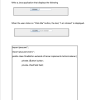 Write a Java application that displays the following ClickMe When the user clicks on "Click Me" button, the text, "l am clicked" is displayed. ClickMe am clicked import java.awt.*; import java.awt.event.*; public class OneButton extends JFrame implements ActionListener private JButton button; private JTextField field; public static void main(String args)( OneButton myCoolButton new OneButton0;
-Write a JavaFX application that displays a Label containing the opening sentence or two from your...
-Write a JavaFX application that displays a Label containing the opening sentence or two from your favorite book. Save the project as FXBookQuote1a. -Add a button to the frame in the FXBookQuote program. When the user clicks the button, display the title of the book that contains the quote in a second label. Save the project as FXBookQuote1b.
1.A. Write a JavaFX application that displays a Label containing the opening sentence or two from...
1.A. Write a JavaFX application that displays a Label containing the opening sentence or two from your favorite book. Save the project as FXBookQuote1a. B. Add a button to the frame in the FXBookQuote program. When the user clicks the button, display the title of the book that contains the quote in a second label. Save the project as FXBookQuote1b.
***Please keep given code intact*** Write a JavaFX application that displays a label and a Button...
***Please keep given code intact*** Write a JavaFX application that displays a label and a Button to a frame in the FXBookQuote2 program. When the user clicks the button, display the title of the book that contains the opening sentence or two from your favorite book in the label. FXBookQuote2.java /* * To change this license header, choose License Headers in Project Properties. * To change this template file, choose Tools | Templates * and open the template in the...
a. Write an application for Cody's Car Care Shop that shows a user a list of...
a. Write an application for Cody's Car Care Shop that shows a user a list of available services: oil change, tire rotation, battery check, or brake inspection. Allow the user to enter a string that corresponds to one of the options, and display the option and its price as $25, $22, $15, or $5, accordingly. Display an error message if the user enters an invalid item. Save the file as CarCareChoice.java. b. It might not be reasonable to expect users...
JAVA CODING Must be compilable, thanks The purpose is to provide an exercise in event-driven programming...
 JAVA CODING
Must be compilable, thanks
The purpose is to provide an exercise in event-driven
programming and image handling using JavaFX. Create an application
that responds to the user clicking command buttons. Initially, it
will display one of two graphic images and, based upon the button
clicked by the user, will switch the image displayed. If the user
clicks the mouse button to display the same image as is currently
displayed, the image is not changed, but a message at...
JAVA CODING
Must be compilable, thanks
The purpose is to provide an exercise in event-driven
programming and image handling using JavaFX. Create an application
that responds to the user clicking command buttons. Initially, it
will display one of two graphic images and, based upon the button
clicked by the user, will switch the image displayed. If the user
clicks the mouse button to display the same image as is currently
displayed, the image is not changed, but a message at...
//No JPanel please: Write a javafx application that displays an image and //plays a sound effect...
//No JPanel please: Write a javafx application that displays an image and //plays a sound effect with each mouse click. Rotate through four images and //five sound effects, so the image/sound effect pairing is different each time. //What my problem is on is actually getting the pictures to switch. The x variable //works perfect for the sound change but I am unsure what to do with y for the //image change. Also I dont know if I should put this...
USING JAVA and NOTTT using BufferedReader or BufferedWriter Write an application that implements ...
USING JAVA and NOTTT using BufferedReader or BufferedWriter Write an application that implements a simple text editor. Use a text field and a button to get the file. Read the entire file as characters and display it in a TextArea. The user will then be able to make changes in the text area. Use a Save button to get the contents of the text area and write that over the text in the original file. Hint: Read each line from...
in java plz and not using bufferedreader or bufferedwriter!! Write an application that implements a simple...
in java plz and not using bufferedreader or bufferedwriter!! Write an application that implements a simple text editor. Use a text field and a button to get the file. Read the entire file as characters and display it in a TextArea. The user will then be able to make changes in the text area. Use a Save button to get the contents of the text area and write that over the text in the original file. Hint: Read each line...
Develop the Change Calculator application In this exercise, you’ll create an application that displays the minimum...
Develop the Change Calculator application In this exercise, you’ll create an application that displays the minimum number of quarters, dimes, nickels, and pennies that make up the number of cents specified by the user. Without the use of a JavaScript Library (for coins). 1. Open the HTML and JavaScript files below: 2. In the JavaScript file, note that three functions are supplied. The $ function. The start of a calculateChange function. And an onload event handler that attaches the calculateChange...
 Write a Java application that displays the following ClickMe When the user clicks on "Click Me" button, the text, "l am clicked" is displayed. ClickMe am clicked import java.awt.*; import java.awt.event.*; public class OneButton extends JFrame implements ActionListener private JButton button; private JTextField field; public static void main(String args)( OneButton myCoolButton new OneButton0;
 JAVA CODING
Must be compilable, thanks
The purpose is to provide an exercise in event-driven
programming and image handling using JavaFX. Create an application
that responds to the user clicking command buttons. Initially, it
will display one of two graphic images and, based upon the button
clicked by the user, will switch the image displayed. If the user
clicks the mouse button to display the same image as is currently
displayed, the image is not changed, but a message at...
JAVA CODING
Must be compilable, thanks
The purpose is to provide an exercise in event-driven
programming and image handling using JavaFX. Create an application
that responds to the user clicking command buttons. Initially, it
will display one of two graphic images and, based upon the button
clicked by the user, will switch the image displayed. If the user
clicks the mouse button to display the same image as is currently
displayed, the image is not changed, but a message at...
Most questions answered within 3 hours.
-
Where is the error in this code sequence?
String s1 = "Hello";
String s2 = "ello";...
asked 11 months ago -
Financial data for Joel de Paris, Inc., for last year
follow:
Joel de Paris, Inc.
Balance...
asked 11 months ago -
Consider this reaction:
Al2(SO4)3 (aq)+ BaCl3
(aq) Al2Cl6 (aq)- +
3BaSO4(s) . What is the...
asked 11 months ago -
Suppose that Savneet is considering increasing her
recent random sample from 20 car rentals to 40...
asked 11 months ago -
Trucks arrive at an unloading terminal at an average rate of 120
per hour.
Trucks arrive...
asked 11 months ago -
Why are methanol and ethanol completely soluble in water while
octanol is not very little soluble....
asked 11 months ago -
A facilities manager at a university reads in a research report
that the mean amount of...
asked 11 months ago -
When the CuSO4 is rehydrated by adding water to the anhydrous
compound, is this an endothermic...
asked 11 months ago -
A ray of sunlight is passing from diamond into crown glass; the
angle of incidence is...
asked 11 months ago -
A block of mass 0.249 kg is placed on top of a light, vertical
spring of...
asked 11 months ago -
how do the kidneys compensate in the presences of acidosis
a) trigger hyperventilate
b) reserve acid...
asked 11 months ago -
Question 501 pts
The rental rate of capital to the firm increases. Which of the
following...
asked 11 months ago