How to make a simple game in pygame where an object is randomly falling from the...
How to make a simple game in pygame where an object is randomly falling from the top of the screen and you need to move another object at the bottom of the screen left and right to catch the object that is falling
Homework Answers
"""
Sample Python/Pygame Programs
Simpson College Computer Science
http://programarcadegames.com/
http://simpson.edu/computer-science/
Explanation video: http://youtu.be/qbEEcQXw8aw
"""
import pygame
import random
# Define some colors
BLACK = (0, 0, 0)
WHITE = (255, 255, 255)
GREEN = (0, 255, 0)
RED = (255, 0, 0)
class Block(pygame.sprite.Sprite):
"""
This class represents the ball
It derives from the "Sprite" class in Pygame
"""
def __init__(self, color, width, height):
""" Constructor. Pass in the color of the block,
and its x and y position. """
# Call the parent class (Sprite) constructor
super().__init__()
# Create an image of the block, and fill it with a color.
# This could also be an image loaded from the disk.
self.image = pygame.Surface([width, height])
self.image.fill(color)
# Fetch the rectangle object that has the dimensions of the image
# image.
# Update the position of this object by setting the values
# of rect.x and rect.y
self.rect = self.image.get_rect()
def reset_pos(self):
""" Reset position to the top of the screen, at a random x location.
Called by update() or the main program loop if there is a collision.
"""
self.rect.y = random.randrange(-300, -20)
self.rect.x = random.randrange(0, screen_width)
def update(self):
""" Called each frame. """
# Move block down one pixel
self.rect.y += 1
# If block is too far down, reset to top of screen.
if self.rect.y > 410:
self.reset_pos()
class Player(Block):
""" The player class derives from Block, but overrides the 'update'
functionality with new a movement function that will move the block
with the mouse. """
def update(self):
# Get the current mouse position. This returns the position
# as a list of two numbers.
pos = pygame.mouse.get_pos()
# Fetch the x and y out of the list,
# just like we'd fetch letters out of a string.
# Set the player object to the mouse location
self.rect.x = pos[0]
self.rect.y = pos[1]
# Initialize Pygame
pygame.init()
# Set the height and width of the screen
screen_width = 700
screen_height = 400
screen = pygame.display.set_mode([screen_width, screen_height])
# This is a list of 'sprites.' Each block in the program is
# added to this list. The list is managed by a class called 'Group.'
block_list = pygame.sprite.Group()
# This is a list of every sprite. All blocks and the player block as well.
all_sprites_list = pygame.sprite.Group()
for i in range(50):
# This represents a block
block = Block(BLACK, 20, 15)
# Set a random location for the block
block.rect.x = random.randrange(screen_width)
block.rect.y = random.randrange(screen_height)
# Add the block to the list of objects
block_list.add(block)
all_sprites_list.add(block)
# Create a red player block
player = Player(RED, 20, 15)
all_sprites_list.add(player)
# Loop until the user clicks the close button.
done = False
# Used to manage how fast the screen updates
clock = pygame.time.Clock()
score = 0
# -------- Main Program Loop -----------
while not done:
for event in pygame.event.get():
if event.type == pygame.QUIT:
done = True
# Clear the screen
screen.fill(WHITE)
# Calls update() method on every sprite in the list
all_sprites_list.update()
# See if the player block has collided with anything.
blocks_hit_list = pygame.sprite.spritecollide(player, block_list, False)
# Check the list of collisions.
for block in blocks_hit_list:
score += 1
print(score)
# Reset block to the top of the screen to fall again.
block.reset_pos()
# Draw all the spites
all_sprites_list.draw(screen)
# Limit to 20 frames per second
clock.tick(20)
# Go ahead and update the screen with what we've drawn.
pygame.display.flip()
pygame.quit()
Add Answer to:
How to make a simple game in pygame where an object is randomly
falling from the...
How to make a simple game of whack a mole in pygame
How to make a simple game of whack a mole in pygame
Write a JAVA program that plays a simple Pac-man game. The game plays on a 10...
Write a JAVA program that plays a simple Pac-man game. The game plays on a 10 by 10 grid (absolutely, you can make it bigger). Pac-man is depicted as “#” and others as “*”. Please see the below. You should ask how many pac-man plays before starting the game. Then, you should create the number of pac-man objects. The pac-mans are defined as classes, and the objects are stored in an array. The pac-man class has a “move()” method, which...
C++ for this exercise, you will make a simple Dungeon Crawl game. For an enhanced version,...
C++ for this exercise, you will make a simple Dungeon Crawl game. For an enhanced version, you can add monsters that randomly move around. Program Requirements While the program is an introduction to two-dimensional arrays, it is also a review of functions and input validation. check: Does the program compile and properly run? does all functions have prototypes? Are all functions commented? Is the program itself commented? Are constants used where appropriate? Are the required functions implemented? Is the dungeon...
JAVA GUİ And THREADS You will write a hunt-hunter game that runs on a 500x500 screen. In the ga...
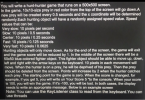 JAVA GUİ And THREADS
You will write a hunt-hunter game that runs on a 500x500
screen.
In the game, 10x10-size prey in red color from the top of the
screen will go down.A new prey will be created every 0.5 seconds
and the x coordinate will be determined randomly.Each hunting
object will have a randomly assigned speed value. Speed values
that can be:
Very slow: 10 pixels per second
Slow: 10 pixels / 0.5 seconds
Center: 10 pixels / 0.25...
JAVA GUİ And THREADS
You will write a hunt-hunter game that runs on a 500x500
screen.
In the game, 10x10-size prey in red color from the top of the
screen will go down.A new prey will be created every 0.5 seconds
and the x coordinate will be determined randomly.Each hunting
object will have a randomly assigned speed value. Speed values
that can be:
Very slow: 10 pixels per second
Slow: 10 pixels / 0.5 seconds
Center: 10 pixels / 0.25...
When an object is placed at the proper distance to the left of a converging lens,...
 When an object is placed at the proper distance to the left of a converging lens, the image is focused on a screen 30.0 cm to the right of the lens. A diverging lens with focal length f= -24 cm is now placed 15.0 cm to the right of the converging lens. a) How much do you need to move the screen farther to obtain a sharp image? Indicate if the screen should be moved to the right or to...
I want to make a really simple maze game in Python. I need to use tkinter and GUI to make this ha...
 I want to make a really simple maze game in Python. I
need to use tkinter and GUI to make this happened.
Under you can see the description of the task, but i
need help to getting startet. If there is an other easier way I'm
just happy for the help!!
task Description:
You have to create a maze game. The goal of the game is to get
out of the maze. The game should read The maze from a...
I want to make a really simple maze game in Python. I
need to use tkinter and GUI to make this happened.
Under you can see the description of the task, but i
need help to getting startet. If there is an other easier way I'm
just happy for the help!!
task Description:
You have to create a maze game. The goal of the game is to get
out of the maze. The game should read The maze from a...
Falling object On a planet where g = 100 m/s, a student drops a computer from...
 Falling object On a planet where g = 100 m/s, a student drops a computer from rest at a height H of 11.5 meters. How long, in seconds, does it take to reach the ground?
Arkanoid game using c Rules: you must use only graphics.h library You must implement a main...
 Arkanoid game using c Rules: you must use only graphics.h library You must implement a main menu for your game which contains: New Game Easy Medium High Scores Help Quit Yes No Your game also should have an in-game pause menu which contains Resume Game Quit to Main Menu No Quit to Windows No Movement of Racket Your racket in game should be at the bottom of the game screen. It should be able to move left and right. Player...
The goal is to create a code for implementing a Columns game using pygame Your program...
The goal is to create a code for implementing a Columns game using pygame Your program will read its input via the Python shell (i.e., using the built-in input() function), printing no prompts to a user with no extraneous output other than precisely what is specified below. The intent here is not to write a user-friendly user interface; what you're actually doing is building a tool for testing your game mechanics, which we'll then be using to automatically test them....
This program will make Maze game. Please Help in c++ Prompt the user for a file...
This program will make Maze game. Please Help in c++ Prompt the user for a file that contains the maze. Read it into a two-dimensional array Remember you can use inputStream.get(c) to read the next character from the inputStream. This will read whitespace and non-whitespace characters Don’t forget to read the newline character at the end of each line Print the maze to the screen from your array You should include a ‘*’ in your maze to indicate where the...
 JAVA GUİ And THREADS
You will write a hunt-hunter game that runs on a 500x500
screen.
In the game, 10x10-size prey in red color from the top of the
screen will go down.A new prey will be created every 0.5 seconds
and the x coordinate will be determined randomly.Each hunting
object will have a randomly assigned speed value. Speed values
that can be:
Very slow: 10 pixels per second
Slow: 10 pixels / 0.5 seconds
Center: 10 pixels / 0.25...
JAVA GUİ And THREADS
You will write a hunt-hunter game that runs on a 500x500
screen.
In the game, 10x10-size prey in red color from the top of the
screen will go down.A new prey will be created every 0.5 seconds
and the x coordinate will be determined randomly.Each hunting
object will have a randomly assigned speed value. Speed values
that can be:
Very slow: 10 pixels per second
Slow: 10 pixels / 0.5 seconds
Center: 10 pixels / 0.25...
 When an object is placed at the proper distance to the left of a converging lens, the image is focused on a screen 30.0 cm to the right of the lens. A diverging lens with focal length f= -24 cm is now placed 15.0 cm to the right of the converging lens. a) How much do you need to move the screen farther to obtain a sharp image? Indicate if the screen should be moved to the right or to...
 I want to make a really simple maze game in Python. I
need to use tkinter and GUI to make this happened.
Under you can see the description of the task, but i
need help to getting startet. If there is an other easier way I'm
just happy for the help!!
task Description:
You have to create a maze game. The goal of the game is to get
out of the maze. The game should read The maze from a...
I want to make a really simple maze game in Python. I
need to use tkinter and GUI to make this happened.
Under you can see the description of the task, but i
need help to getting startet. If there is an other easier way I'm
just happy for the help!!
task Description:
You have to create a maze game. The goal of the game is to get
out of the maze. The game should read The maze from a...
 Falling object On a planet where g = 100 m/s, a student drops a computer from rest at a height H of 11.5 meters. How long, in seconds, does it take to reach the ground?
 Arkanoid game using c Rules: you must use only graphics.h library You must implement a main menu for your game which contains: New Game Easy Medium High Scores Help Quit Yes No Your game also should have an in-game pause menu which contains Resume Game Quit to Main Menu No Quit to Windows No Movement of Racket Your racket in game should be at the bottom of the game screen. It should be able to move left and right. Player...
Most questions answered within 3 hours.
-
Where is the error in this code sequence?
String s1 = "Hello";
String s2 = "ello";...
asked 10 months ago -
Financial data for Joel de Paris, Inc., for last year
follow:
Joel de Paris, Inc.
Balance...
asked 10 months ago -
Consider this reaction:
Al2(SO4)3 (aq)+ BaCl3
(aq) Al2Cl6 (aq)- +
3BaSO4(s) . What is the...
asked 10 months ago -
Suppose that Savneet is considering increasing her
recent random sample from 20 car rentals to 40...
asked 10 months ago -
Trucks arrive at an unloading terminal at an average rate of 120
per hour.
Trucks arrive...
asked 10 months ago -
Why are methanol and ethanol completely soluble in water while
octanol is not very little soluble....
asked 10 months ago -
A facilities manager at a university reads in a research report
that the mean amount of...
asked 10 months ago -
When the CuSO4 is rehydrated by adding water to the anhydrous
compound, is this an endothermic...
asked 10 months ago -
A ray of sunlight is passing from diamond into crown glass; the
angle of incidence is...
asked 10 months ago -
A block of mass 0.249 kg is placed on top of a light, vertical
spring of...
asked 10 months ago -
how do the kidneys compensate in the presences of acidosis
a) trigger hyperventilate
b) reserve acid...
asked 10 months ago -
Question 501 pts
The rental rate of capital to the firm increases. Which of the
following...
asked 10 months ago