Write code to make pin A0 (Analog 0) on the NodeMCU an input, and read its...
Write code to make pin A0 (Analog 0) on the NodeMCU an
input,
and read its voltage into currentVoltage (declare this as a
double).
Put your code inside setup(), below. Do not use
loop().
void setup(){
}
Homework Answers
Once the circuit part is done, NodeMCU is needed to be programmed. Here is the code to run this circuit on NodeMCU.
// Robo India Tutorial
// Digital Input and Output on LED
// Hardware: NodeMCU
const int analog_ip = A0; //Naming analog input pin
const int LED = 0; //Naming LED Pin
int inputVal = 0; //Variable to store analog input values
void setup() {
pinMode(LED, OUTPUT); // Defining pin as output
Serial.begin(9600); // Initiating Serial communication
}
void loop() {
inputVal = analogRead (analog_ip); // Analog Values 0 to 1023
Serial.println (inputVal);
analogWrite(LED, inputVal/4); // Mapping 0 to 255
delay(1000);
}
Add Answer to:
Write code to make pin A0 (Analog 0) on the NodeMCU an
input,
and read its...
An Arduino Uno is configured with the voltage divider connected to Analog input pin A0 as...
 An Arduino Uno is configured with the voltage divider connected to Analog input pin A0 as shown, and the code shown below is uploaded. What happens? testCodeA | Arduino 1.8.1 1 Hourly Build 2019/10/29 11:12 As dum o testCodeA Uno #define LED 13 5v void setup) { pinModeCLED, OUTPUT) ; } 13 5k-R Ap void loop) int voltage-anal ogRead (A0) ; if (voltage 1024/2) digitalWrite(LED, HIGH); else R digital Write(LED, LOW); } GND Done compiling. Sketch uses 778 bytes (2%)...
An Arduino Uno is configured with the voltage divider connected to Analog input pin AO as...
 An Arduino Uno is configured with the voltage divider connected to Analog input pin AO as shown, and the code shown below is uploaded. What happens? testCodeA Arduino 1.8.11 Hourly Build 2019/10/29 11:12 Arduino Uno testCodeA #define LED 13 to sv 13o 5ke & void setup() { pinMode(LED, OUTPUT); to A 10KZ Ž ŞR void loop() { int voltage-analogRead(AO); if (voltage > 1024/2) digitalWrite(LED, HIGH); else digitalWrite(LED, LOW); GND GND Done compiling Sketch uses 778 bytes (2%) of program storage...
An Arduino Uno is configured with the voltage divider connected to Analog input pin AO as...
 An Arduino Uno is configured with the voltage divider connected to Analog input pin AO as shown, and the code shown below is uploaded. What happens? testCodeA Arduino 1.8.11 Hourly Build 2019/10/29 11:12 Arduino testCodeA Uno #define LED 13 to SV 130 5ks § void setup() { pinMode(LED, OUTPUT); B toap ŹR 10 Kaş void loop 1 int voltage analogRead(AO); if (voltage > 1024/2) digitalWrite(LED, HIGH); else digitalWrite(LED, LOW); HOGNO Gong Done compiling Sketch uses 778 bytes (2%) of program...
The instructions to answer my question are below in bulletpoints, and write the code in Java,...
 The instructions to answer my question are below in
bulletpoints, and write the code in Java, thank you.
A classic 0(N^2) algorithm is Bubble Sort, where a loop insicle of a loop is used to sort the data Write a Bubble Sort for the array of integers theArray that orders them low to high Use the variable outvar on the outer loop, start the target position at the end of the array and move backwards Use the variable innerval on...
The instructions to answer my question are below in
bulletpoints, and write the code in Java, thank you.
A classic 0(N^2) algorithm is Bubble Sort, where a loop insicle of a loop is used to sort the data Write a Bubble Sort for the array of integers theArray that orders them low to high Use the variable outvar on the outer loop, start the target position at the end of the array and move backwards Use the variable innerval on...
6.3.7. Analog write and digital write methods Do this Similar to the ar and dr methods, write the methods aw and dw. Each of these methods has a pin number parameter and a value parameter. Write the...
 6.3.7. Analog write and digital write methods Do this Similar to the ar and dr methods, write the methods aw and dw. Each of these methods has a pin number parameter and a value parameter. Write the value to the corresponding analog or digital pin instance. Just like ar and dr, write the value to the pin only if the pin number is in the correct 17 range. These functions do not need to retum anything. One other thing: in...
void setup () Write the following code and upload it to the { Arduino, observe and...
 void setup () Write the following code and upload it to the { Arduino, observe and comment on the pinMode (8, OUTPUT); pinMode (2, INPUT); digitalWrite (8, HIGH); function of the circuit and explain how the code is working. In addition, explain how to turn ON the LED in case it is OFF. void loop () { digitalRead (2) int A if (A 0) { digitalWrite (8, LOW);
void setup () Write the following code and upload it to the...
void setup () Write the following code and upload it to the { Arduino, observe and comment on the pinMode (8, OUTPUT); pinMode (2, INPUT); digitalWrite (8, HIGH); function of the circuit and explain how the code is working. In addition, explain how to turn ON the LED in case it is OFF. void loop () { digitalRead (2) int A if (A 0) { digitalWrite (8, LOW);
void setup () Write the following code and upload it to the...
Mechatronics void setup () Write the following code and upload it to the { Arduino, observe...
 Mechatronics
void setup () Write the following code and upload it to the { Arduino, observe and comment on the pinMode (8, OUTPUT) function of the circuit and explain how the pinMode (2, INPUT); code is working. In addition, explain how to digitalWrite (8, HIGH) turn ON the LED in case it is OFF. void loop () { digitalRead (2) int A if (A 0) { digitalWrite (8, LOW)
void setup () Write the following code and upload it to...
Mechatronics
void setup () Write the following code and upload it to the { Arduino, observe and comment on the pinMode (8, OUTPUT) function of the circuit and explain how the pinMode (2, INPUT); code is working. In addition, explain how to digitalWrite (8, HIGH) turn ON the LED in case it is OFF. void loop () { digitalRead (2) int A if (A 0) { digitalWrite (8, LOW)
void setup () Write the following code and upload it to...
Optimise the following fragment of code to improve its speed and (b) explain your optimisations x := 0; read(y); un...
 Optimise the following fragment of code to improve its speed and (b) explain your optimisations x := 0; read(y); unless x > 3 do y:= x + y; endunless write(y); In this fragment ' assigns its right-hand side to its left-hand side; reado) reads a numerical value from the input stream and assigns it to y; writeó) writes the printable form of y to the output stream. The unless loop terminates when its condition is met. 5 marks
Optimise the...
Optimise the following fragment of code to improve its speed and (b) explain your optimisations x := 0; read(y); unless x > 3 do y:= x + y; endunless write(y); In this fragment ' assigns its right-hand side to its left-hand side; reado) reads a numerical value from the input stream and assigns it to y; writeó) writes the printable form of y to the output stream. The unless loop terminates when its condition is met. 5 marks
Optimise the...
Modify main.ino such that the waveform becomes triangular shape and symmetrical. That means the v...
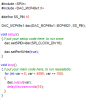 Modify main.ino such that the waveform
becomes triangular shape and symmetrical. That means the voltage
goes from 0 to peak, then comes down back to 0, in equal amount of
time.
#include «SPI.h> #include
Modify main.ino such that the waveform
becomes triangular shape and symmetrical. That means the voltage
goes from 0 to peak, then comes down back to 0, in equal amount of
time.
#include «SPI.h> #include
Trying to make a code to change output PWM signal from analog value. The frequency is...
Trying to make a code to change output PWM signal from analog value. The frequency is to be 50kHz or greater. I can get a square wave to work fine when not using the analog reference, but when i try to make it work off the analog reference, the waveform gets all messed up and distorted. I am using arduino nano. #include <avr/io.h> #include <util/delay.h> int main(void) { pinMode(3, OUTPUT); // Output pin for OCR2B int i=1; int inVal =...
 An Arduino Uno is configured with the voltage divider connected to Analog input pin A0 as shown, and the code shown below is uploaded. What happens? testCodeA | Arduino 1.8.1 1 Hourly Build 2019/10/29 11:12 As dum o testCodeA Uno #define LED 13 5v void setup) { pinModeCLED, OUTPUT) ; } 13 5k-R Ap void loop) int voltage-anal ogRead (A0) ; if (voltage 1024/2) digitalWrite(LED, HIGH); else R digital Write(LED, LOW); } GND Done compiling. Sketch uses 778 bytes (2%)...
 An Arduino Uno is configured with the voltage divider connected to Analog input pin AO as shown, and the code shown below is uploaded. What happens? testCodeA Arduino 1.8.11 Hourly Build 2019/10/29 11:12 Arduino Uno testCodeA #define LED 13 to sv 13o 5ke & void setup() { pinMode(LED, OUTPUT); to A 10KZ Ž ŞR void loop() { int voltage-analogRead(AO); if (voltage > 1024/2) digitalWrite(LED, HIGH); else digitalWrite(LED, LOW); GND GND Done compiling Sketch uses 778 bytes (2%) of program storage...
 An Arduino Uno is configured with the voltage divider connected to Analog input pin AO as shown, and the code shown below is uploaded. What happens? testCodeA Arduino 1.8.11 Hourly Build 2019/10/29 11:12 Arduino testCodeA Uno #define LED 13 to SV 130 5ks § void setup() { pinMode(LED, OUTPUT); B toap ŹR 10 Kaş void loop 1 int voltage analogRead(AO); if (voltage > 1024/2) digitalWrite(LED, HIGH); else digitalWrite(LED, LOW); HOGNO Gong Done compiling Sketch uses 778 bytes (2%) of program...
 The instructions to answer my question are below in
bulletpoints, and write the code in Java, thank you.
A classic 0(N^2) algorithm is Bubble Sort, where a loop insicle of a loop is used to sort the data Write a Bubble Sort for the array of integers theArray that orders them low to high Use the variable outvar on the outer loop, start the target position at the end of the array and move backwards Use the variable innerval on...
The instructions to answer my question are below in
bulletpoints, and write the code in Java, thank you.
A classic 0(N^2) algorithm is Bubble Sort, where a loop insicle of a loop is used to sort the data Write a Bubble Sort for the array of integers theArray that orders them low to high Use the variable outvar on the outer loop, start the target position at the end of the array and move backwards Use the variable innerval on...
 6.3.7. Analog write and digital write methods Do this Similar to the ar and dr methods, write the methods aw and dw. Each of these methods has a pin number parameter and a value parameter. Write the value to the corresponding analog or digital pin instance. Just like ar and dr, write the value to the pin only if the pin number is in the correct 17 range. These functions do not need to retum anything. One other thing: in...
 void setup () Write the following code and upload it to the { Arduino, observe and comment on the pinMode (8, OUTPUT); pinMode (2, INPUT); digitalWrite (8, HIGH); function of the circuit and explain how the code is working. In addition, explain how to turn ON the LED in case it is OFF. void loop () { digitalRead (2) int A if (A 0) { digitalWrite (8, LOW);
void setup () Write the following code and upload it to the...
void setup () Write the following code and upload it to the { Arduino, observe and comment on the pinMode (8, OUTPUT); pinMode (2, INPUT); digitalWrite (8, HIGH); function of the circuit and explain how the code is working. In addition, explain how to turn ON the LED in case it is OFF. void loop () { digitalRead (2) int A if (A 0) { digitalWrite (8, LOW);
void setup () Write the following code and upload it to the...
 Mechatronics
void setup () Write the following code and upload it to the { Arduino, observe and comment on the pinMode (8, OUTPUT) function of the circuit and explain how the pinMode (2, INPUT); code is working. In addition, explain how to digitalWrite (8, HIGH) turn ON the LED in case it is OFF. void loop () { digitalRead (2) int A if (A 0) { digitalWrite (8, LOW)
void setup () Write the following code and upload it to...
Mechatronics
void setup () Write the following code and upload it to the { Arduino, observe and comment on the pinMode (8, OUTPUT) function of the circuit and explain how the pinMode (2, INPUT); code is working. In addition, explain how to digitalWrite (8, HIGH) turn ON the LED in case it is OFF. void loop () { digitalRead (2) int A if (A 0) { digitalWrite (8, LOW)
void setup () Write the following code and upload it to...
 Optimise the following fragment of code to improve its speed and (b) explain your optimisations x := 0; read(y); unless x > 3 do y:= x + y; endunless write(y); In this fragment ' assigns its right-hand side to its left-hand side; reado) reads a numerical value from the input stream and assigns it to y; writeó) writes the printable form of y to the output stream. The unless loop terminates when its condition is met. 5 marks
Optimise the...
Optimise the following fragment of code to improve its speed and (b) explain your optimisations x := 0; read(y); unless x > 3 do y:= x + y; endunless write(y); In this fragment ' assigns its right-hand side to its left-hand side; reado) reads a numerical value from the input stream and assigns it to y; writeó) writes the printable form of y to the output stream. The unless loop terminates when its condition is met. 5 marks
Optimise the...
 Modify main.ino such that the waveform
becomes triangular shape and symmetrical. That means the voltage
goes from 0 to peak, then comes down back to 0, in equal amount of
time.
#include «SPI.h> #include
Modify main.ino such that the waveform
becomes triangular shape and symmetrical. That means the voltage
goes from 0 to peak, then comes down back to 0, in equal amount of
time.
#include «SPI.h> #include
Most questions answered within 3 hours.
-
Where is the error in this code sequence?
String s1 = "Hello";
String s2 = "ello";...
asked 10 months ago -
Financial data for Joel de Paris, Inc., for last year
follow:
Joel de Paris, Inc.
Balance...
asked 10 months ago -
Consider this reaction:
Al2(SO4)3 (aq)+ BaCl3
(aq) Al2Cl6 (aq)- +
3BaSO4(s) . What is the...
asked 10 months ago -
Suppose that Savneet is considering increasing her
recent random sample from 20 car rentals to 40...
asked 10 months ago -
Trucks arrive at an unloading terminal at an average rate of 120
per hour.
Trucks arrive...
asked 10 months ago -
Why are methanol and ethanol completely soluble in water while
octanol is not very little soluble....
asked 10 months ago -
A facilities manager at a university reads in a research report
that the mean amount of...
asked 10 months ago -
When the CuSO4 is rehydrated by adding water to the anhydrous
compound, is this an endothermic...
asked 10 months ago -
A ray of sunlight is passing from diamond into crown glass; the
angle of incidence is...
asked 10 months ago -
A block of mass 0.249 kg is placed on top of a light, vertical
spring of...
asked 10 months ago -
how do the kidneys compensate in the presences of acidosis
a) trigger hyperventilate
b) reserve acid...
asked 10 months ago -
Question 501 pts
The rental rate of capital to the firm increases. Which of the
following...
asked 10 months ago