Using Matlab create a .wav file using 30,000 random numbers and a sampling frequency of 20,000...
Homework Answers
x = rand(30000,1); % Generates 30000 random numbers
filename = 'audio.wav'; % Name of the file to create
audiowrite('audio.wav', x, 20000); % Writing the random numbers in the audio file with sampling frequency of 20000 Hz
Add Answer to:
Using Matlab create a .wav file using 30,000 random numbers and a
sampling frequency of 20,000...
Part A:- Synthesising a Discrete Signal using Matlab: Using a sampling frequency of 8000 Hz, determine...
 Part A:- Synthesising a Discrete Signal using Matlab: Using a sampling frequency of 8000 Hz, determine the discrete signal, x[n] that is obtained from sampling a 1000 Hz sine wave, with a peak magnitude of 0.8. (that is, x(t)-0.8cos(2rtft)). Determine an equation for xin] in terms of 'n' and then create the signal in Matlab. (Remember in this case 'n' is your independent variable not t'.) Play the x[n] signal through the PC soundcard using the 'sound' command in Matlab....
3) Develop Matlab code to plots of chirp signal and its FFT (sampling frequency-500 Hz, duration:...
 3) Develop Matlab code to plots of chirp signal and its FFT (sampling frequency-500 Hz, duration: 1 second, length of FFT 1024). Explain what chirp signal is and how it is using in industry
3) Develop Matlab code to plots of chirp signal and its FFT (sampling frequency-500 Hz, duration: 1 second, length of FFT 1024). Explain what chirp signal is and how it is using in industry
3) Develop Matlab code to plots of chirp signal and its FFT (sampling frequency-500 Hz, duration: 1 second, length of FFT 1024). Explain what chirp signal is and how it is using in industry
Using MATLAB simulate and create: Use Frequency Modulation to modulate a cosine function with fm=500 Hz...
Using MATLAB simulate and create: Use Frequency Modulation to modulate a cosine function with fm=500 Hz with fc=10000 Hz . Create plots of the modulated signal sampled at 25000 Hz and its spectra for the following values of β : 0.25, 0.5, 1, 2, 5, 10 .
Program from problem 1: (Using MATLAB) % Sampling frequency and sampling period fs = 10000; ts...
 Program from problem 1: (Using MATLAB)
% Sampling frequency and sampling period
fs = 10000;
ts = 1/fs;
% Number of samples, assume 1000 samples
l = 1000;
t = 0:1:l-1;
t = t.*ts; % Convert the sample index into time for generation and
plotting of signal
% Frequency and amplitude of the sensor
f1 = 110;
a1 = 1.0;
% Frequency and amplitude of the power grid noise
f2 = 60;
a2 = 0.7;
% Generating the sinusoidal waves...
Program from problem 1: (Using MATLAB)
% Sampling frequency and sampling period
fs = 10000;
ts = 1/fs;
% Number of samples, assume 1000 samples
l = 1000;
t = 0:1:l-1;
t = t.*ts; % Convert the sample index into time for generation and
plotting of signal
% Frequency and amplitude of the sensor
f1 = 110;
a1 = 1.0;
% Frequency and amplitude of the power grid noise
f2 = 60;
a2 = 0.7;
% Generating the sinusoidal waves...
Create a Word doc file (name of the file: numbers) using Python. Write the following numbers...
Create a Word doc file (name of the file: numbers) using Python. Write the following numbers to the Word document as shown below and read these numbers from the file and calculate and print the sum and average of these numbers. 9 5 7 6 3 After that, read these values from the file and calculate the sum and average of these numbers. I have wrote this so far, but doesnt work! def numbersfile(): f = open("numbers.docx, "w") for i...
Using filterDesigner in MATLAB, design a second order low pass IIR Butterworth filter whose sampling frequency...
Using filterDesigner in MATLAB, design a second order low pass IIR Butterworth filter whose sampling frequency (Fs) is 1 kHz and cutoff frequency (Fc) is 10 Hz. Find the numerator and denominator coefficients. Write its transfer function H(z) = Y(z) / X(z). Write its difference function y(k). Draw (copy from Filter Designer) the magnitude response plot. Draw (copy from Filter Designer) the phase response plot. Draw (copy from Filter Designer) the impulse response plot.
1. a. For music file of suitable format(.mp3,.dat etc.) add a random noise so that the SNR is 10dB with a Matlab pr...
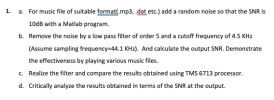 1. a. For music file of suitable format(.mp3,.dat etc.) add a random noise so that the SNR is 10dB with a Matlab program b. Remove the noise by a low pass filter of order 5 and a cutoff frequency of 4.5 KHz (Assume sampling frequency-44.1 KHz). And calculate the output SNR. Demonstrate the effectiveness by playing various music files Realize the filter and compare the results obtained using TMS 6713 processor c. d. Critically analyze the results obtained in terms...
MATLAB Fourier transform. Suppose that a signal x(t) is sampled with sampling frequency fs =100Hz. The sequence x[n] obtained after the sampling is given below: Take the DFT of the sampled sequence a...
 MATLAB Fourier transform. Suppose that a signal x(t) is sampled
with sampling frequency fs =100Hz.
The sequence x[n] obtained after the sampling is given below:
Take the DFT of the sampled sequence and plot
its magnitude and phase.
What is the frequency resolution (Δf) of your plot?
N= 20, 100 Hz
N= 20, 100 Hz
MATLAB Fourier transform. Suppose that a signal x(t) is sampled
with sampling frequency fs =100Hz.
The sequence x[n] obtained after the sampling is given below:
Take the DFT of the sampled sequence and plot
its magnitude and phase.
What is the frequency resolution (Δf) of your plot?
N= 20, 100 Hz
N= 20, 100 Hz
Create a MATLAB script with the following specifications: An IIR high-pass filter that has the magnitude...
Create a MATLAB script with the following specifications: An IIR high-pass filter that has the magnitude response below 0.2 for frequencies 0-60 Hz, and the magnitude response between 0.8 and 1.2 for frequencies between ?144 − XY? Hz and 200 Hz. Sampling frequency is 400Hz.
Using filterDesigner in MATLAB, design a second order low pass IIR Butterworth filter whose sampling frequency (Fs) is 1...
Using filterDesigner in MATLAB, design a second order low pass IIR Butterworth filter whose sampling frequency (Fs) is 1 kHz and cutoff frequency (Fc) is 10 Hz. Find the numerator and denominator coefficients. Write its transfer function H(z) = Y(z) / X(z). Write its difference function y(k). Draw (copy from Filter Designer) the magnitude response plot. Draw (copy from Filter Designer) the phase response plot. Draw (copy from Filter Designer) the impulse response plot.
 Part A:- Synthesising a Discrete Signal using Matlab: Using a sampling frequency of 8000 Hz, determine the discrete signal, x[n] that is obtained from sampling a 1000 Hz sine wave, with a peak magnitude of 0.8. (that is, x(t)-0.8cos(2rtft)). Determine an equation for xin] in terms of 'n' and then create the signal in Matlab. (Remember in this case 'n' is your independent variable not t'.) Play the x[n] signal through the PC soundcard using the 'sound' command in Matlab....
 3) Develop Matlab code to plots of chirp signal and its FFT (sampling frequency-500 Hz, duration: 1 second, length of FFT 1024). Explain what chirp signal is and how it is using in industry
3) Develop Matlab code to plots of chirp signal and its FFT (sampling frequency-500 Hz, duration: 1 second, length of FFT 1024). Explain what chirp signal is and how it is using in industry
3) Develop Matlab code to plots of chirp signal and its FFT (sampling frequency-500 Hz, duration: 1 second, length of FFT 1024). Explain what chirp signal is and how it is using in industry
 Program from problem 1: (Using MATLAB)
% Sampling frequency and sampling period
fs = 10000;
ts = 1/fs;
% Number of samples, assume 1000 samples
l = 1000;
t = 0:1:l-1;
t = t.*ts; % Convert the sample index into time for generation and
plotting of signal
% Frequency and amplitude of the sensor
f1 = 110;
a1 = 1.0;
% Frequency and amplitude of the power grid noise
f2 = 60;
a2 = 0.7;
% Generating the sinusoidal waves...
Program from problem 1: (Using MATLAB)
% Sampling frequency and sampling period
fs = 10000;
ts = 1/fs;
% Number of samples, assume 1000 samples
l = 1000;
t = 0:1:l-1;
t = t.*ts; % Convert the sample index into time for generation and
plotting of signal
% Frequency and amplitude of the sensor
f1 = 110;
a1 = 1.0;
% Frequency and amplitude of the power grid noise
f2 = 60;
a2 = 0.7;
% Generating the sinusoidal waves...
 1. a. For music file of suitable format(.mp3,.dat etc.) add a random noise so that the SNR is 10dB with a Matlab program b. Remove the noise by a low pass filter of order 5 and a cutoff frequency of 4.5 KHz (Assume sampling frequency-44.1 KHz). And calculate the output SNR. Demonstrate the effectiveness by playing various music files Realize the filter and compare the results obtained using TMS 6713 processor c. d. Critically analyze the results obtained in terms...
 MATLAB Fourier transform. Suppose that a signal x(t) is sampled
with sampling frequency fs =100Hz.
The sequence x[n] obtained after the sampling is given below:
Take the DFT of the sampled sequence and plot
its magnitude and phase.
What is the frequency resolution (Δf) of your plot?
N= 20, 100 Hz
N= 20, 100 Hz
MATLAB Fourier transform. Suppose that a signal x(t) is sampled
with sampling frequency fs =100Hz.
The sequence x[n] obtained after the sampling is given below:
Take the DFT of the sampled sequence and plot
its magnitude and phase.
What is the frequency resolution (Δf) of your plot?
N= 20, 100 Hz
N= 20, 100 Hz
Most questions answered within 3 hours.
-
Where is the error in this code sequence?
String s1 = "Hello";
String s2 = "ello";...
asked 11 months ago -
Financial data for Joel de Paris, Inc., for last year
follow:
Joel de Paris, Inc.
Balance...
asked 11 months ago -
Consider this reaction:
Al2(SO4)3 (aq)+ BaCl3
(aq) Al2Cl6 (aq)- +
3BaSO4(s) . What is the...
asked 11 months ago -
Suppose that Savneet is considering increasing her
recent random sample from 20 car rentals to 40...
asked 11 months ago -
Trucks arrive at an unloading terminal at an average rate of 120
per hour.
Trucks arrive...
asked 11 months ago -
Why are methanol and ethanol completely soluble in water while
octanol is not very little soluble....
asked 11 months ago -
A facilities manager at a university reads in a research report
that the mean amount of...
asked 11 months ago -
When the CuSO4 is rehydrated by adding water to the anhydrous
compound, is this an endothermic...
asked 11 months ago -
A ray of sunlight is passing from diamond into crown glass; the
angle of incidence is...
asked 11 months ago -
A block of mass 0.249 kg is placed on top of a light, vertical
spring of...
asked 11 months ago -
how do the kidneys compensate in the presences of acidosis
a) trigger hyperventilate
b) reserve acid...
asked 11 months ago -
Question 501 pts
The rental rate of capital to the firm increases. Which of the
following...
asked 11 months ago